
← Back To Blog
Is Upwork Free? A 2026 Guide to Real Costs
So, you're wondering if you can use Upwork without opening your wallet. The short answer is yes, you can get in the door for free. The more realistic answer is a bit more complicated.
Think of it like getting a complimentary ticket to a huge professional conference. You're free to walk in, browse the directory of attendees, and get a feel for the place. But if you actually want to book a meeting room (hire someone) or hand out your business card (apply for a job), you'll run into some costs.
The Difference Between Free to Join and Free to Use
Upwork runs on what's often called a freemium model. Signing up and creating a profile, whether you're a freelancer or a client, is completely free. This smart approach has allowed them to build one of the largest networks of global talent you can find.
The "free" part gets you into the ecosystem. The moment you want to start doing business, though, the platform's fee structure kicks in. Understanding this difference is key to avoiding surprises down the line.
For Freelancers
As a freelancer, your main hurdle on the free plan is a digital currency called "Connects." These are the tokens you spend to submit proposals for projects.
Upwork gives you 10 free Connects every month on the basic plan. To be blunt, that’s not a lot. If you're serious about finding work, you'll find that those 10 tokens disappear quickly, forcing you to be incredibly picky about which jobs you apply for.
Basically, you can look but you can't touch—at least not very much. Having a free profile lets you see every job posted, but with only 10 Connects a month, you're limited to just a handful of applications.
Once you're out, you have two choices: wait for next month's refresh or buy more Connects. This system is designed to make you think carefully before hitting "submit proposal."
For Clients
Clients get a similar free pass to start. You can post a job, look through freelancer profiles, and even send out invitations to your project, all without paying a cent. It’s a great way to test the waters and see the quality of talent available.
The costs only appear when you've found your perfect match and are ready to hire. At that point, you'll typically face two fees:
- A small, one-time contract initiation fee to get the project started.
- A marketplace fee added to every payment you make to your freelancer.
This model lets you explore the talent pool with zero financial commitment until you're confident you've found the right person for the job. We’ll dive into the exact numbers for every one of these costs in the next few sections.
What Does Upwork Actually Cost for Freelancers?
So, you can create an Upwork profile without spending a dime. That part is true. But actually working and earning money on the platform? That's a different story.
Think of your Upwork profile as your new digital storefront. Setting it up is free, which is great. But just like a real-world shop, you have operational costs to actually run the business and attract customers. For freelancers on Upwork, these costs come in a few key forms.
The 10% Service Fee
The first and most important cost to get your head around is the service fee. This is Upwork’s primary commission for connecting you with clients and facilitating payments.
As of early 2026, Upwork charges a straightforward, flat 10% service fee on all your earnings. It doesn't matter if it's an hourly contract, a fixed-price project, or a service you sell through your Project Catalog. If you land a $1,000 project, you’ll see $900 in your account. Factoring this into your pricing from day one is non-negotiable if you want to be profitable.
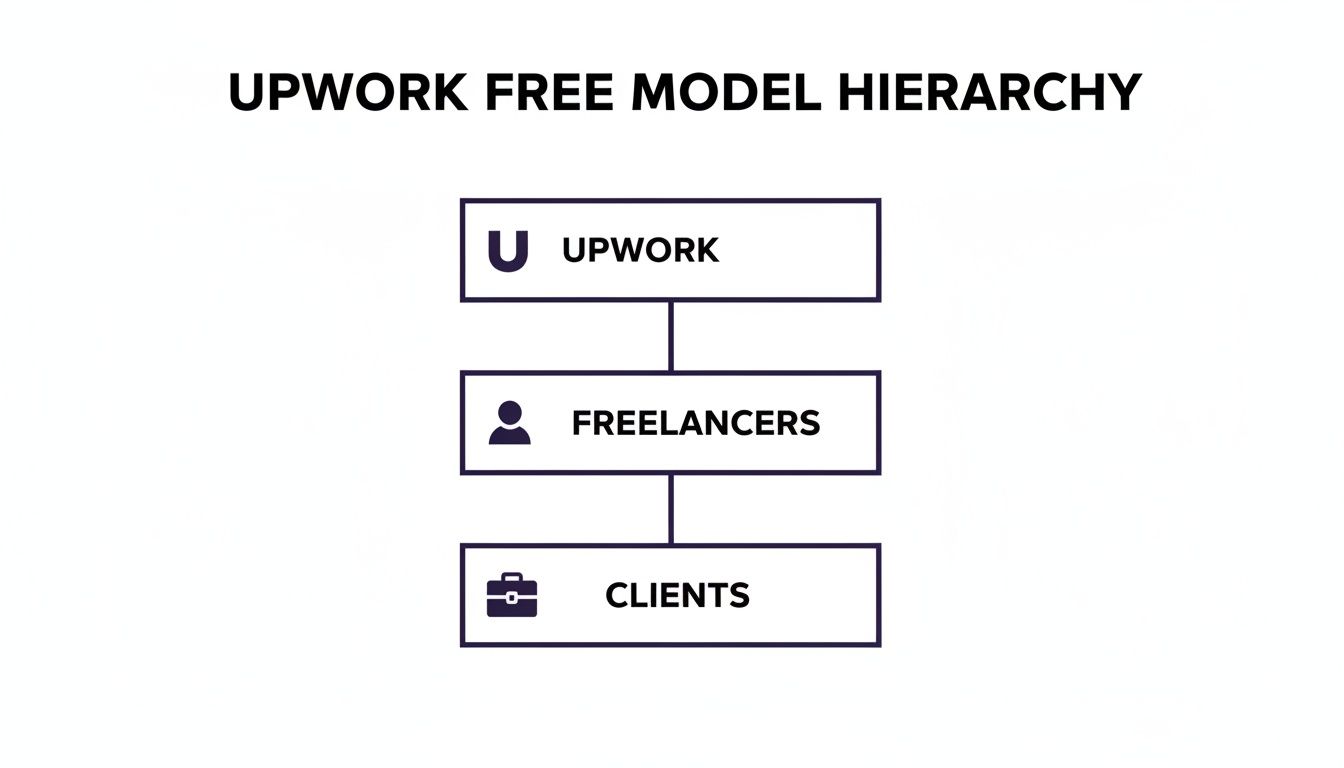
The diagram below shows how this works. While both freelancers and clients join for free, Upwork sits in the middle, making the connection and taking a slice of the transaction. That’s the core of their business model.
The Cost of Applying: Upwork Connects
Next up are "Connects." These are essentially Upwork's digital currency, and you have to spend them to submit proposals for jobs.
You get a handful of free Connects every month, but if you're serious about finding consistent work, you'll almost certainly need to buy more. Each Connect costs $0.15, and they're sold in bundles.
Submitting a proposal isn't free; it can take anywhere from 8 to 16 Connects. The bigger and higher-paying the job, the more Connects you'll need to spend just to apply. This turns every proposal into a small, calculated business investment.
For most active freelancers, buying Connects is a regular business expense, just like marketing or software subscriptions. You have to budget for them to keep your project pipeline full. It’s the cost of generating leads on the platform.
Other Potential Freelancer Costs
On top of the service fee and Connects, a few other smaller costs can pop up. They're easy to overlook, but they can definitely add up and chip away at your take-home pay.
- Withdrawal Fees: Getting your money out of Upwork isn't always free. Depending on your method—like direct deposit, PayPal, or a wire transfer—you'll face small transaction fees.
- Freelancer Plus Membership: This is an optional monthly subscription. For a fee, you get more Connects, the ability to see what competitors are bidding on a job, a customized profile URL, and other perks. Many seasoned freelancers find it a worthwhile investment.
- Currency Conversion Fees: If your client pays you in USD but your bank account is in Euros, for example, you'll likely be charged a currency conversion fee when you withdraw your funds.
Getting a firm grasp on all these pieces—from the main 10% fee to the cost of Connects—is absolutely essential. To see how these numbers play out in the real world, check out our in-depth analysis of how much Upwork takes from freelancers. Knowing your numbers inside and out is the only way to set your rates effectively and avoid any nasty surprises on payday.
Understanding Upwork Costs for Clients
So, you're a business looking to hire, and you're wondering if you have to pay just to get in the door. Good news: Upwork lets you explore its entire global talent pool for free.
You can post a job, browse freelancer profiles, and even invite your top picks to apply without spending a dime. This is a huge plus because it lets you test the waters and get a feel for the available talent before committing any money. The meter only starts running once you’ve found the perfect person and are ready to kick off the project.
The Main Client Costs Explained
Once you decide to hire someone, Upwork's pricing is pretty straightforward. You’ll run into two main fees.
First, there's a one-time contract initiation fee of $4.95 for every new contract. Think of it as a small administrative fee to get the project officially set up and protected by Upwork's systems. It’s a flat fee per hire, not per payment.
The bigger cost is the marketplace fee, which is a 5% charge on all payments you make. For example, if you agree to pay a freelancer $1,000 for a project, Upwork will add $50 to your bill, bringing your total to $1,050. This fee is what covers the platform's services like payment processing and dispute resolution.
Upwork’s model is simple: they only make money when you find and pay talent. This means the platform is built to help you connect with the right person successfully.
Upwork Enterprise for Larger Organizations
While the standard pay-as-you-go model works great for most, large companies often have more complex hiring needs. That’s where Upwork Enterprise comes in. It’s a completely different, subscription-based tier designed for corporations managing a large workforce.
This premium solution is for companies that need:
- Vetted Talent: Direct access to a pre-screened pool of elite freelancers.
- Enhanced Compliance: Robust tools to handle worker classification and navigate legal requirements.
- Dedicated Support: A personal account manager and support team for hands-on help.
Because it's a custom-built service, Upwork Enterprise uses a unique pricing model tailored to the organization's specific scale and needs. For most small and mid-sized businesses, though, the standard client model offers everything you need to find great talent without the enterprise-level overhead.
Are Upwork Memberships Worth the Investment?
Once you get a handle on the basic fees, the next logical question is whether paying even more for a membership is a smart move. Everyone starts on the free plan, called Freelancer Basic, and you can absolutely run your business from there.
But Upwork’s paid Freelancer Plus subscription is dangled in front of you as a way to gain a competitive edge. So, is it a necessary expense or an optional luxury?
Honestly, the answer comes down to a simple cost-benefit calculation. For a monthly fee, you get a bundle of features designed to help you land more jobs. The question shifts from "is Upwork free?" to "can a small monthly investment bring in a much bigger return?"
Breaking Down the Freelancer Plus Benefits
The Freelancer Plus plan is about more than just getting extra Connects; it's about arming yourself with better information and looking more professional. The subscription rolls several key perks into one package that can genuinely make a difference in how you hunt for jobs.
The most obvious benefit is the monthly drop of 80 Connects. If you’re actively applying for projects, this perk alone almost covers the cost of the subscription. Buying 80 Connects on their own would set you back $12, so this gives you the breathing room to submit proposals without constantly worrying about your balance.
Another seriously powerful feature is the ability to see what your competitors are bidding. Think about it: instead of submitting a proposal in the dark, you get to see the high, low, and average bids from other freelancers. This is a game-changer. It lets you price your own proposal strategically, making sure you're in the running without accidentally lowballing yourself.
Upgrading your membership is a strategic decision. You're shifting your mindset from just trying to save money to actively investing in tools that can directly boost your income and make you more efficient.
Finally, the plan adds a few professional touches that help you stand out. You can customize your profile URL (think upwork.com/freelancers/yourname), which looks much cleaner when sharing it. You can also keep your earnings history private and prevent your profile from being set to private if you take a break. These small details add up to a more polished, credible presence.
For a complete rundown, you might be interested in our deep dive into the Freelancer Plus subscription.
Is the Investment Right for You?
The idea that Upwork is "free" gets a little more complicated when you're trying to stand out from the crowd. With millions of other freelancers on the platform, getting a client's attention takes serious effort. You either need to be a master at writing proposals or have a profile that's optimized to perfection.
Many freelancers looking for that advantage are choosing to pay for it. In fact, Upwork's Freelancer Plus subscription saw 48% year-over-year revenue growth back in Q3 2025, which shows a lot of people see value in upgrading. You can discover more insights about Upwork's user base and platform growth on Backlinko.com.
At the end of the day, Freelancer Plus pays for itself if you use its features to win even one extra project you would have otherwise missed. If the bidding insights help you nail a single $500 contract, the monthly fee has been covered many, many times over.
Real World Examples of Upwork Project Costs

All those percentages and fees can feel a bit theoretical. Let's ground this by walking through what the costs look like on actual projects. Seeing the numbers in black and white is the best way to understand how money moves between a client and a freelancer on the platform.
Once you see how it works, you’ll be able to price your services or budget for a new hire with total confidence.
A Small Fixed-Price Project
Let’s start with a classic scenario. You’re a graphic designer who lands a $500 fixed-price gig to design a company logo. You do the work, the client is thrilled, and they release the payment.
Here’s where every dollar goes:
Freelancer's Side: You earned $500. Upwork takes its flat 10% service fee, which is $50. The amount that hits your account is $450.
Client's Side: The client agreed to pay your $500 rate. On top of that, they pay Upwork's 5% marketplace fee ($25) plus the one-time $4.95 contract initiation fee. Their total cost comes to $529.95.
So for this small project, Upwork earned $79.95 for connecting the two parties and securing the payment.
A Larger Hourly Project
Now, let's scale up. Imagine you run a small agency and you've just billed $15,000 for a web app you built for a client over several months.
The math is just as straightforward, but the numbers get bigger.
Freelancer's Side: On a $15,000 project, that 10% service fee is a hefty $1,500. Your agency’s gross earnings, before paying your own team or other business expenses, is $13,500.
Client's Side: The client pays the $15,000 in billed hours, plus the 5% marketplace fee. That adds another $750 to their bill. Their final cost for the project work is $15,750.
The key takeaway is consistency. Whether the project is $500 or $15,000, the fee structure remains the same. Freelancers must account for the 10% fee in their pricing, and clients must budget for the 5% fee on their end.
The Hidden Cost of Bidding
Finally, you can't forget the money it takes to land these jobs in the first place. This is a real business expense that many new freelancers overlook.
Let's say you're actively looking for work and submit 20 proposals in one month. If each proposal requires an average of 12 Connects, you've used 240 Connects.
You get 10 free Connects per month, so you need to buy the remaining 230. At $0.15 per Connect, you just spent $34.50 simply applying for jobs. It’s a cost of doing business you absolutely have to track.
How to Minimize Your Upwork Costs Strategically

While Upwork isn't completely free, it definitely doesn't have to drain your wallet. With a bit of know-how, both freelancers and clients can easily keep their costs down and get a much better return on the money they do spend.
As a freelancer, your main goal is to make every cent count. That means treating your Connects like a precious resource and not just firing off proposals at every job you see. It also means building a profile so strong that it starts bringing clients to you—because those invitations are completely free to accept.
Think of your profile as your number one marketing asset. A sharp, niche-focused profile with a killer portfolio and glowing reviews can have clients reaching out to you, completely flipping the script from a cost center to a lead-generating engine.
By prioritizing quality over sheer quantity, you'll find yourself spending less on bidding and more time actually earning. To get a handle on your bidding budget, it's worth digging into what Upwork Connects are and how to use them wisely.
Actionable Cost-Saving Tips for Freelancers
If you want to increase your take-home pay, you need to think less about just landing the next gig and more about building a real, sustainable business on the platform.
Here are a few strategies I've seen work time and time again:
- Price to Absorb Fees: Don't just set your rate and let Upwork take its cut. Instead, figure out what you need to earn and factor the 10% service fee into your price from the start. This simple shift ensures you're always hitting your income goals.
- Be a Proposal Sniper: Stop the "spray and pray" approach. It just wastes Connects and time. Be selective and only apply for jobs where you know you're a perfect fit. One fantastic, personalized proposal will always beat out a dozen generic ones.
- Build Long-Term Relationships: Repeat clients are pure gold. They offer a steady stream of work, and you don't have to spend any Connects to win their projects. Over-deliver on that first contract to show them you're the go-to expert they need to hire again.
- Leverage Direct Contracts: After you’ve built solid trust with a client, you can use Upwork's Direct Contracts. This lets you work with them directly while still using Upwork's secure payment system, but with zero freelancer service fees. It's a huge win for your bottom line.
Got Questions About Upwork's Costs? Let's Clear Things Up.
As you get started on Upwork, a few practical questions about costs always come up. Let's tackle some of the most common ones I hear from both new and experienced freelancers.
What Happens to My Connects If a Job Is Canceled?
This is a big one. The good news is, yes, you often do get them back. If a client cancels their project before hiring anyone, or if Upwork pulls a job post for violating its rules, those Connects will be returned to your account automatically. You won’t lose out because of something beyond your control.
Where you don't get them back is if the client simply goes through the hiring process and picks someone else, or decides not to hire anyone after interviewing. Think of that as the standard cost of submitting a proposal—part of the game.
Is There Any Way to Avoid the Service Fee?
While that 10% freelancer service fee is the standard for most jobs you find on the marketplace, there's one powerful exception: Direct Contracts. This feature is a game-changer.
With Direct Contracts, you can bring an existing client onto the Upwork platform or take on a new project with a past Upwork client. You get all of Upwork's payment protection and invoicing tools, but the freelancer service fee drops to 0%.
It's the perfect setup for those long-term client relationships, letting you keep every dollar you earn on that project.
What Does It Actually Cost to Withdraw My Money?
The cost of getting your earnings into your bank account really depends on the method you pick. It’s not a hidden fee, but it's definitely something you need to factor into your financial planning.
Here’s a quick breakdown:
- ACH Direct Deposit (U.S. Banks): This is your best bet if you're in the U.S. It's completely free.
- PayPal & Payoneer: These are popular options, but they come with their own fees. Expect to pay around $1 to $2 per transfer, plus any currency conversion fees if you're not withdrawing in USD.
- Wire Transfers: This is the most expensive route by a long shot, typically setting you back $30 for each transfer.
A little planning here goes a long way. Choosing the right withdrawal method can easily save you hundreds of dollars over the course of a year.
Ready to stop wasting time on manual bidding and start winning more clients on autopilot? Earlybird AI acts as your always-on sales team for Upwork, finding ideal jobs and sending personalized proposals within minutes. Let our AI handle the outreach so you can focus on billable work. Find your next client with Earlybird AI.




