
← Back To Blog
What Is Sales Automation and How Does It Actually Work?
Imagine if your best salesperson had a tireless assistant working 24/7. This assistant would handle all the tedious stuff—data entry, scheduling, sending follow-up emails—so your seller could focus entirely on talking to prospects and closing deals.
That’s pretty much what sales automation is. It’s technology designed to take the manual, time-sucking tasks in your sales process and put them on autopilot.
Putting Your Sales Team on Autopilot
Think of it like a smart co-pilot for your sales team. A pilot is still in complete control, making the critical decisions during takeoff, landing, or if things get bumpy. But during that long, steady flight, the autopilot handles the routine adjustments, keeping the plane on course with perfect consistency. This frees up the pilot to focus on the big picture—navigation, communication, and overall flight management.
In the same way, sales automation isn't about replacing your sellers. It's about making them better at their jobs. It takes over the mundane, repetitive tasks that eat up so much of their day. Instead of manually logging every single call or sending dozens of almost identical follow-up messages, they can let the system handle it flawlessly.
This simple shift allows your team to stop being data-entry clerks and start being strategic sellers. Every minute saved on administrative work is another minute they can spend on a discovery call, building a custom proposal, or negotiating a contract.
What Tasks Are Prime for Automation?
Of course, you can't—and shouldn't—automate everything. The real magic happens when you automate the predictable, repetitive tasks, leaving the human touch for activities that require creativity, empathy, and genuine relationship-building.
Here are a few of the most common areas where automation makes an immediate difference:
- Lead Nurturing: Automatically sending a series of personalized emails to new leads over time, keeping your brand top of mind.
- Data Entry: Instantly logging calls, emails, and meeting notes directly into your CRM (Customer Relationship Management) system.
- Scheduling: Getting rid of the endless "what time works for you?" emails by sending a simple calendar link.
- Task Reminders: Setting up automatic nudges for reps to follow up after a demo or send a proposal on time.
- Lead Routing: Automatically assigning new leads to the right salesperson based on territory, industry, or company size.
To see this in action, let's compare the old way of doing things with a smarter, automated approach.
Manual Sales Tasks vs. Automated Sales Workflows
This table breaks down how common sales activities are transformed by automation, shifting the focus from manual labor to strategic execution.
Manual Sales TaskAutomated Workflow ExamplePrimary BenefitSending follow-up emails one by one after a meeting.A pre-built email sequence triggers automatically 24 hours after a meeting is logged in the CRM.Consistency: Every prospect gets a timely, professional follow-up without fail.Manually adding a new lead's info into the CRM.When a lead fills out a form on your website, their information is instantly captured and a new contact record is created.Speed & Accuracy: Leads enter the pipeline immediately, and the risk of human error is eliminated.Reps creating to-do lists to remember who to call next.The system automatically creates and assigns a "Call Task" when a lead reaches a certain engagement score.Efficiency: Reps know exactly who their highest-priority calls are each day.Playing email tag to schedule a product demo.Sending a single link to a calendar booking tool that shows the rep's real-time availability.Convenience: The prospect can book a time that works for them in seconds, reducing friction.
The difference is night and day. Automation brings a level of discipline and reliability to your sales process that's nearly impossible to maintain manually.
Sales automation ensures no lead slips through the cracks and every opportunity is followed up with precision. It turns your sales process from a series of manual chores into an intelligent, self-managing engine that runs around the clock.
The growing popularity of these tools shows a major shift in how modern businesses operate. The global sales automation market has exploded, going from a niche tool to an essential part of the sales stack. Market reports valued the sector at roughly $7.8–$8.6 billion between 2019–2023 and project it will hit about $16.0 billion by 2025, proving just how widespread its adoption has become. You can dig deeper into these sales automation trends and statistics.
Once you grasp what sales automation is, you start to see how it fundamentally changes the game of selling for the better.
What's Really Under the Hood of a Sales Automation System?
To get what sales automation is all about, you have to look past the buzzwords and see the machinery that makes it run. It isn't some magic, one-click solution. Instead, think of it as a high-performance engine built from a few crucial, interconnected parts. When they all fire in sync, they create a powerful system that handles the grunt work and gives you incredible insight.
The absolute heart of this engine is your Customer Relationship Management (CRM) system. Your CRM is the command center, the central brain for everything sales-related. It's the one place that holds every shred of customer data—contact info, conversation logs, where a deal is in the pipeline, and every single touchpoint a prospect has with your business.
This centralized hub of data is the fuel for everything else. Without a clean, organized CRM, any automation you try to build will be clumsy and disconnected, like trying to run an engine without any oil.
This is how all the pieces come together to not just automate tasks, but to genuinely amplify what your sales team can achieve, freeing them up for the creative, human side of selling.
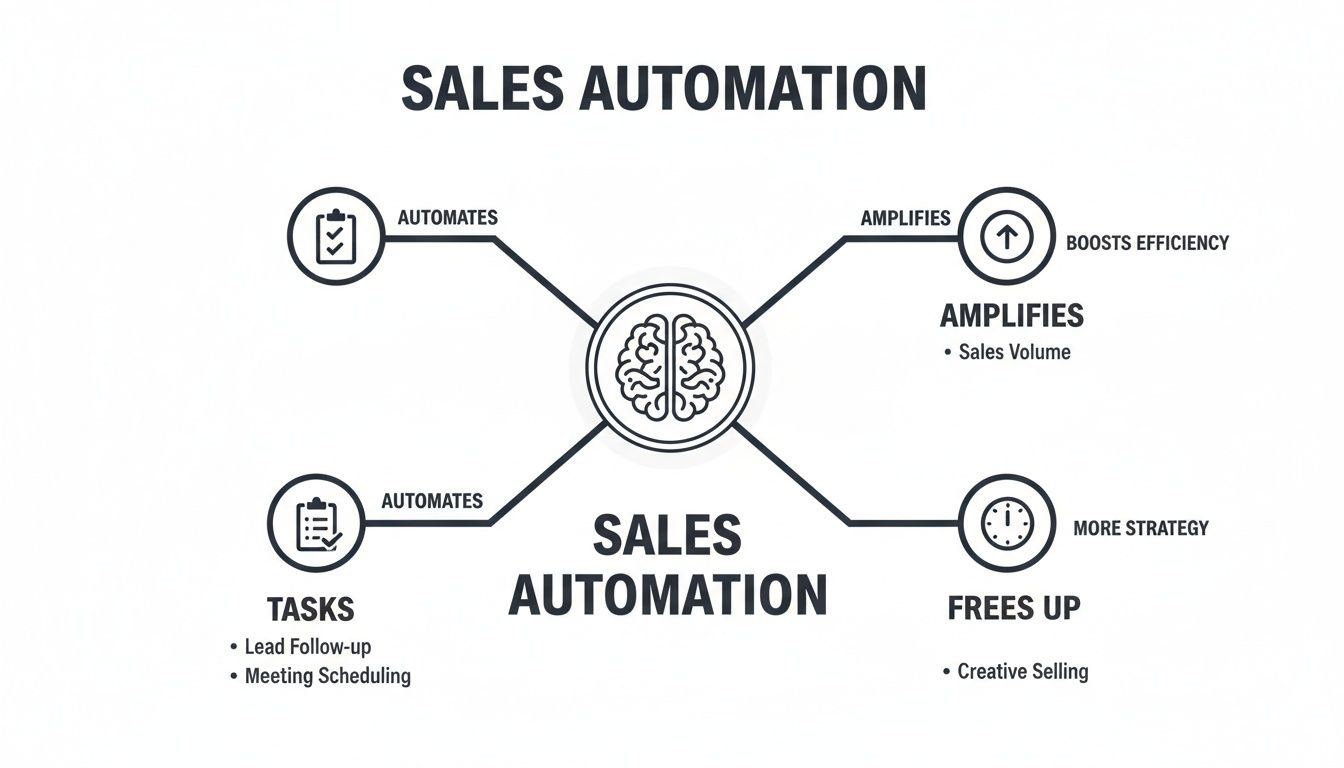
The takeaway here isn't just about doing less manual work. It's about empowering your team to focus their energy on the high-value conversations and strategic thinking that only a person can do.
Email Sequencing Tools
With your CRM in place as the foundation, you can start plugging in specialized tools. Email sequencing tools are like having the most persistent, detail-oriented assistant on your team. These platforms let you build out a series of pre-written emails that are sent automatically to prospects over a specific timeline.
For instance, the moment a new lead is added to your CRM, a sequence can kick off. They might get a welcome email on day one, a link to a relevant case study on day three, and a quick check-in message on day seven. This guarantees that every single lead gets consistent, timely communication without anyone having to manually remember to hit "send."
The magic of this is consistency. An automated sequence never forgets to follow up, it never has an off day, and it executes your follow-up plan flawlessly every single time. It’s the ultimate safety net to stop good leads from falling through the cracks.
Lead Scoring Systems
Next up are lead scoring systems, which essentially act as the bouncer for your sales pipeline, deciding who gets immediate attention. The reality is that not all leads are created equal. Some are hot and ready to buy, while others are just kicking the tires. A lead scoring system automatically analyzes a prospect’s behavior and demographic info, assigning points for different actions.
This simple process helps your sales reps zero in on the most promising opportunities first.
- Hot signals: A prospect might get +10 points for checking out your pricing page, +15 points for requesting a demo, or +5 points every time they open a marketing email.
- Cold signals: On the flip side, they could lose -5 points for being inactive for 30 days or for using a generic personal email address.
Once a lead’s score hits a certain threshold—say, 100 points—the system can instantly flag them for a salesperson. This ensures your team engages with the hottest leads at the very moment their interest peaks. It’s a smart, data-driven approach that beats guesswork every time.
Reporting and Analytics Dashboards
Finally, reporting and analytics dashboards give you a bird's-eye view of your entire sales operation, all in real time. These tools connect to your CRM and other systems, pulling all the important data into one clean, visual dashboard.
Forget about spending hours wrestling with spreadsheets. Sales managers can instantly see crucial metrics like conversion rates, the average length of a sales cycle, and rep activity levels. This makes it so much easier to make smart, data-backed decisions.
If one email sequence has a terrible open rate, you'll spot it right away and can tweak the subject line. If one rep is closing deals twice as fast as everyone else, you can dig into their process and share what’s working with the rest of the team. These dashboards turn raw data into intelligence you can actually use to constantly fine-tune your sales machine.
How Automation Translates into Real-World Wins
It’s one thing to talk about the theory behind sales automation, but what does it actually do for a business? Let's get past the buzzwords. The real magic happens when you see how automation delivers measurable wins by tackling three huge areas: boosting your team's output, managing leads flawlessly, and helping you make decisions based on real data, not just gut feelings.
The first thing you'll notice is how much more your team can get done. It's an open secret that sales reps spend a huge chunk of their day not selling. They're bogged down with admin work—logging calls, updating the CRM, scheduling meetings, and typing out the same follow-up emails over and over.
Sales automation acts like the perfect assistant for every single rep. It handles all those repetitive, manual tasks without ever making a mistake. This frees up hours every week, giving your team the space to focus on what they were hired to do: build relationships and close deals.
Supercharged Productivity and Efficiency
This isn’t just about working faster; it's about shifting focus to the work that actually brings in revenue. Think about it: instead of a rep spending 30 minutes writing follow-up notes after a demo, an automated workflow can fire off a personalized email sequence the second the call ends.
The numbers don't lie. Industry data consistently shows a massive jump in productivity when teams adopt automation. On average, sales teams see a 14.5% increase in productivity, and top performers often see even better results. You can dig into more stats on how automation boosts sales team performance.
By eliminating the administrative drag on your sales team, automation doesn't just make them faster—it makes them more effective, allowing them to handle a larger pipeline without burning out.
Superior Lead Management
The next big win is how automation helps you manage your leads with precision, making sure no one falls through the cracks. We've all seen it happen: a promising lead goes cold simply because a rep got swamped and forgot to follow up. It's a costly, and completely avoidable, mistake.
Automation puts an end to that problem for good. Let’s say a potential customer downloads a whitepaper but doesn't reply to your first email. An automated nurture sequence can drip-feed them relevant content—like case studies or helpful articles—over the next few weeks to stay on their radar. The moment they click a link to your pricing page, the system instantly alerts the right sales rep to pick up the phone.
It's like having a safety net that engages every single lead, warming up "cold" prospects and ensuring your hottest opportunities get the attention they deserve, right away.
Smarter Data-Driven Decisions
Finally, sales automation takes the guesswork out of your strategy. Every single automated action is tracked. Every email open, every link clicked, every meeting booked—it all becomes valuable data you can actually use.
Sales managers can pull up a dashboard and see in real-time which email templates are killing it and which ones are falling flat. You can see which reps are converting best at each stage of the pipeline. This level of insight makes forecasting far more accurate and allows you to make strategic changes on the fly.
If a particular follow-up sequence isn’t working, you can spot the problem and fix it now, instead of waiting until the end of the quarter to wonder why you missed your target. It creates a constant feedback loop that lets you fine-tune your entire sales process for the best possible results.
Sales Automation Examples You Can Use Today
It's one thing to talk about sales automation in theory, but seeing it in action is where the lightbulb really goes on. When you see how workflows, triggers, and sequences solve the real-world problems your sales team faces every day, it all clicks.
These aren't some far-off, futuristic concepts. They are practical, proven strategies you can put into play right now to stop wasting time, connect with leads more effectively, and ultimately, close more deals.
Let’s walk through a few common scenarios and see how automation transforms them.
From Website Visitor to Qualified Lead in Seconds
One of the biggest holes in any sales funnel is the time it takes to respond to someone who shows interest. Every minute that ticks by after a prospect fills out a form is a chance for them to get distracted or, worse, find a competitor. Automation closes that gap instantly.
- The Problem: Someone lands on your website and fills out a "Request a Demo" form. In a manual system, that lead sits in an inbox until someone notices it, creates a new contact in the CRM, figures out who should get the lead, and then finally forwards it to a sales rep—who might be in another meeting for hours.
- The Automated Solution: The second that form is submitted, a workflow kicks in. The system instantly creates a new contact in the CRM, pulls in extra data like company size and industry, assigns it to the right rep based on your rules, and pings that rep with an immediate notification.
- The Result: The lead is in your system and on a rep's radar in less than a minute. The system can even fire off an automated email saying, "Thanks for your interest! Here's a link to my calendar to book a time that works for you," engaging the prospect while their interest is at its absolute peak.
This single workflow gets rid of data entry mistakes and makes sure 100% of your inbound leads get immediate attention.
Never Let a Follow-Up Slip Through the Cracks
Consistency is everything in sales, especially when it comes to following up. Relying on sticky notes or human memory is a surefire way to let promising deals go cold. An automated system is the perfect safety net, ensuring every prospect gets the right touchpoint at exactly the right time.
- The Problem: A rep has a fantastic discovery call. They promise to send over a case study and follow up in a week. But then they get slammed with other calls and demos, and that follow-up task gets buried or completely forgotten.
- The Automated Solution: After the call, the rep simply updates the lead's status in the CRM to "Post-Discovery Call." This one action triggers a pre-built email sequence that sends the promised case study that same afternoon and automatically creates a task for the rep to call that prospect in seven days.
- The Result: The prospect gets the helpful info they were promised, which makes you look professional and reliable. The rep doesn't have to stress about remembering to follow up; the system puts it right on their to-do list, keeping the deal moving forward.
Automating Personalized Outreach at Scale
Everyone knows personalization is what cuts through the noise, but who has time to manually craft a unique message for every single lead? This is where automation, powered by a well-organized CRM, works its magic. It lets you send messages that feel one-to-one, but at a one-to-many scale.
This same principle is vital when creating proposals for different platforms. For freelancers and agencies on Upwork, a personalized pitch is non-negotiable. You can get ideas and see how to structure your message effectively by looking at great cover letter examples for Upwork.
Automation isn’t about sending generic, robotic messages. It’s about using data to make your outreach feel personal and relevant, ensuring the right message gets to the right person based on what they've actually shown interest in.
The table below breaks down a few more examples by funnel stage, showing how automation can support your team across the entire sales journey.
Sales Automation Use Cases by Funnel Stage
This table organizes practical automation examples based on where they fit in the sales funnel, helping readers identify opportunities within their own processes.
Sales Funnel StageAutomation ExampleKey Tool UsedAwareness (Top of Funnel)When a visitor downloads an ebook, they are automatically added to a 3-part email nurture sequence that shares related blog content.Marketing Automation PlatformConsideration (Mid-Funnel)If a prospect in a nurture sequence clicks on a link to your pricing page, their lead score increases, and a task is created for a rep to call.CRM with Lead ScoringDecision (Bottom of Funnel)When a rep moves a deal to the "Proposal Sent" stage, a workflow triggers to send a follow-up email three days later if the proposal hasn't been viewed.Sales Engagement Platform
These examples all point to the same core idea: sales automation is at its best when it handles the repetitive, rule-based tasks. This frees up your talented salespeople to focus on what they do best—building relationships, strategizing, and having the human conversations that actually close deals.
Building Your First Sales Automation Playbook
Diving into sales automation can feel like staring at a giant box of IKEA parts with no instructions. The secret? Don't try to build the whole thing at once. Start with one small, simple piece. Creating a solid automation playbook isn't about a massive, overnight system overhaul. It's about making smart, targeted improvements that give you a win right away.
The first step is a quick audit of your current process. Before you can automate anything, you need to know exactly where your team’s time is going. Shadow your reps for a day or ask them to log their tasks. You’re hunting for the bottlenecks—those repetitive, soul-crushing tasks they do over and over again.
Are they stuck manually punching lead data into the CRM? Wasting hours playing email tag just to book a demo? Or are they letting good prospects slip through the cracks because follow-ups are forgotten? Finding these time-sinks is your first real step toward giving your team their day back.
Defining Your Automation Rules
Once you've pinpointed a task that’s high-impact but low-effort to automate, you need to define the "rules of the game." This is the simple logic that drives your workflow, usually framed as an “if this, then that” statement.
It’s just like setting up an automatic bill payment. If it's the 1st of the month, then pay the rent. Sales automation works on the exact same principle, just with sales-focused triggers and actions.
Here’s how to map it out:
- Find the Trigger: What specific event kicks everything off? This could be someone filling out a contact form, a deal moving to a new stage in your CRM, or even just a set amount of time passing with no activity.
- Choose the Action: What do you want the system to do when the trigger happens? It could send a pre-written email, assign a task to a sales rep, or update a contact's information automatically.
- Set the Conditions: Do you need any filters? For example, maybe you only want this automation to run for leads from a specific industry or for deals worth more than a certain amount.
By getting these rules down on paper, you create a precise, predictable process that hums along in the background.
Start Small and Scale Smart
The biggest mistake I see people make is trying to automate everything all at once. That’s a fast track to confusion, frustrated team members, and a system so complicated nobody wants to use it. The better way is to pick one or two high-impact workflows, nail them, and then expand from there.
A fantastic place to start is with your inbound lead response. An instant, personalized acknowledgment email can make a huge difference in engagement and shows you're on the ball from the very first touchpoint.
After you've got that first process running smoothly and your team loves it, you can move on. Maybe you’ll tackle automated demo scheduling next, or build a sequence to warm up old, cold leads. This step-by-step method makes sure your team actually adopts the tools and lets you build a powerful, layered automation strategy over time.
Avoiding Common Pitfalls
As you build out your playbook, watch out for a few common traps. A big one is letting your sales and marketing automation get out of sync. If marketing is nurturing a lead with one message and a sales rep is sending something completely different, you just end up confusing the prospect. Make sure both teams work from the same data and have a clean handoff process.
Another classic mistake is over-automating the human touch. Automation is for the process, not the relationship. You should never, ever automate a "breakup" email to a high-value prospect. Instead, empower your reps to jump in and add genuine, thoughtful personalization where it really matters. This balance is crucial for any business built on strong client relationships, a lesson we explore further in our guide on starting an SEO agency.
How to Choose the Right Sales Automation Tools
The sales automation market is absolutely flooded with options, and trying to pick one can feel like a full-time job. It’s easy to get lost. But here’s the secret: you aren't looking for the "best" tool on the market. You're looking for the right tool for your business, your team, and your budget.
To get there, you need a simple framework. Let's start by breaking down the main types of software you'll come across.
Understanding the Software Landscape
First up are the big, all-in-one CRMs. These are the giants like Salesforce or HubSpot. Think of them as the command center for your entire sales operation. They house your customer database and come packed with built-in automation for things like email sequences, lead scoring, and reporting. They’re incredibly powerful, but that power often comes with a steep learning curve and a hefty price tag.
Next, you have specialized point solutions. These are tools that focus on doing one thing and doing it exceptionally well. Need to crush your email outreach? There's a tool like Mailshake for that. Tired of the back-and-forth of booking meetings? Calendly has you covered. These are great for solving a specific problem without needing to overhaul your entire system.
Finally, there are industry-specific platforms. These tools are built from the ground up for a certain niche, like real estate or financial services. They come out of the box with the language and workflows your industry uses, which can save a ton of time on customization.
Your Evaluation Checklist
Okay, once you have an idea of which category fits you best, it’s time to start looking at specific options. It’s easy to get wowed by a long list of flashy features, but most of them you'll probably never touch. Instead, focus on what actually matters.
Run every potential tool through this practical checklist:
- Integration Capabilities: Does it play nice with the software you already rely on? If a new tool can't connect seamlessly to your CRM or email, it's just creating more manual work for you. That defeats the whole point.
- Scalability: Will this tool still work for you a year from now? A solution that's perfect for a two-person team might completely fall apart when you hire your tenth salesperson. Look for a tool that can grow with you.
- User-Friendliness: This is a big one. If your team hates using the tool because it’s clunky and confusing, they just… won’t. Adoption will fail. Always, always do a free trial and let the people who will actually use it get their hands on it first.
- Quality of Customer Support: When something breaks—and it will—how good is the support? A cheap tool with non-existent support can end up costing you a fortune in lost time and frustration. Check reviews and see what real customers say about their help desk.
Choosing a sales automation tool is less about buying software and more about finding a technology partner. The right one won't just solve today's problems; it will be flexible enough to support where you're headed tomorrow.
Answering Your Questions About Sales Automation
When you first start digging into sales automation, a lot of questions pop up. It’s natural to wonder about the costs, the benefits, and whether it’ll make your sales process feel cold and impersonal. Let's tackle some of the most common questions head-on so you can get the clear answers you need.
Will Sales Automation Make My Outreach Seem Robotic?
This is probably the biggest fear people have, but the answer is a firm "no"—as long as it's done thoughtfully. Good automation isn't about firing off generic, robotic messages. It’s about handling the tedious, behind-the-scenes tasks so your team can focus on adding a genuine human touch where it counts.
The best tools today pull data straight from your CRM—think names, company details, or past interactions—to make every automated message feel personal and relevant.
The secret is to blend automation with personalization. You automate the process (like scheduling follow-ups) but empower your team to customize the message. This way, you get the best of both worlds: incredible efficiency and a real human connection.
What Is the Difference Between Sales and Marketing Automation?
It's easy to get these two mixed up because they often work hand-in-hand, but their core jobs are distinct. The easiest way to think about it is by picturing a sales funnel.
- Marketing Automation is all about the top of the funnel. Its main goal is to attract a wide audience and nurture potential leads with things like newsletters, social media campaigns, and general content. It's casting a wide net to generate interest.
- Sales Automation takes over further down the funnel. It's focused on managing the pipeline and communicating directly with qualified leads—the people who have already shown they're interested. It helps your team reel in the fish caught by the marketing net.
Put simply, marketing automation finds the leads, and sales automation helps turn those leads into paying customers.
How Much Does Sales Automation Software Typically Cost?
The price range is huge, which is actually great news because it means there's a solution for almost any budget. The final cost really boils down to how much horsepower you need and how many features you want.
You can find simple, single-purpose tools like a meeting scheduler for as little as $10-$30 per user, per month. On the other end, a full-blown CRM with sophisticated automation can run anywhere from $50 to over $150 per user, per month, with enterprise plans costing significantly more. The trick is to pinpoint your biggest pain points first and find a tool that solves them without breaking the bank.
Can a Small Business Benefit from Sales Automation?
Absolutely. In fact, you could argue that small businesses stand to gain the most. When you have a lean team, every single hour you can reclaim from mind-numbing admin work is an hour you can pour back into revenue-generating activities.
Automation levels the playing field. It gives small businesses the power to create the kind of sophisticated follow-up and lead management systems that used to be reserved for massive corporations with huge sales teams. Getting started with a free or low-cost CRM can make a massive difference. For more ideas on scaling your business, check out the Earlybird AI blog.
Ready to put your Upwork client acquisition on autopilot? Earlybird AI acts as your 24/7 sales team, finding ideal projects, crafting personalized proposals, and following up until calls are booked—all while you focus on client work. Learn how you can land more high-value clients with less effort at https://myearlybird.ai.




