
← Back To Blog
How to Write a Winning Proposal for an App in 2026

A solid proposal for an app isn't just a document with a price tag attached. Think of it as your first, most important sales pitch. It’s your chance to prove you're not just another coder, but the right partner to bring a client's vision to life. This is especially true on competitive platforms where you get one shot to make an impression.
The Anatomy of a High-Converting App Proposal
Let's be real—most app development proposals are dead on arrival. If you've ever posted a job on a freelance site, you know what I mean. Your inbox gets flooded with dozens of generic, copy-pasted bids that are instantly forgettable.
The proposals that actually get a response aren't just filling out a template better. They’re built on a completely different strategy. They tell a story that shifts the conversation from "Here's what I can do" to "Here's how I'm going to solve your problem." The top pros get this: clients don’t hire a list of skills; they hire a solution to their business headache.
Why Most Proposals Fail
The hard truth is that most proposals fail because they're all about the freelancer. They’re packed with "I have X years of experience," "I know these 15 programming languages," and a long list of past projects. While that stuff has its place, leading with it is a fatal mistake.
You're answering a question the client isn't even asking. They aren't thinking, "I wonder how many coding languages this person knows?" They're thinking, "Can this person help me fix my specific problem?"
A proposal that starts with a resume dump is a huge red flag. It tells the client you haven't bothered to truly understand their project. It’s like a doctor writing a prescription before you've even described your symptoms.
A winning proposal flips that script completely. It is:
- Problem-First: It leads by showing you've dissected their business challenge.
- Solution-Driven: It frames your services as the exact answer to that challenge.
- Value-Focused: It positions your price not as a cost, but as a smart investment.
This entire approach hinges on a simple, three-part flow: first, you understand the problem. Then you structure a logical solution. Only then can you present an actionable plan.
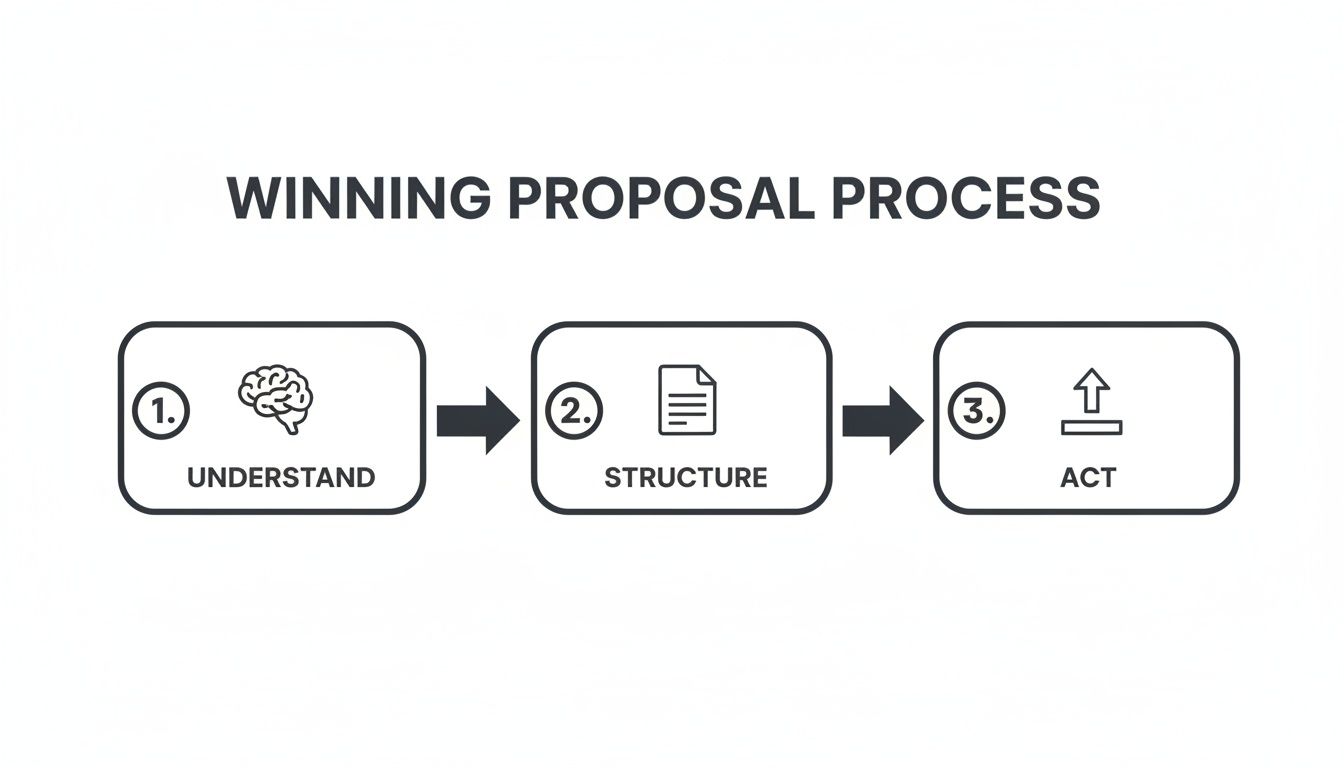
Jumping straight to the plan without the first two steps is why so many proposals feel generic and fail to connect.
Building a Narrative That Builds Trust
Your proposal should read more like a game plan than a resume. It needs to guide the client on a journey, starting with their problem and ending with your solution, building their confidence in you every step of the way.
It all starts with a personalized opening that proves you’ve actually read their brief.
Instead of: "I am an expert app developer with 10 years of experience."
Try this: *"I see you're building a fitness app for at-home workouts—that's a huge growth area right now. When I built a similar app for a client last year, we found that integrating gamification features boosted user retention by 30%."*
See the difference? That one sentence does more work than a whole page of qualifications. While the document's structure matters, it's the story you tell that sells. You can dig deeper into the nuts and bolts of layout in our guide on the ideal format for a proposal letter.
A great proposal doesn’t just answer the client’s questions; it anticipates them. It addresses potential concerns about scope, timeline, and budget before the client even has to ask, establishing you as a proactive and thorough professional.
This approach shows you're not just bidding on another project. You're already in their corner, thinking about how to make their app a massive success. That’s how you build trust and, ultimately, how you win the job.
From Vague Idea to Actionable Project Scope
Let's be honest, clients rarely hand you a perfect blueprint. Most initial requests are a jumble of excitement and high-level ideas, like the classic: "We want an app like Uber, but for dog walkers." Your role here isn't just to slap a price on that idea. It's to become a strategic partner who can shape that fuzzy concept into a concrete, buildable project.
This is where you start to really stand out.
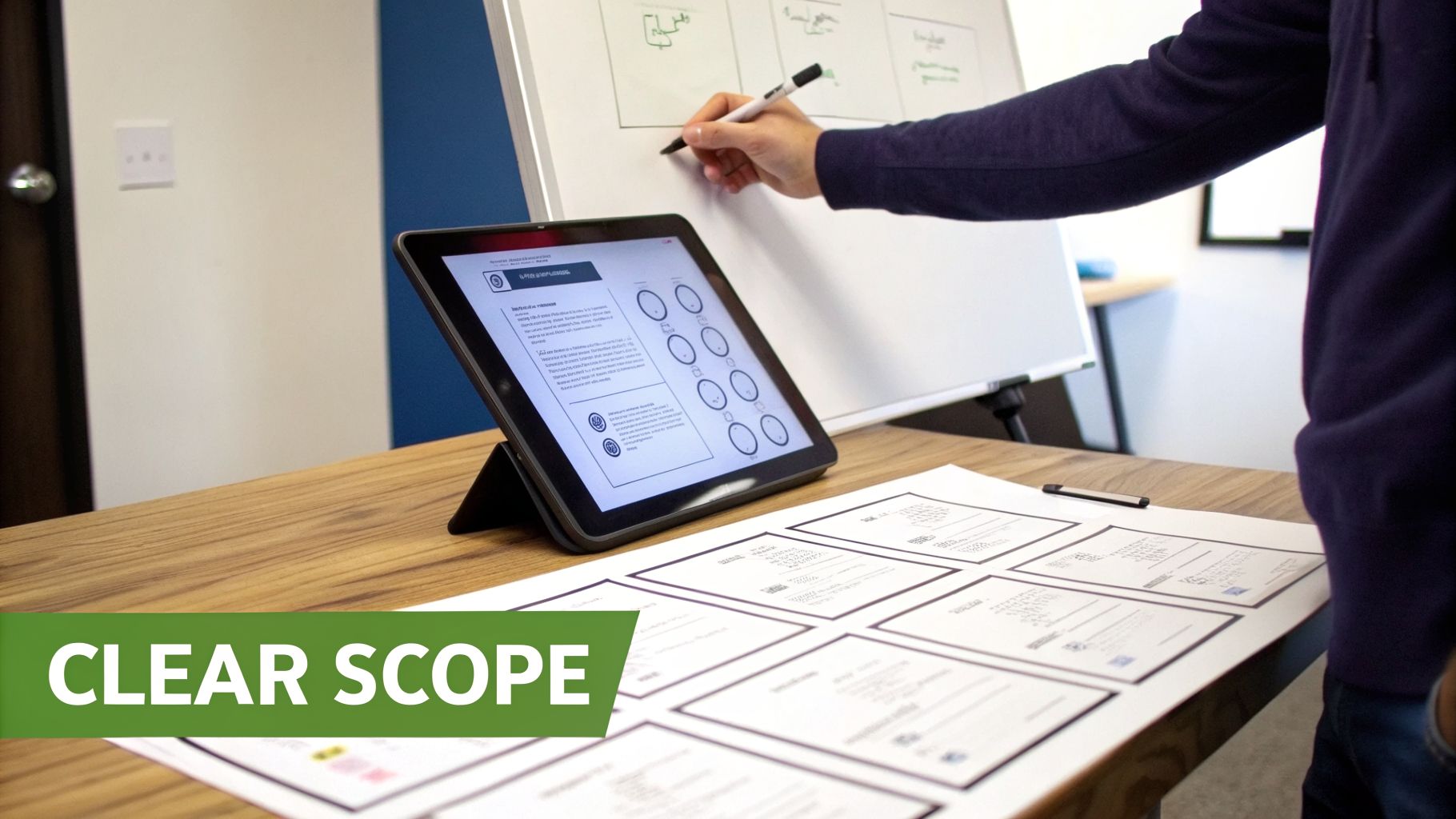
I've seen more projects go off the rails from a poorly defined scope than anything else. Nailing this down isn't just about creating an accurate proposal for an app; it's the foundation for the entire project. It’s how you prevent scope creep, manage expectations, and show your professionalism right out of the gate.
Asking Questions That Uncover Real Needs
The first thing you need to do is put on your consultant hat. Forget about code for a minute and focus on asking the right questions. Your goal is to dig past the feature list and get to the core business problem the client is trying to solve.
I always start with the big-picture business goals before diving into the technical weeds.
- Business Objectives: "What does a home run look like for this app in one year? Are we aiming for a specific number of users, a certain revenue target, or something else entirely?"
- Target Audience: "Can you describe the person who desperately needs this app? What specific frustration are we solving for them?"
- Competitive Context: "Who else is playing in this space? What do they do well, and where are the opportunities they've missed?"
These kinds of questions get the client thinking strategically and give you the critical context you need to propose solutions that actually work.
Defining Functional and Non-Functional Requirements
Once you have a firm grasp of the business vision, it's time to translate that into technical requirements. For clarity, I always break these down into two buckets: functional and non-functional. This simple separation makes estimating the timeline and budget infinitely more accurate.
Functional requirements are all about what the app does. These are the tangible features a user will interact with. Instead of a vague item like "user profiles," you need to get granular.
Think about all the specific actions involved. For that "user profile" feature, it really means:
- Users can sign up with an email and password.
- Users can also log in via Google and Apple for convenience.
- Users can upload a profile photo and write a short bio.
- Users can reset a forgotten password via an email link.
See the difference? There's no room for misinterpretation here.
Don't Forget the Invisible Requirements
Non-functional requirements are just as important, but they define how the system is. These are the "under the hood" qualities that users feel but don't see—and clients almost never think to mention them. It’s on you to bring these up.
A proposal that only lists features is a red flag. When you define the non-functional requirements, you're showing the client you’re thinking about performance, security, and scale—not just the shiny front-end. This is a massive trust-builder.
Here are the non-negotiables you should always discuss:
- Performance: How responsive should the app feel? For example: "The main dashboard will load in under 2 seconds on a standard 4G connection."
- Security: How will you protect sensitive information? "All user data will be encrypted in transit and at rest, and the app will be built to comply with GDPR."
- Scalability: How will the app handle success? "The backend must be architected to support 10,000 concurrent users without a drop in performance."
- Compatibility: What devices will it work on? "The app will be fully tested and functional on iOS 16+ and Android 12+."
Including these details in your proposal does more than just justify your price; it reveals the true complexity behind a seemingly "simple" app. By turning that vague idea into a clearly documented scope, you're not just writing a winning proposal—you're setting the entire project up for success.
Translating Your Technical Plan into Business Value
You’ve nailed down the scope, which is a great start. But this next part? This is where you justify your price tag and earn the client’s trust. The technical plan is the heart of the project, but clients don't want a lecture on engine mechanics. They just want to know how fast and safe the car is.
Your real job in the proposal for an app is to be a translator. You have to connect every technical decision you make directly to a tangible business outcome they can understand. You're translating the complex 'how' into a compelling 'why' they should hire you.
Justifying Your Technology Choices
Never just throw a list of technologies at a client. It's a classic mistake that creates confusion, not confidence. Remember, they likely don't speak 'developer,' so a wall of acronyms and jargon is just noise.
Instead, frame every choice—from the programming language to the cloud provider—as a strategic decision that benefits them.
So, instead of just stating, "We'll use React Native," show them the value.
Try something like this: "We recommend building the app with React Native. This framework lets us write the code once and deploy it to both Apple's iOS and Google's Android. For you, this means we cut initial development costs significantly and get your app to market much faster."
See the difference? You’ve shifted the focus from a technical detail to a business win. It proves you're not just a hired gun; you're a partner invested in their success.
Here are a few more real-world examples:
- For Performance: "To achieve that buttery-smooth feel users expect from a premium app, we'll build it natively for iOS using Swift. This ensures top-tier performance, which is absolutely critical for keeping users engaged and happy."
- For Scalability: "We'll build the backend on Amazon Web Services (AWS). Their serverless technology can automatically handle huge spikes in traffic—like on launch day—so your app will stay fast and responsive without crashing."
- For Budget: "To help stay within your budget, we can use a pre-built admin dashboard. This will save us roughly 40 hours of custom development time but still give you all the core functionality you need to manage the app."
From Tech Stack to Tangible Deliverables
Beyond the app itself, what exactly will the client have in their hands when you’re “done”? Getting this wrong is a surefire way to end up in a dispute. A detailed list of deliverables protects you and the client by making sure everyone is on the same page.
Your proposal needs an unambiguous list of what you'll be handing over.
A truly professional app proposal makes the invisible work visible. By clearly itemizing deliverables like source code, documentation, and design files, you're not just listing files—you're demonstrating the full value of your service and justifying your pricing.
A solid deliverables list should always include more than just "the finished app." Think about including:
- Source Code: Full access to a clean, commented codebase in a private Git repository.
- API Documentation: Clear, easy-to-understand documentation for all APIs so their internal team or future developers can easily work with the app.
- Design Assets: All the original design files from tools like Figma or Sketch, including wireframes, mockups, and icons.
- Deployment Scripts: The scripts and configuration files needed to push the app to the app stores and deploy the backend.
- Test Plans: A summary of the quality assurance testing, including the test cases run and their outcomes.
When you present these technical details as value-driven decisions, you build incredible trust. It shows you're not just thinking about the build, but about the app's long-term success. This is the kind of foresight that separates a good developer from a great one.
It’s also important to recognize how the freelance world is changing. With 36% of knowledge workers considering freelancing, competition is fierce. The best are adapting; 84% of skilled freelancers are enthusiastic about AI tools, and 61% of Gen Z have already adopted AI to work more efficiently. To learn more about staying ahead, see how top Upwork bidders master their proposals.
Pricing and Planning Your App Development Project
Let's be honest—the price and timeline are the two sections of your proposal a client will scrutinize the most. This is where they feel the most risk, but it's also your biggest opportunity to build trust. Slapping a price tag on a proposal without a clear plan feels arbitrary and, frankly, a little shady.
Your job here is to connect the dots for the client. You need to show them that your price isn't a number pulled out of thin air. Instead, it’s a carefully calculated investment in their success. We'll break down how to price your work confidently and create a timeline that sets clear expectations from day one.
Choosing the Right Pricing Model
First things first, you need to decide how you're going to charge. The right model protects both you and the client, but there's no one-size-fits-all answer. The best choice hinges on the project's scope and how much is still unknown.
There are three common models you'll see in app development:
- Fixed-Price: This is perfect for projects where the scope is nailed down and unlikely to change. You give one price for the whole shebang. Clients love this because it offers budget certainty, but it puts all the risk on you. One wrong estimation or a bout of scope creep can completely wipe out your profit. I only recommend this when the requirements are exceptionally clear.
- Time and Materials (Hourly/Daily Rate): This is your go-to for flexibility, especially when a project's needs might evolve. The client pays for the actual hours you put in. While this is low-risk for you, it can make clients anxious about an open-ended budget. The key to making this work is radical transparency—think detailed time logs and weekly progress reports.
- Retainer: A fantastic option for any ongoing work after launch, like maintenance, updates, or rolling out new features in phases. The client pays a set fee each month for a certain number of hours or general access to your team. This gives you predictable revenue and helps the client budget for the long haul. It's interesting to see how other service businesses handle this; you can learn more about how marketing agencies make money, as many of their pricing strategies have parallels in development.
A hybrid approach is often the sweet spot. I've had great success proposing a small, fixed-price "Discovery Phase" to lock down the full scope. Once that’s done, we switch to a Time and Materials model for the actual development. It’s a win-win that minimizes risk for everyone involved.
From Scope to Cost Estimate
So you've picked a model. How do you get to an actual number? The only reliable way is to break the project down into its smallest components and estimate from the ground up.
Go back to the detailed requirements you outlined earlier. Take every major feature and deconstruct it into a list of specific, bite-sized tasks. For example, "User Authentication" isn't a single line item. It’s a collection of smaller jobs.
Here's how I'd break it down:
- Design UI for login/signup screens (4 hours)
- Build the front-end components (8 hours)
- Set up database tables for users (3 hours)
- Write backend API for registration and login (10 hours)
- Integrate third-party login (e.g., Google) (6 hours)
- Implement password reset functionality (5 hours)
Do this for every single feature. Don't forget to add buffer time for project management, client calls, testing, and deployment. Once you have a total hour count, multiply it by your hourly rate. This bottom-up estimate is far more accurate and much easier to defend than a ballpark guess.
Creating a Transparent Project Timeline
A timeline does more than just set a deadline. It's a roadmap that shows the client exactly what you're doing, week by week. It turns a huge, intimidating project into a series of manageable, confidence-building steps.
Never, ever just provide a single end date. That's a recipe for anxiety. Instead, present a high-level timeline with clear phases and milestones.
A sample timeline in your proposal could look something like this:
- Weeks 1-2: Discovery and Strategy - We'll finalize the project scope, map out the technical architecture, and create wireframes and user flow diagrams.
- Weeks 3-4: UI/UX Design - This is where we bring the wireframes to life with high-fidelity mockups and interactive prototypes for your review.
- Weeks 5-8: Core Feature Development - The team gets heads-down on building the backend and the first set of crucial user-facing features.
- Weeks 9-10: Integration and Testing - We'll stitch everything together, conduct thorough quality assurance (QA) testing, and squash any bugs we find.
- Week 11: Deployment and Launch - Time to prepare for the big day! We'll handle app store submissions and push the button on the official launch.
When you present your plan this way, the price is no longer just a cost. It becomes a clear, logical, and transparent investment in building a successful app.
Automating Your Proposal Workflow for Speed and Scale
In freelance app development, speed is your secret weapon. Let's be honest: spending hours writing the perfect proposal for an app, only to hear crickets, is incredibly frustrating. It's a quick way to burn out. The hard truth is that on most platforms, the first few high-quality bids are the ones that grab the client's attention.
Trying to manually churn out dozens of personalized proposals every week just isn't sustainable. This is where you can bring in some smart automation—not to replace your expertise, but to amplify it. It’s all about getting your well-crafted message in front of a potential client before your competitors do.
Think of it less like a robot and more like a highly efficient assistant. It can spot the best projects the moment they’re posted and get a personalized draft ready for your review in minutes. This isn't about spamming clients; it’s about using tech to scale the high-touch, personalized approach that already works for you.
The Real Cost of Competing Manually
The money on platforms like Upwork can be great, but the competition is fierce. You have to master the proposal game to win. Full-time freelancers can pull in $30-$50 per hour, with some hitting a median of $85,000 a year—more than many traditional jobs.
But you have to account for the costs. Connects cost $0.15 each, meaning if you send just 20 bids a week, you're spending around $156 a year just to apply. Then there’s the 10% platform fee, which turns a $10,000 project into $9,000 in your pocket. To see the full picture, you can check out this detailed breakdown of freelancer pay and platform fees.
This financial reality makes every minute you spend on non-billable tasks incredibly expensive. Automation helps you reclaim that time and tilt the odds back in your favor.
The goal of automation isn't to take you out of the loop. It’s to get you to the most valuable part—the conversation with a great client—faster and more often. You automate the tedious outreach so you can focus your energy on closing the deal.
How Smart Automation Works for You
Instead of staring at a blank document for every proposal, you can use tools to build a flexible framework based on your best work. I’m talking about creating a library of your proven, reusable components—case studies, technical explanations, client testimonials—that can be pieced together intelligently for each new project.
This way, every proposal still feels personal and speaks directly to the client's needs, but it slashes the creation time from an hour down to a few minutes of quick review and tweaking.
Here's how this plays out:
- Intelligent Job Filtering: You set up laser-focused criteria for your dream project—budget, client rating, tech stack—and a system finds these opportunities for you 24/7.
- Rapid Draft Creation: The tool grabs the client’s project description and instantly generates a draft using your pre-approved content blocks and personalized intro formulas.
- Instant Submission: With a quick review, your proposal is sent within minutes of the job going live. You’re at the top of the pile before the client is even flooded with applications.
This level of efficiency lets you scale up your business development without having to hire a sales team. You can dramatically increase the number of high-quality proposals you're sending, which directly boosts your reply rate and, ultimately, your income.
If you're curious about the tools that make this happen, we put together a guide on the 12 best AI tools for proposal writing that can get you started. By blending your hard-won expertise with the speed of automation, you build a reliable system for consistent client acquisition.
Common Questions About Writing App Proposals
Even after years in the business, writing an app proposal can feel like walking a tightrope. You're balancing detail with brevity, confidence with collaboration. Let's tackle some of the most common questions I hear from fellow developers, cutting through the noise with answers that have worked for me time and again.
How Long Should My Proposal for an App Be?
There’s no magic word count. A good proposal is simply as long as it needs to be and not a sentence longer. Your real goal is clarity, not length.
For a traditional, in-depth proposal document, you might land in the 5-10 page range. But for a platform like Upwork, that’s overkill. A punchy, 2-3 page equivalent is much more likely to get read.
The key is making it scannable. Use bold headings, bullet points, and a strong executive summary right at the top. A client should be able to get the gist in two minutes. If a sentence doesn't help the client make a decision, it's just getting in the way.
What Are the Biggest Mistakes in an App Proposal?
I've seen the same handful of unforced errors sink countless proposals. They scream "low effort" and are an easy way to get your hard work ignored.
Here are the top offenders to avoid at all costs:
- The Generic Copy-Paste: This is the cardinal sin. If a client can tell your proposal could have been sent to anyone, they'll assume you don't care about their project.
- A Vague Scope: Using fuzzy terms like "user management system" is a red flag. It creates ambiguity that almost always leads to scope creep and client disputes down the road.
- Price Without Justification: Just dropping a total cost with no breakdown is a huge mistake. You need to show the work, the timeline, and the value that adds up to your number. Otherwise, it just feels arbitrary.
- Making It All About You: Your skills are important, but the proposal should focus on solving the client's problem, not just listing your credentials.
- A Weak Call to Action: Don’t leave them hanging. End with a clear, simple next step, like "Let's schedule a 15-minute call to discuss the project timeline."
- Being Too Slow: In a competitive marketplace, the first few high-quality proposals often have a massive advantage. Speed matters.
Should I Include Case Studies in My Proposal?
Absolutely, but you have to be strategic. Don’t just link to your portfolio and make the client do the homework. That's just creating friction.
Instead, pick one or two highly relevant case studies and embed a summary directly into your proposal. Choose projects that are a close match for the client’s industry or the app’s core features.
For each one, quickly hit these points:
- The Problem: What was the client's business challenge?
- The Solution: What did you build to solve that specific problem?
- The Outcome: What was the result? Use a hard number if you can (e.g., "We boosted user retention by 25% in the first three months.").
This isn't just showing off; it's providing powerful social proof. It proves you’re a problem-solver who delivers real business value, not just a coder for hire.
How Do I Price a Project with an Unclear Scope?
This is a classic trap. Whatever you do, never give a fixed price for a project that's not clearly defined. It's one of the biggest financial risks you can take.
The professional move here is to propose a paid Discovery Phase or Scoping Project.
Frame this as the first, low-risk step for both of you. Explain that during this initial, paid engagement, you'll work together to produce the documents needed for a truly accurate quote.
Your deliverables for this phase might include:
- A detailed feature and specification list
- User flow diagrams and interactive wireframes
- A preliminary technical architecture plan
Once you’ve completed the discovery, you’ll be in the perfect position to offer a well-justified, fixed-price bid for the full build. This approach positions you as a strategic partner and saves you from the nightmare of scope creep and unpaid work.
Ready to stop writing proposals and start winning clients? Earlybird AI acts as your always-on sales team for Upwork. It finds your ideal projects, crafts personalized proposals, and sends them within minutes—getting you to the top of the client's inbox before the competition even gets started. Learn how to automate your outreach and scale your business with Earlybird AI.




