
← Back To Blog
How to Win Up Work Data Entry in 2026
You open Upwork, type “data entry,” and get the same sinking feeling every beginner gets. Too many jobs look vague. Too many budgets look thin. Too many proposals pile up fast. That doesn't mean Upwork data entry is dead. It means the lazy version of it is.
Many approach this category like a volume game. They send generic proposals, call themselves a “data entry expert,” and hope price wins. That approach burns time, attracts poor-fit clients, and traps you in commodity work.
The freelancers who keep getting hired in this space do something different. They stop selling typing. They sell reliable operations support. They make the client feel safe. They respond fast, define a clear workflow, and position basic data entry inside a broader business task like CRM cleanup, spreadsheet normalization, catalog updates, or data validation.
That's the shift that matters in 2026.
Is Upwork Data Entry Still Worth It
If you're asking whether Upwork data entry is still worth it, the honest answer is yes, but not in the way most beginner advice frames it.
Upwork currently lists 1,114 open data-entry freelance jobs on its marketplace, which shows there is active demand for this kind of work on the platform, according to Upwork's current data entry job listings. The mistake is thinking demand automatically means easy wins.
The category is crowded because it looks accessible. Clients know that too. They often post jobs expecting fast turnaround, clean communication, and very little hand-holding. If your profile looks generic and your proposal looks copied, you blend in with everyone else.
The real bottleneck isn't job availability
Most beginners think the problem is “there aren't enough good jobs.” Usually the actual problem is weaker filtering and slower response.
A strong Upwork data entry workflow looks more like this:
- Track jobs actively: Use saved searches so you're not browsing randomly.
- Respond early: Good-fit jobs often get crowded quickly.
- Filter hard: Skip vague posts, messy scopes, and clients who show signs of being disorganized.
- Tailor the first lines: Clients decide quickly whether your proposal is worth opening.
Buyers don't need another freelancer who says “I can do this job.” They need one who makes the work feel controlled.
Why generic beginner advice fails
A lot of public advice still treats data entry as easy starter work. That's outdated. You can still break in here, but you won't do it by acting like a replaceable clerk.
What works is a narrower strategy. Instead of chasing every “data entry” listing, target jobs where the work sits close to a business process. Think product uploads, invoice record cleanup, lead list cleanup, CRM contact updates, or spreadsheet standardization. Those jobs still involve data entry, but clients value judgment, consistency, and error control more than raw typing.
That changes the question.
Don't ask whether Upwork data entry works. Ask whether your positioning matches what clients are buying. Once you make that shift, the category gets a lot more practical.
Building Your Specialist Profile
Calling yourself a data entry clerk hurts you more than it helps. Clients read that title and assume low-skill, interchangeable labor. If you want better jobs, your profile has to signal that you handle business data carefully and can work inside real systems.
Upwork's own guidance for modern data entry work points toward adjacent skills like OCR, workflow automation, CRM experience, spreadsheet formulas, and AI data validation, with the category moving toward higher-trust work such as e-commerce, bookkeeping, and CRM cleanup, according to Upwork's guide to data entry side hustles.
That should shape your profile from top to bottom.
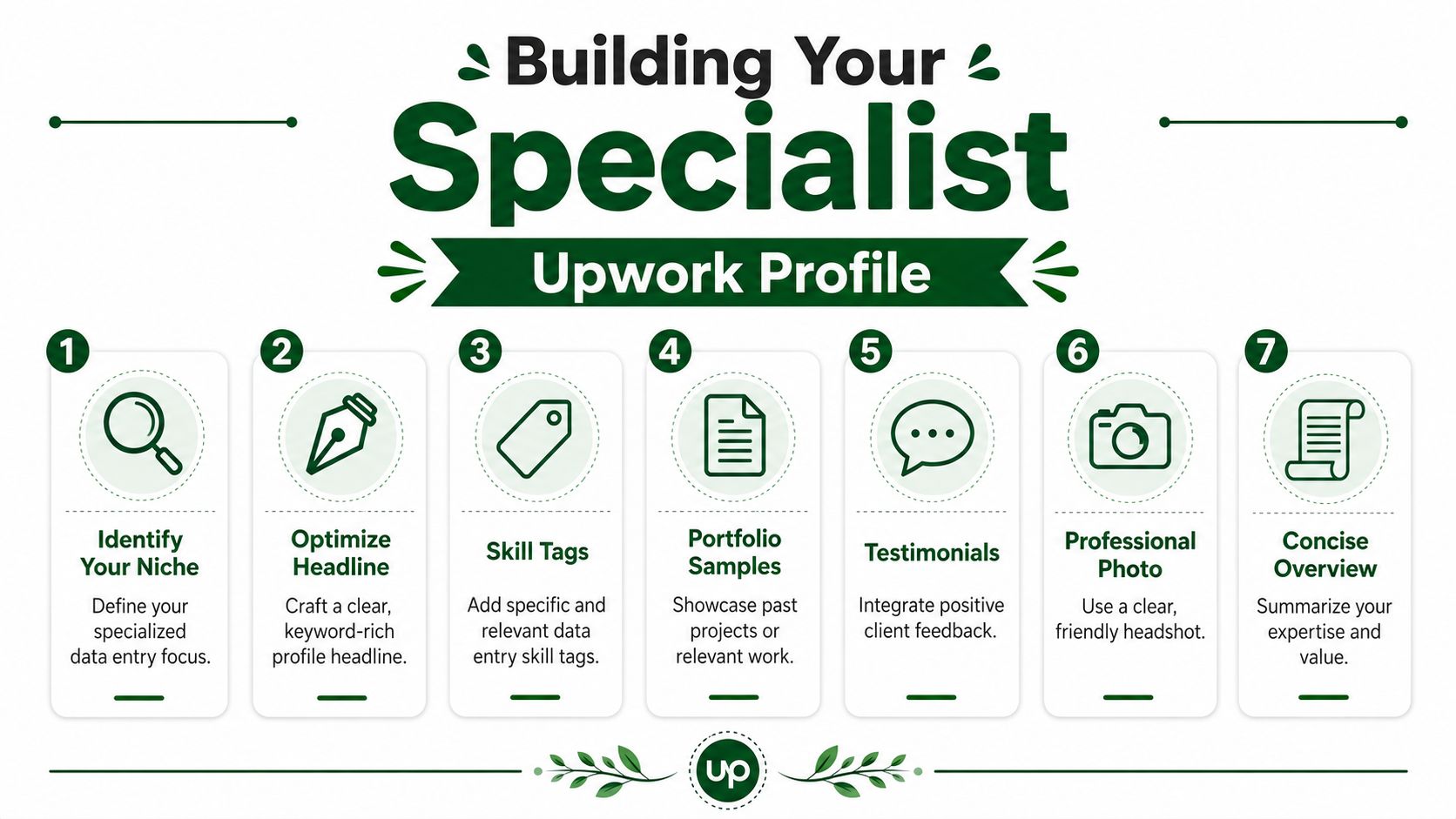
Change the title first
A better title does two jobs. It still matches the search term clients use, but it also lifts you out of commodity positioning.
Stronger examples:
- Data Entry and CRM Cleanup Specialist
- Operations Support and Spreadsheet Data Specialist
- E-commerce Product Listing and Data Quality Assistant
- Data Entry Specialist for Excel, Google Sheets, and CRM Updates
Those titles tell the client what kind of business problem you solve. “Data entry” stays in the title for relevance. The rest of the title does the selling.
Rewrite the overview around risk reduction
Your profile summary shouldn't sound like a resume. It should sound like a calm operator describing how work gets done.
Include things like:
- Task types: CRM updates, spreadsheet cleanup, data transfer, product listing, invoice records, OCR review
- Quality controls: duplicate checks, formatting normalization, field validation, final spot checks
- Tools you handle: Excel, Google Sheets, Airtable, HubSpot, Shopify, Notion, OCR tools
- Working style: clear communication, structured handoff, progress updates, consistent naming rules
Here's the practical difference.
Weak summary: “I am a hardworking data entry expert with fast typing skills and attention to detail.”
Stronger summary: “I help businesses clean, organize, and maintain operational data across spreadsheets, CRM systems, and product catalogs. My work includes source reconciliation, duplicate detection, formatting cleanup, and final QA so your team can use the data immediately.”
That second version sounds like someone clients can trust with messy business records.
Build samples even if you have no clients
No portfolio is not the same as no proof. Create your own.
You can make sample projects such as:
- CRM cleanup sample: messy contact list before and after standardization
- Product catalog sample: spreadsheet with titles, SKUs, pricing fields, and category cleanup
- Lead list validation sample: duplicate removal, column normalization, and missing-field flags
- OCR verification sample: scanned text converted into a clean structured spreadsheet
If you need a practical framework for presenting those samples, this guide on building a portfolio on Upwork is useful for turning simple mock projects into profile assets that look client-ready.
Practical rule: Your profile should make clients think, “This person has done this exact kind of messy admin work before.”
Add proof of process, not just proof of effort
Most freelancers try to sound eager. Clients care more about whether your process is dependable.
Use short portfolio notes like:
- what the raw input looked like
- what errors you found
- how you cleaned or structured it
- what final format the client would receive
That's what separates a generic Upwork data entry profile from a specialist profile. One says “I can type.” The other says “I can take operational mess and turn it into usable records.”
Finding High-Quality Data Entry Jobs
The fastest way to waste a week on Upwork is to search one phrase, “data entry,” and apply to everything that looks possible.
That search pulls in too much low-intent noise. You'll see junk posts, badly scoped jobs, and clients who don't know what they need. Better results come from searching by task and business context, not by the broad category name alone.

Search like an operator, not a browser
Use terms that reveal a cleaner scope. Good searches often include:
- Spreadsheet cleanup
- CRM contact update
- Shopify product listing
- E-commerce data entry
- Lead list cleaning
- Invoice data entry
- Data validation
- Google Sheets formatting
- Catalog upload
- OCR verification
These keywords usually pull clients who already understand the business task. That matters because clearer clients write clearer job posts.
If you want a faster workflow for spotting and sorting opportunities, tools built around finding Upwork jobs efficiently can help reduce manual browsing and keep your search focused.
What to check before you apply
A decent-looking title doesn't mean it's a decent client. Read the post like someone screening a vendor, not like someone begging for work.
Check these points first:
- Payment verification: If the client hasn't verified payment, be cautious.
- Scope clarity: A short post is fine. A confusing post usually isn't.
- Task specificity: Good clients mention file types, platforms, fields, deadlines, or output format.
- Behavior clues: Look for signs they know how to hire and communicate clearly.
- Instruction quality: If they can't explain the job, they may not manage it well either.
Red flags that usually aren't worth your Connects
Some posts look tempting because they seem easy. They often become rework traps.
Skip jobs that include things like:
- “Simple task, quick job” with no file sample or real detail
- Huge scope hiding in one sentence
- Requests for unpaid test work
- Unclear source material
- Language that suggests urgency without structure
- No mention of how accuracy will be checked
- A broad admin role disguised as one small task
If the client can't define what “done” looks like, you're the one who will pay for that confusion later.
The best Upwork data entry jobs often aren't labeled that way
Many freelancers miss the market. Higher-quality work is often posted under adjacent descriptions. A client may need a “virtual assistant,” “operations assistant,” “catalog manager,” or “CRM support freelancer,” but the actual work still includes data entry.
That's why narrow search phrases outperform broad ones. You're not trying to find every possible opening. You're trying to find work where your process matters and your proposal can sound precise.
Good job selection is half the win in Upwork data entry. If you apply only to better-shaped work, your close rate improves even before you change a single line in your proposal.
Crafting Proposals That Get Replies
Long proposals don't win data entry jobs. Relevant proposals do.
Clients in this category usually want one thing from your first message. Confidence that you understood the task and won't create more work for them. Upwork's labor-market research says 59% of companies plan to use more remote freelancers in the next 6 months, and for data-entry proposals, response speed and specificity are key, with buyers prioritizing process confidence such as source reconciliation, duplicate detection, and quality assurance, according to Upwork's labor market trends and insights.
That lines up with what works in practice. If your proposal arrives early and makes the process feel safe, you get more replies.
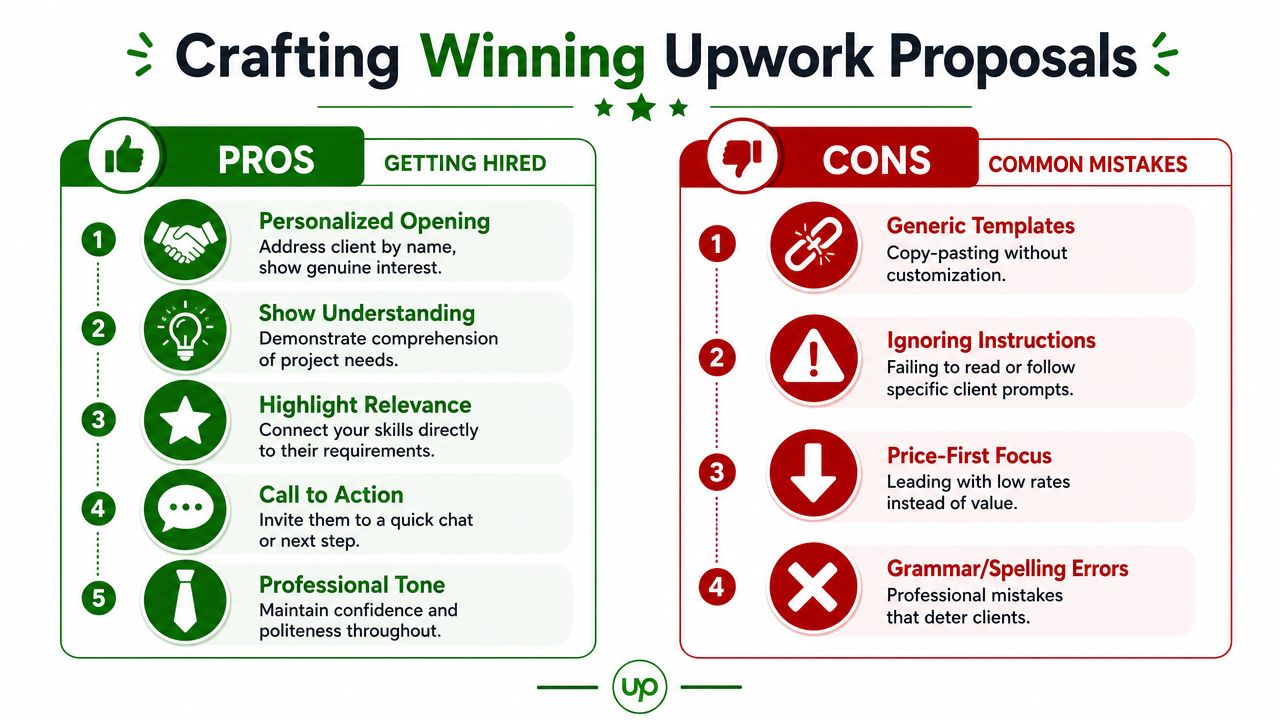
The five-part proposal structure
You don't need a fresh essay every time. You need a flexible structure you can customize fast.
Use this pattern:
- Open with the task
Mention the actual job in plain language.
Example: “You need product data transferred from supplier sheets into a clean Shopify import format.” - Show relevant fit
Name the closest matching skill.
Example: “I handle spreadsheet cleanup, field mapping, duplicate checks, and catalog formatting for operational data workflows.” - Give the workflow
This is the part most freelancers skip.
Example: “My process would be to reconcile the source files, standardize naming and formatting, flag missing values, run duplicate checks, and do a final manual QA before delivery.” - Reduce uncertainty
Offer something concrete.
Example: “If helpful, I can review a small sample first to confirm the import structure and flag any formatting issues.” - Ask one smart question
Example: “Will the final file need to match an existing Shopify import template, or should I create one based on your current fields?”
That's enough. Clean, fast, and specific.
What works better than a cheap opening
A lot of freelancers lead with rate. That's usually a mistake in commodity categories. It signals “pick me because I'm cheaper,” which is exactly where you don't want the client's attention.
Use your opening lines to prove task understanding instead.
Compare these:
Bad:
“Hello sir, I can do this job at low cost and start immediately.”
Better:
“You need a clean contact database from multiple spreadsheet sources, with duplicates removed and formatting standardized before import into your CRM.”
The second line tells the client you read the post and already understand the operational pain.
The strongest proposal in Upwork data entry often sounds like a mini handoff document, not a sales pitch.
A reusable template you can adapt in minutes
You can keep a draft like this:
“Hi, you need [task in plain English]. I handle this kind of work with a focus on clean structure and QA. My workflow is to [step 1], [step 2], [step 3], and then complete a final review before delivery. I've worked with spreadsheets, CRM records, and data cleanup tasks where consistency matters. One quick question before I begin: [single relevant question].”
That's enough for many jobs.
If you want a stronger system for submitting Upwork proposals, keep templates by job type, not one universal template. A CRM cleanup proposal should sound different from an e-commerce catalog proposal.
Personalization that actually matters
You don't need to personalize everything. Personalize the parts the client will notice:
- the first sentence
- the workflow steps
- the final question
Leave the rest modular.
That keeps proposal time low while still sounding specific. In a crowded category, speed matters. But speed without relevance is just fast rejection.
Smart Pricing and Client Screening
Most freelancers price Upwork data entry backwards. They look at what other people charge, go lower, and hope volume fixes the margin problem. It usually doesn't.
Upwork's own pricing guide puts the median hourly rate for data entry specialists at $13, with a typical range of $10 to $20 per hour, according to Upwork's data entry specialist cost guide. That tells you two things immediately. First, pure manual entry sits in a commodity band. Second, if you want to charge above that typical range, the client needs a reason tied to skills like spreadsheet automation, CRM cleanup, or data validation.

When hourly makes sense
Hourly works best when the scope may shift or the source material is messy.
Examples:
- multiple files need review before the exact workload is known
- the client's CRM is disorganized
- records need manual validation
- the process may require back-and-forth decisions
Hourly also protects you when the client isn't fully sure what shape the final dataset should take. If you accept a fixed-price contract on a fuzzy brief, you can end up doing unpaid cleanup that was never defined.
When fixed price is the better choice
Fixed price works when the deliverable is clear and countable.
Good candidates include:
- spreadsheet cleanup for a defined file
- product entry for a known catalog
- formatting and standardization for one export
- transferring records from one source to another with agreed fields
The key is to define the exact output before you quote. Not “data entry for inventory system.” Instead, “clean and format one supplier spreadsheet into the client's upload template, with duplicate removal and missing-field flags.”
That kind of wording protects you.
Price the task based on the real work inside it
Don't price by label alone. “Data entry” can mean straightforward copying, or it can mean logic-heavy cleanup inside broken source files.
A smarter way to price is to identify what the client is buying:
- Simple transfer work: lower and tighter quote
- Cleanup and standardization: higher because judgment is involved
- Validation-heavy work: higher because error risk matters
- System-specific work: higher if you need CRM, e-commerce, or bookkeeping familiarity
Later in the discussion, it helps to show your thinking. Clients are less likely to push back when they can see the difference between typing and operational cleanup.
Here's a useful primer before you quote more complex work:
Questions that protect you from bad clients
A short interview can save you from the worst projects. Ask questions that expose scope, workflow, and decision quality.
Use some version of these:
- What is the final output format?
- Do you already have a template, or should I create one based on your system?
- What source files am I working from?
- How will you define accuracy for this project?
- Who reviews the finished work on your side?
- Are there duplicate rules, naming conventions, or required fields I should follow?
- Is this a one-time cleanup or an ongoing process?
A good client answers clearly. A weak client answers vaguely, changes the brief, or treats basic scoping questions like friction.
Screen for behavior, not just budget
A decent budget doesn't guarantee a decent project. Some clients pay fairly and still create chaos through bad instructions, delayed feedback, or constant scope drift.
The best data entry clients usually share three traits. They know what system the data belongs in. They care about accuracy more than drama. And they can describe the result they need without making you guess.
That's who you want.
Securing the Job and Future-Proofing Your Skills
A lot of freelancers lose the job after the client replies. They get excited, start overselling, and create uncertainty where the client wanted clarity. In data entry and operations support, the close is simple. Confirm what will be delivered, how you will handle the work, and what the client will receive at the end.
If a client goes quiet after showing interest, send one follow-up. Keep it short. Reference the specific task, confirm you still have room in your schedule, and make it easy for them to say yes. More than one follow-up usually hurts more than it helps in this category.
The handoff matters just as much as the proposal. Clients remember freelancers who reduce cleanup on their side.
Close the project like a professional
Delivery should answer four questions before the client asks them:
- what was completed
- what issues or inconsistencies were found
- what still needs client input
- how the files or records are organized
That message does more than wrap up the contract. It shows you think like support staff, not just task labor. That is how small one-off jobs turn into weekly admin work, CRM maintenance, product uploads, or reporting support.
A clean close also protects your reviews. If there were messy source files, missing fields, or duplicate records, document that in the delivery note. Good clients appreciate the visibility. Difficult clients have less room to blame you for problems that existed before you touched the project.
Build skills that move you out of low-margin work
Basic copy-paste work is crowded. The safer position is one step upstream or downstream from pure entry. Clients pay better when the work affects system quality, reporting accuracy, or process reliability.
Upwork notes growing demand around AI-related work in its in-demand skills research for 2025. For data entry freelancers, that matters because the market is shifting toward structured data tasks, validation, labeling, cleanup, and workflow support. The opportunity is still there, but the better jobs sit closer to operations.
That gives you a practical path.
Skills worth adding next
Add skills that make you harder to replace and easier to trust with larger workflows:
- Data extraction from PDFs, websites, and invoices
- AI data validation and quality checks
- Annotation and labeling
- Spreadsheet formulas and error checks
- CRM cleanup and record standardization
- E-commerce catalog updates
- Bookkeeping support workflows
Do this one layer at a time. Learn the task, package it as a service, then update your profile and samples to match. A freelancer who can clean a spreadsheet, standardize fields, and flag missing values is selling operations support. A freelancer who only says "I do data entry" stays in the price-war bucket.
The freelancers who last in this niche treat data entry as the first service, not the final one. They get hired for speed and accuracy, then expand into the adjacent work that saves clients time, prevents errors, and keeps systems usable.
If you want help turning manual Upwork prospecting into a more consistent system, Earlybird AI can help automate job discovery, proposal drafting, and follow-up so you can spend less time chasing listings and more time closing the right clients.




