
← Back To Blog
Upwork Proposal Automation: Boost Freelance Wins with upwork proposal automation
Automating your Upwork proposals isn't about spamming clients with generic messages. It's a strategic way to use AI-powered tools to pinpoint the perfect job postings and send out personalized bids on your behalf, often before anyone else. This gives freelancers and agencies a massive advantage by saving countless hours, dramatically increasing proposal volume, and ultimately, winning more projects by consistently being one of the first to apply.
The Reality of Winning on Upwork Today
If you feel like you're stuck on a hamster wheel—endlessly searching for jobs, writing custom proposals, and hearing nothing back—you're definitely not alone. The Upwork marketplace is incredibly competitive, and the manual bidding process can quickly feel like a full-time job in itself. You might spend hours hunting for a great project, only to discover it already has 20-50 proposals by the time you're ready to submit.
This is exactly the problem that smart proposal automation solves. Forget the old-school idea of clumsy, spammy bots. Modern automation is more like having a dedicated sales assistant who works around the clock to find your ideal projects and get a tailored bid in front of the client in minutes.
The Numbers Behind the Grind
The sheer scale of the platform puts the challenge into perspective. On Upwork, 18 million freelancers are competing for projects from 796,000 active clients, with over $4 billion changing hands every year. In an environment that crowded, speed and relevance are non-negotiable.
Traditional manual bidding is a huge bottleneck. Most freelancers can only manage about 3-4 proposals a day because each one takes 15-20 minutes to research, personalize, and perfect. This slow pace leads to burnout and, more importantly, a ton of missed opportunities. While you're carefully crafting a single proposal, dozens of others have already landed in the client's inbox.
Shifting from Outreach to Actual Client Work
So, what's the real benefit here? It's simple: you get to shift your focus from tedious, repetitive outreach back to high-value client work—the stuff that actually grows your business. An intelligent system handles the grunt work for you.
Here’s how it completely changes your daily workflow:
- Filters for Gold: It automatically sifts through thousands of new postings to find jobs that perfectly match your skills, rate, and ideal client profile.
- Bids at Lightning Speed: Your proposals are sent within minutes of a new job being posted, making sure you’re one of the very first applicants a client sees.
- Personalizes at Scale: It uses dynamic templates to generate bids that feel custom-written and speak directly to the client’s project needs.
By automating the initial bidding process, you reclaim hours upon hours every single week. This isn't just about saving time; it's a fundamental shift that turns a draining chore into a powerful and predictable way to get new clients.
Tools like Earlybird AI are built to give you this exact edge. This guide will walk you through a clear, step-by-step roadmap to set up automation safely and effectively, so you can start winning more jobs without the grind.
Getting Your Automated Proposal System Off the Ground
The first step in building your own automated sales engine is laying the right groundwork. This is where you’ll securely connect your Upwork account and, more importantly, teach the AI to think like you do. The goal here isn't just about matching keywords; it's about training a system to understand the subtle cues that make a project a perfect fit for your business.
This whole process is about shifting your lead generation from a tedious, manual grind into a smart, automated flow. You're essentially moving from chasing clients to having ideal projects come to you.
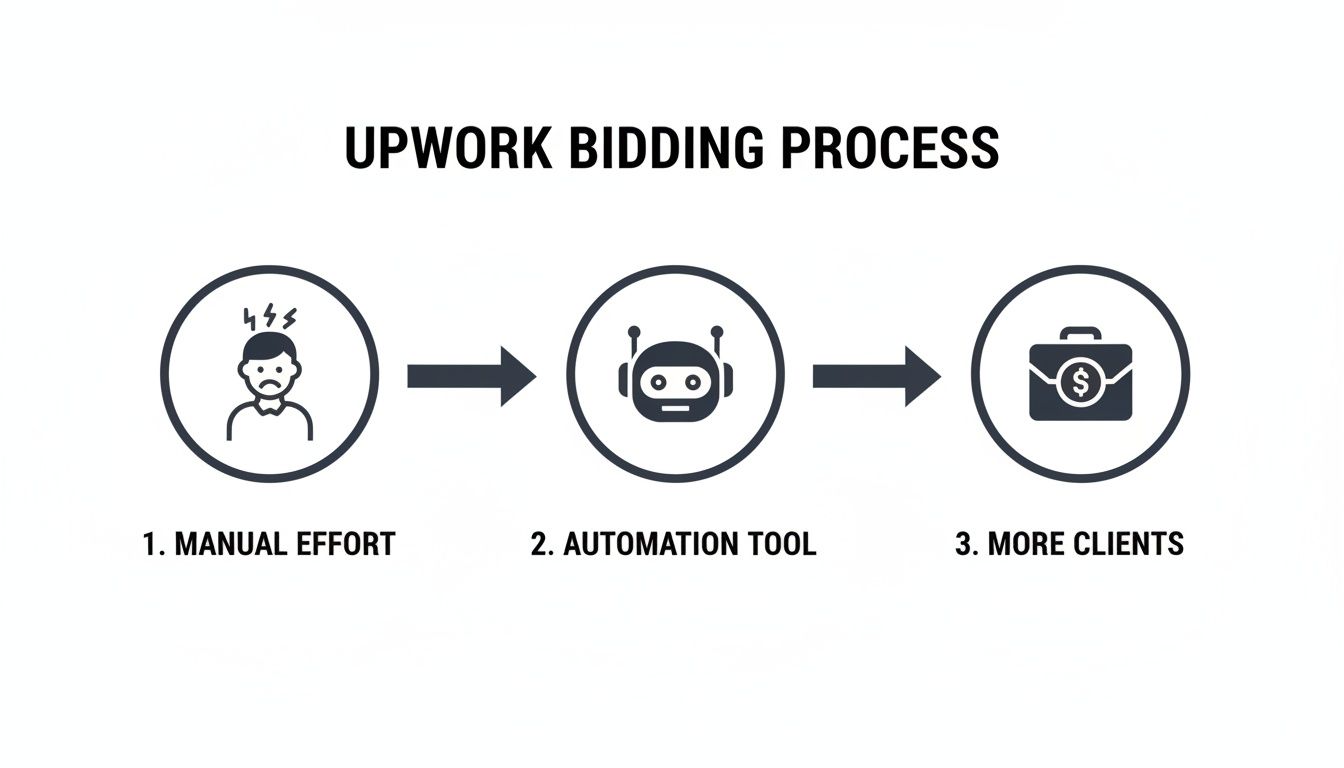
As you can see, the right tool acts as a force multiplier. It turns the sheer frustration of manual bidding into a consistent pipeline of promising projects.
Securely Connecting Your Account
First things first, you have to link your automation tool to your Upwork profile. Any reputable platform, like Earlybird AI, will prioritize your security. They don't store your password. Instead, they use secure, authorized methods to interact with Upwork on your behalf, which means your account credentials stay private and protected.
This connection is what gives the system its power—it can scan for jobs and submit proposals in real time. It's a critical link, and doing it safely is non-negotiable for protecting your account while unlocking the benefits of Upwork proposal automation.
Training the AI to Find Your Ideal Projects
Once you're connected, the real fun begins: training the AI. This is way more sophisticated than just plugging in a few keywords. The best systems learn directly from your feedback, constantly refining their understanding of what a great project looks like for you.
I like to think of it as training a new sales assistant. You wouldn't just hand them a list of words and walk away. You’d sit down with them and go over examples of good and bad leads. It’s the same idea here.
- Show it what you want: You’ll review a feed of recent Upwork jobs and give a "thumbs up" to the ones that are a fantastic fit.
- Show it what you don't: Just as important, you'll give a "thumbs down" to projects that are irrelevant, way too low-budget, or from clients who look like trouble.
- Teach it the nuances: Over time, the AI starts to pick up on the subtle differences. It learns to distinguish a low-value 'quick logo' job from a high-value 'brand identity system' project, even when they share similar keywords.
This feedback loop is the absolute heart of effective automation. You're not just telling the AI what to look for; you're teaching it how to think, how to spot red flags, and how to prioritize the jobs that actually align with your expertise and revenue goals.
If this concept is new to you, it's worth getting a handle on the basics. You can learn more about how this works by exploring this guide on what sales automation is and how these core principles apply to freelancing.
Setting Your Core Filters and Preferences
While your direct feedback is what makes the system smart, you also need to set up some foundational rules. These filters are your first line of defense, instantly weeding out up to 99% of irrelevant jobs before you ever have to see them.
Here are a few of the essential filters you'll want to configure right away:
- Financial Guardrails: Set your minimums. For example, no hourly rates below $75/hour and no fixed-price projects under $1,500. This alone cuts out a massive amount of noise.
- Client Vetting: Filter for clients with a proven history. You can set criteria like a minimum spend on the platform (e.g., $10,000+), a high average hourly rate paid to other freelancers, or a perfect five-star rating.
- Geographic Focus: Zero in on specific regions. If you get the best results from clients in the United States or Western Europe, you can simply exclude all other countries from your job feed.
Getting these initial settings dialed in usually takes less than an hour, but it creates a powerful, personalized framework. From there, the system combines this framework with your ongoing feedback to get progressively smarter. This ensures the proposals it sends aren't just fast—they're incredibly targeted and relevant.
How to Personalize Proposals at Scale
Let’s bust a common myth right now: Upwork proposal automation isn't about spamming clients with generic, copy-pasted messages. Not if you want to actually win jobs, anyway.
The real goal is to build an intelligent system—a collection of your best ideas, case studies, and hooks that an AI can smartly assemble into a unique, high-quality bid for each specific project. It’s less about a single "master template" and more about creating a powerful set of building blocks.
This completely flips the script on personalization. Instead of you spending hours manually tweaking every sentence, the system does the heavy lifting. It learns to pull key details directly from the job post to craft a proposal that feels like you wrote it from scratch, just for them.

The secret sauce is a mix of dynamic templates and smart placeholders. You create the core messaging—your voice, your expertise—and the AI acts as your assistant, filling in the blanks with the specifics it finds in the job description.
Crafting Your Dynamic Template Framework
Think of your dynamic template as the blueprint for every proposal you send. It’s not a rigid document; it’s a flexible structure designed to adapt on the fly. The trick is to break it down into logical sections and use placeholders to insert those crucial, job-specific details.
A great way to get started is by creating placeholders for the same variables you'd look for yourself. Here are a few examples of what that looks like in practice:
{{client_name}}: The AI scans the job post and the client's history to find their name.{{project_title}}: This pulls the exact title from the job posting.{{key_skill_1}}: The system identifies the main skill mentioned, whether it's "WordPress development" or "SEO content writing."{{project_goal}}: It can even piece together the client's core objective, like "increase organic traffic" or "build a new e-commerce store."
These smart fields are the engine that makes personalization at scale possible. When you use them, every proposal directly mirrors the client's own language and needs, all without you having to re-type a thing.
Structuring Your Template for Maximum Impact
A winning template does more than just fill in the blanks. It needs to tell a compelling story that grabs the client's attention, shows you understand their problem, and proves you're the one who can solve it.
Here’s a proven structure for a dynamic proposal template that just works:
- The Opening Hook: Lead with a strong, direct reference to their project. Something like, "Hi
{{client_name}}, I saw your post looking for an expert in{{key_skill_1}}to help you{{project_goal}}." This instantly signals that you've actually read their brief. - Show You Understand: In the next paragraph, briefly elaborate on their problem. For instance: "I know how challenging it can be to
{{project_goal}}when you're also dealing with [common pain point related to{{key_skill_1}}]." - Insert Relevant Proof: This is where you can dynamically add portfolio pieces. You can create rules so that if a job mentions "logo design," the system automatically includes links to your best logo projects. No more hunting for the right examples!
- Ask Smart Questions: A good proposal invites a conversation. Include a question that showcases your expertise, like: "Have you considered how [specific technical approach] might impact your
{{project_goal}}?" - A Clear Call to Action: End with a simple and direct next step. "I have a few initial ideas for your
{{project_title}}project. Are you free for a quick chat next week to discuss them?"
The sweet spot is a template that's about 80% standardized with your core value proposition and 20% dynamic, filled in by the AI. This gives you consistent, high-quality messaging while delivering the deep personalization that gets a response.
Making Personalization Smarter and More Effective
The real magic happens as the system learns. A modern Upwork proposal automation tool doesn't just match keywords; it starts to understand context. This is where data gives you an incredible edge. In fact, AI-powered personalized proposals are 3-5 times more likely to get a response than generic ones because they can analyze the job post, the client's hiring patterns, and even market data in seconds.
This intelligent analysis means the system gets better with every proposal sent. It learns which portfolio examples work best for certain jobs and which questions get the most replies. Over time, this creates a powerful feedback loop that turns simple automation into a true client acquisition engine.
Staying Safe While Automating on Upwork
Let's get straight to the biggest question on every freelancer's mind: "Will this get my account banned?" It's a valid concern. When you start automating parts of your Upwork workflow, keeping your account safe is priority number one.
The good news? When done right, automation is surprisingly safe. The trick is to stop thinking of it as a brute-force tool and start seeing it as a smart assistant. The whole point is to mimic natural, human behavior—not to blast out hundreds of generic bids. You're aiming for precision and relevance, just at a scale a human can't match.
Pace Yourself: Why Throttling Matters
Imagine sending 30 proposals in five minutes. No human on earth does that. It’s an instant red flag for Upwork’s systems, screaming that a bot is at work. This is where throttling becomes your most important safety feature.
A well-designed automation tool doesn't dump all your proposals at once. Instead, it intelligently spaces them out. It might send one, wait a few minutes, find another great fit, and send the next one. This rhythm perfectly mirrors how a real freelancer works: carefully reading job posts and writing considered replies.
This deliberate pacing does two things for you:
- It keeps your account under the radar. Mimicking human timing helps you blend in, avoiding automated security alerts.
- It improves your proposal quality. By spacing things out, the system can catch brand-new job postings, ensuring you're always bidding on the freshest, most relevant projects.
Keep Your Digital Footprint Clean
Another detail that matters is where your activity appears to come from. If your account is suddenly logging in from a different country or a known data center IP address, it looks incredibly suspicious.
This is a background detail that top-tier automation platforms handle for you. They use clean, regional IP addresses that align with your real-world location, making it seem like you're the one logging in and submitting proposals. It's a simple, effective way to ensure all your activity looks completely legitimate and maintains your account's good standing.
The best Upwork proposal automation is the kind you can't even see. It should look and feel as if you are personally finding and applying for every single job—just with incredible speed and efficiency. True safety lies in blending in, not standing out for the wrong reasons.
Stop Wasting Connects—Focus on Quality
Beyond the technical stuff, the most effective safety measure is a strategic one: always choose quality over quantity. Firing off proposals at anything that moves isn't just risky; it’s an expensive way to burn through your Upwork Connects.
This is exactly why that initial AI training is so critical. You're essentially teaching your system to be incredibly picky, filtering out 99% of the junk on the platform. It learns to zero in on jobs that perfectly match your ideal budget, client history, and skill set.
This laser-focused approach has a massive upside. You save your Connects for gigs you actually have a shot at winning, which naturally improves your success rate and boosts your profile's reputation.
For a deeper look into how the platform protects users, our guide on whether Upwork is safe for freelancers covers the topic in more detail.
Ultimately, a safe automation strategy isn't just about avoiding trouble. It's about building a smarter, more efficient, and far more profitable freelance business.
Automating Your Client Conversation Funnel
Winning the job rarely stops with a great proposal. The real work often begins in the follow-up, where speed is your secret weapon. Automating your communication funnel means you're always the first to engage a client, turning their initial interest into a real conversation before your competitors have even logged in.
This is all about building a seamless system that guides a lead from a positive reply straight to a booked meeting on your calendar. It's not just for convenience—it's a smart strategy to keep momentum going and close deals faster.
The Power of an Instant Reply
When a client responds to your proposal, the clock starts ticking. They're online, they're engaged, and they're ready to talk. If you wait even an hour, they might have already moved on to someone else.
Automated replies completely solve this. Your response can land in their inbox just moments after they message you. And I'm not talking about a generic "Thanks for your message" bot. You can set up smart replies that acknowledge their specific interest and immediately propose the next logical step.
A prompt, professional response shows you’re attentive, organized, and serious about their project. It’s a small detail that makes a huge first impression and sets a positive tone for the entire relationship.
This immediate engagement keeps the client's attention squarely on you. While other freelancers are just getting around to checking their inbox, you're already steering the conversation toward a call.
Crafting Non-Pushy Follow-Up Sequences
But what about the prospects who go quiet after that first reply? It happens all the time. Clients get busy, sidetracked, or just plain buried in proposals. This is where a gentle, automated follow-up sequence is worth its weight in gold.
The idea isn't to pester them. It's to give them a simple, helpful nudge. A solid follow-up cadence might look something like this:
- Day 3: A quick, friendly check-in. "Hi
{{client_name}}, just wanted to follow up on my proposal for the{{project_title}}role. Do you have any questions I can answer?" - Day 7: Offer something of value. "Following up again. I thought you might find this case study on [relevant topic] interesting. Happy to discuss how we could achieve similar results for you."
This approach keeps you top-of-mind without being aggressive. If you're looking for more ideas, our guide on how to follow up with clients has some great templates. This kind of automation ensures no promising lead ever gets lost in the shuffle.
From First Contact to Booked Meeting
Ultimately, the goal of this entire funnel is to get promising leads onto your calendar with zero manual effort. The final piece of your automated sequence should be a clear call to action pointing them to your scheduling link. For example, a great instant reply might say, "I'm excited about this project! The next step is a quick 15-minute discovery call. You can book a time that works for you here: [Your Calendar Link]."
This removes all the friction. The client doesn't have to endure the back-and-forth of finding a time; they can just click and book. Tools like Earlybird AI are built for this, submitting proposals in about 10 minutes and firing off replies in under 5. This speed is what drives double-digit reply rates and revenue gains.
This full-funnel automation frees you from the tedious administrative work, letting you focus on what you actually do best.
7. Is This Thing Actually Working? Measuring Your Automation ROI

So, you’ve set up this whole automated system. The big question is: is it actually making you money, or are you just sending proposals into the void faster? To figure that out, you have to stop guessing and start measuring.
This isn’t about vanity metrics like how many proposals you sent today. It’s about understanding the health of your entire client acquisition funnel, from the initial bid to the final contract. The right automation tools will give you a dashboard with real-time numbers, showing you exactly what’s working and what’s not.
The Numbers That Really Matter
If you aren't tracking the right metrics, you’re flying blind. Each number tells a piece of the story.
- Proposal View Rate: This tells you if your opening hook is strong enough. Clients only see the first two lines in their feed, so if this number is low, your openers are boring and getting scrolled past.
- Reply Rate: This is the big one. It’s the ultimate test of your proposal’s content. A high reply rate means your messaging, portfolio, and call to action are hitting the mark.
- Interview Rate: Of those who reply, how many are booking a call? This metric shows you if the leads you're generating are high-quality or just tire-kickers.
- Win Rate: The bottom line. How many of those interviews turn into a signed contract? This is the final scorecard for your entire strategy.
The whole point is to build a predictable client pipeline. When you track these KPIs, you can spot exactly where you're losing people and plug the leak.
This is where the data becomes your superpower. For instance, with a tool like Earlybird AI, you can run A/B tests on your proposal templates. Pit one opening line against another and see which one gets more replies. It stops being a creative guessing game and starts being a repeatable process for winning work.
To really dial things in, you need to know what to track and what good looks like. Here are the core KPIs I recommend every freelancer or agency monitor when automating their Upwork proposals.
Key Metrics for Upwork Automation Success
KPIWhat It MeasuresHigh-Performance BenchmarkProposal View RateThe percentage of proposals opened by clients.> 50%Reply RateThe percentage of viewed proposals that receive a client response.> 15%Interview RateThe percentage of positive replies that lead to a meeting or interview.> 60%Win RateThe percentage of interviews that result in a hired project.> 25%Connects per WinThe average number of Connects spent to win one project.Varies by industry, but aim to decrease it over time.Time-to-HireThe average time from sending a proposal to getting hired.Varies, but a good goal is < 7 days.
Monitoring these numbers consistently is the only way to know if your automation is a genuine business asset. If a metric is lagging, you have a clear signal on what part of your process—from your hook to your portfolio—needs a tune-up.
Your Top Questions About Upwork Automation Answered
If you're thinking about automating your Upwork proposals, you've probably got some questions. It’s a big step, and it’s smart to get the lay of the land first. Let's tackle some of the most common concerns I hear from freelancers and agencies.
So, Is This Even Allowed on Upwork?
This is always the first question, and for good reason. Let's be direct: Upwork's Terms of Service are clear about prohibiting spammy bots that flood the platform or misuse their API. You can't just unleash a mindless script.
But intelligent automation isn't about spam. We're talking about tools designed to act like a human assistant—sending proposals at a natural pace, from a clean IP address, and with a high degree of personalization. The goal isn’t to send 500 generic bids a day; it’s to send 20 incredibly well-targeted proposals that you simply wouldn’t have had the time to find and write yourself. It's about quality and speed, not just brute force.
How Is This Different From a Basic Bot?
When people hear "bot," they usually picture a simple script that just scrapes for a keyword and blasts out the same terrible, templated proposal over and over. That's a surefire way to get your account suspended.
True Upwork proposal automation is a different beast entirely. It’s more like an AI-powered sales assistant. Here’s how:
- It Learns: The system actually learns what you consider an ideal project based on your feedback. You give jobs a thumbs up or thumbs down, and the AI gets smarter.
- It Personalizes: Instead of generic templates, you create a smart framework. The AI then pulls specific details—like the client's name, company, and key project requirements—and weaves them into your proposal.
- It Acts Human: A sophisticated system will deliberately pace its submissions to mimic natural human behavior. No sudden, suspicious bursts of activity that scream "automation!"
Will My Proposals Sound Robotic?
Only if you let them! A common misconception is that the AI writes the whole thing from scratch. That’s not how a good system works.
You are still the strategist. You write the core of your proposal—your unique value proposition, your compelling case studies, and your professional tone. The AI's job is to act as the assembler, taking your pre-approved building blocks and intelligently inserting the personalized details for each specific job post.
Think of it this way: the final proposal is a perfect blend of your expertise and the AI's efficiency. It keeps your authentic voice front and center while making sure every single bid is relevant to the client's problem. This combination is what gets replies.
How Fast Will I See a Difference?
While there's no magic number, most people start seeing a clear uptick in proposal views and client replies within the first one to two weeks.
The real magic happens over time. The more feedback you give the system, the sharper its targeting becomes. That initial setup phase—where you dial in your filters and perfect your proposal frameworks—is absolutely critical. Once that's done, you're not just automating a task; you're building a reliable, predictable engine for generating high-quality leads.
Ready to stop wasting hours on manual bidding and start winning more high-value projects? Earlybird AI acts as your personal sales team, finding ideal jobs and sending personalized proposals in minutes. Discover how Earlybird AI can transform your client acquisition strategy today!




