
← Back To Blog
The AI Powered Sales Assistant: Boost Your Revenue
If you're running an agency or freelancing on Upwork, you probably know the routine. You check the feed early, check it again between calls, and then check it late at night because the best-fit jobs often feel like they disappear before you can even open the brief. Then comes the major drain: rewriting the same proposal structure, swapping a few lines, trying to sound specific without spending half an hour on every bid.
That work compounds. Not because proposal writing is unimportant, but because too much of it is repetitive. The best sellers on freelance marketplaces aren't just better writers. They're faster at spotting fit, stricter about qualification, and more consistent about follow-up after the first touch.
An AI powered sales assistant changes that operating model. It doesn't replace judgment. It takes the repetitive parts of selling, project matching, draft generation, follow-up sequencing, CRM-like tracking, and turns them into a system you can manage instead of a grind you have to repeat manually.
The End of Manual Prospecting
Manual prospecting on freelance marketplaces breaks down in predictable ways. You lose speed first. Then consistency. Then objectivity. By the time a founder or agency owner has written their fifth proposal of the day, the quality usually drops or the time per bid becomes hard to justify.
That matters because marketplace selling is often won in the first wave of responses. On Upwork especially, timing shapes visibility. If you're slow to review fresh listings, slow to draft a proposal, or slow to reply after a client responds, someone else gets the conversation.
Why the shift is happening now
This isn't a fringe trend anymore. The global AI sales assistant software market is projected to grow from $3.014 billion in 2025 to $24.21 billion by 2035, a projected 23.16% CAGR, according to Market Research Future's AI sales assistant software market forecast. That kind of growth usually means one thing in practice: teams are moving these tools out of the experiment bucket and into daily operations.
For agencies, the implication is simple. Buyers are already responding to sellers who work with tighter turnaround times, cleaner qualification, and more reliable follow-up. If you stay fully manual while competitors systemize outreach, you'll feel it in reply volume and pipeline quality long before you notice it in revenue.
Practical rule: If a task happens every day and doesn't require original judgment every time, it should be assisted, templated, or automated.
What manual prospecting gets wrong
Many teams don't have a lead problem. They have a workflow problem.
A manual Upwork process usually creates four bottlenecks:
- Slow discovery: Good-fit jobs sit in the queue too long before anyone reviews them.
- Inconsistent qualification: Two team members rate the same posting differently because there isn't a shared scoring logic.
- Proposal fatigue: Messaging starts sharp in the morning and gets generic by the afternoon.
- Weak follow-through: Promising client threads stall because nobody owns the next reply.
An AI powered sales assistant helps because it keeps those motions running even when you aren't online. For marketplace sellers, that's the primary advantage. Not buzzwords. Not novelty. Just an always-on system that keeps the top of the funnel moving while you spend your time on calls, delivery, and closing.
What Is an AI Powered Sales Assistant
The easiest way to think about an AI powered sales assistant is this: it's a trainable junior SDR that never gets tired, doesn't forget your positioning, and improves when you give it feedback.
A simple bot follows rules. A real assistant uses context. That's the distinction that matters. If a tool only copies a template into every proposal, you're not using intelligence. You're using speed without judgment, which is exactly how sellers drift into generic outreach.
More than automation scripts
Modern AI sales assistants combine natural language processing, machine learning, and predictive analytics to automate repetitive work like lead qualification, follow-ups, and scheduling, while freeing reps for higher-value selling activities, as explained in Nooks' overview of AI-powered sales assistants.
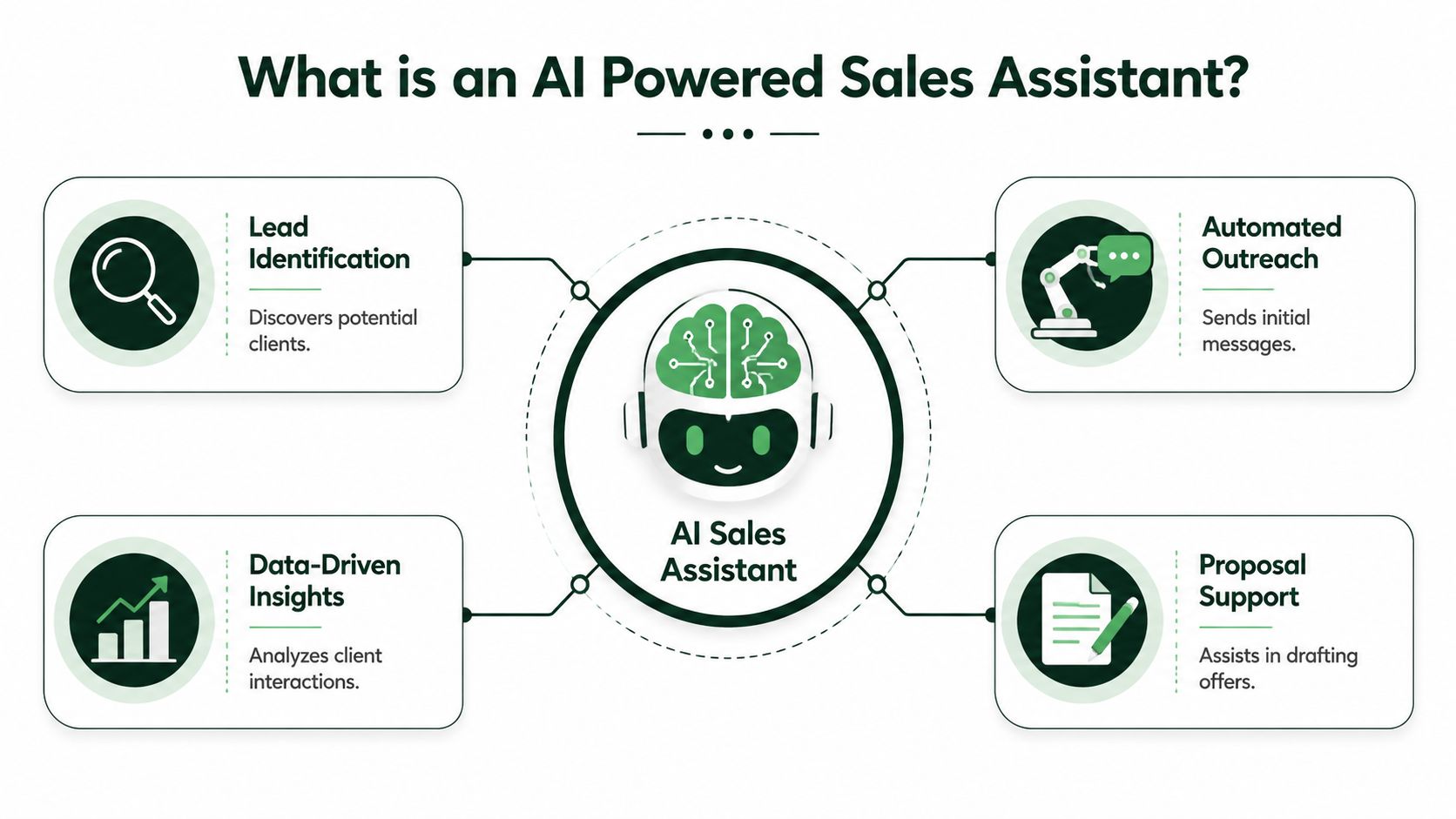
In plain language, that means the system can read job posts, recognize patterns in the kinds of projects you should pursue, and draft responses that reflect the context of that specific opportunity. It can also learn from what you approve, reject, edit, or ignore.
How the core pieces work
Natural language processing is what lets the system interpret a messy client brief. A client might say they need a "senior growth marketer who can fix attribution and clean up paid social reporting." A basic filter only sees keywords. A stronger assistant understands service type, urgency, likely budget intent, and where your offer may fit.
Machine learning handles preference-building over time. If you repeatedly reject certain categories of work, the assistant gets sharper about what not to surface. If you consistently prioritize projects with clear scope, active hiring signals, or strong client history, the tool can rank similar opportunities higher.
Predictive analytics adds another layer. It helps the system decide what to do next. Should it recommend bidding now, holding for a better fit, sending a concise proposal, or prompting a fast follow-up when a client engages?
A useful AI assistant doesn't just help you write faster. It helps you decide better.
What this looks like on Upwork
For freelancers and agencies, the best use case isn't full autopilot. It's guided automation with strong feedback loops.
A practical workflow looks like this:
- The system reviews new jobs and filters out low-fit postings.
- It drafts a proposal based on your positioning, past wins, and the language of the listing.
- You approve or refine the messaging, especially for higher-value opportunities.
- The assistant tracks responses and helps keep early-stage conversations active.
- Your team steps in when strategy, pricing, scope, or trust-building require human judgment.
That division of labor is what makes the tool useful instead of risky. It handles repetitive sales motions. You keep control over the moments that close deals.
Core Capabilities and Tangible Business Benefits
An AI powered sales assistant only earns its keep if it improves the business, not just the workflow. Faster proposal drafting sounds nice, but speed without better outcomes isn't enough. The key is whether the tool helps you spend less time on admin, generate more qualified conversations, and keep the pipeline moving without adding headcount.
Industry analysis reports that sales teams using AI assistants can cut administrative time by 40%, increase lead generation and customer retention by 50%, improve team productivity by 50%, and that 41% of salespeople already use AI-powered sentiment analysis, with 83% of those users rating it highly effective, according to MarketsandMarkets on choosing the right AI sales assistant.
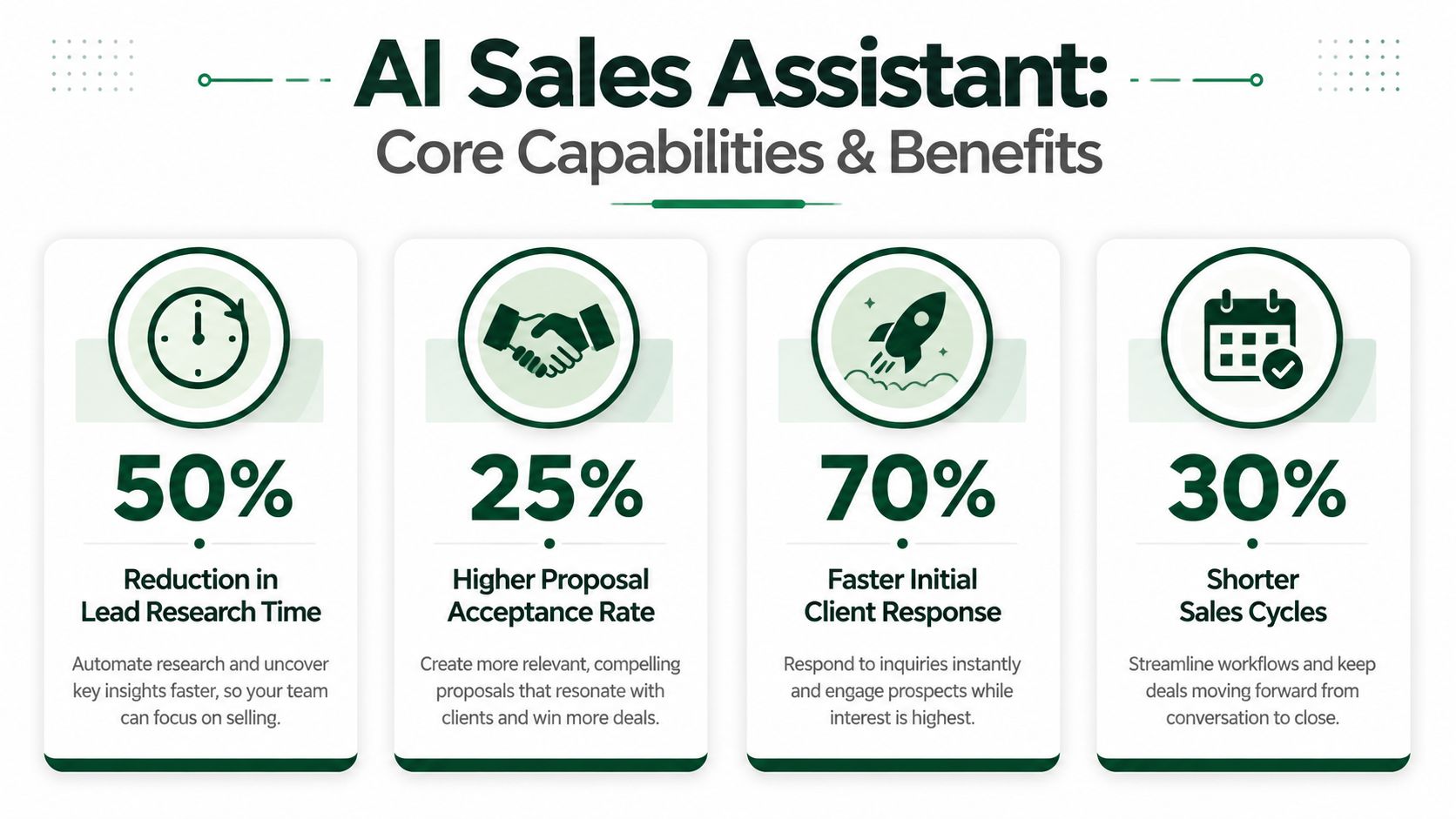
Those numbers come from broader sales teams, but the underlying mechanics map well to freelance marketplaces. If your business development process lives inside search, proposals, replies, and follow-ups, lowering admin drag has direct commercial value.
Where the gains actually come from
The first gain comes from opportunity triage. Good tools don't flood you with more jobs. They reduce the number of jobs you need to inspect manually. That protects attention, which is usually the first bottleneck in a small agency.
The second gain is proposal quality at scale. Sales teams often can produce either thoughtful proposals or a lot of proposals. The sweet spot is doing both. AI helps when it pulls in relevant proof, adjusts the opening based on the brief, and keeps the language aligned with your offer instead of relying on one frozen template.
A third gain is follow-up continuity. Manual sellers often lose deals at this stage. They respond well the first time, then let a promising thread sit because delivery work takes over. Assistants are useful here because they don't forget.
For a deeper look at how this plays out in prospecting workflows, this guide to AI for sales prospecting is worth reading.
Benefits that matter on marketplaces
On Upwork and similar platforms, the practical benefits look like this:
- Better response speed: You get into the client's inbox while they're still actively reviewing fresh bids.
- Cleaner qualification: Your team spends more time on jobs that fit service scope, industry, and deal quality.
- More consistent messaging: Strong positioning appears in every proposal, not only the ones written when you're fully focused.
- Less coordination overhead: Agencies with multiple bidders can standardize tone and process without policing every draft manually.
Field note: The strongest ROI usually comes from removing low-value sales labor, not from automating the close.
That's why adoption works best when agencies stop asking, "Can this write proposals?" and start asking, "Which selling motions are consuming senior time without requiring senior judgment?"
Use Cases on Freelance Marketplaces Like Upwork
The marketplace version of an AI powered sales assistant isn't abstract. It shows up in the rhythm of a normal workday.
A design or development agency starts the day with fresh job posts already sorted by fit. Instead of opening dozens of listings, the team reviews a short queue that matches service lines, target client profiles, and project quality signals.
That changes the first hour of the day. You're not hunting. You're deciding.
A realistic day-in-the-life workflow
At 8:10 a.m., a new client posts a project for a Shopify redesign with CRO support. The assistant flags it because the brief matches prior wins, the scope is commercially viable, and the client is signaling active intent through a detailed post.
By 8:15 a.m., there's already a proposal draft. It references the client's stated pain points, speaks to storefront conversion issues, and frames the agency as a team that can handle design and performance together. The bidder reviews it, tightens one paragraph, and submits.
Later, the client replies with a short question about timeline and team structure. Instead of waiting until someone notices the inbox, the assistant suggests a response that confirms availability, answers the scope question clearly, and nudges the conversation toward a discovery call.
That sequence matters more than most sellers think. The client isn't just evaluating your portfolio. They're evaluating how easy it will be to work with you.
Where automation fits and where humans should step in
The best use cases are narrow enough to be safe and broad enough to save time.
Strong marketplace applications include:
- Job discovery and prioritization: Sorting new listings by fit, urgency, and likely value.
- Proposal drafting support: Producing a customized first draft that reflects the brief and your positioning.
- Reply assistance: Handling early clarification messages with reviewable drafts.
- Follow-up reminders or actions: Keeping a warm conversation from going cold.
What still needs human involvement:
- Pricing strategy: Especially when scope is ambiguous.
- Custom solution framing: High-ticket projects usually need stronger human judgment.
- Trust-building moments: Objection handling, stakeholder alignment, and final close conversations.
If you want to see the broader mechanics around this workflow, this post on automating Upwork proposals covers the operational side in more detail.
A short product walkthrough helps make the workflow concrete:
The winning setup isn't full replacement. It's automation for repetitive motions and human control for commercial judgment.
Implementing Automation Safely and Staying Compliant
Most articles about AI sales assistants focus on productivity. That misses the main risk on closed marketplaces. On Upwork, safety comes first. If a tool helps you send more proposals but increases the odds of account trouble, it's not a growth system. It's a liability.
Many freelancers make the wrong comparison. They compare manual work to automation speed. The accurate comparison is safe automation versus reckless automation.
Why compliance has to come first
In many sectors, compliance is a first-order design constraint for AI sales tools, not a minor feature. For platforms like Upwork, sustainable outreach has to prioritize account safety and acceptable behavior to avoid bans, as highlighted in Total Expert's discussion of AI sales assistant design and compliance.
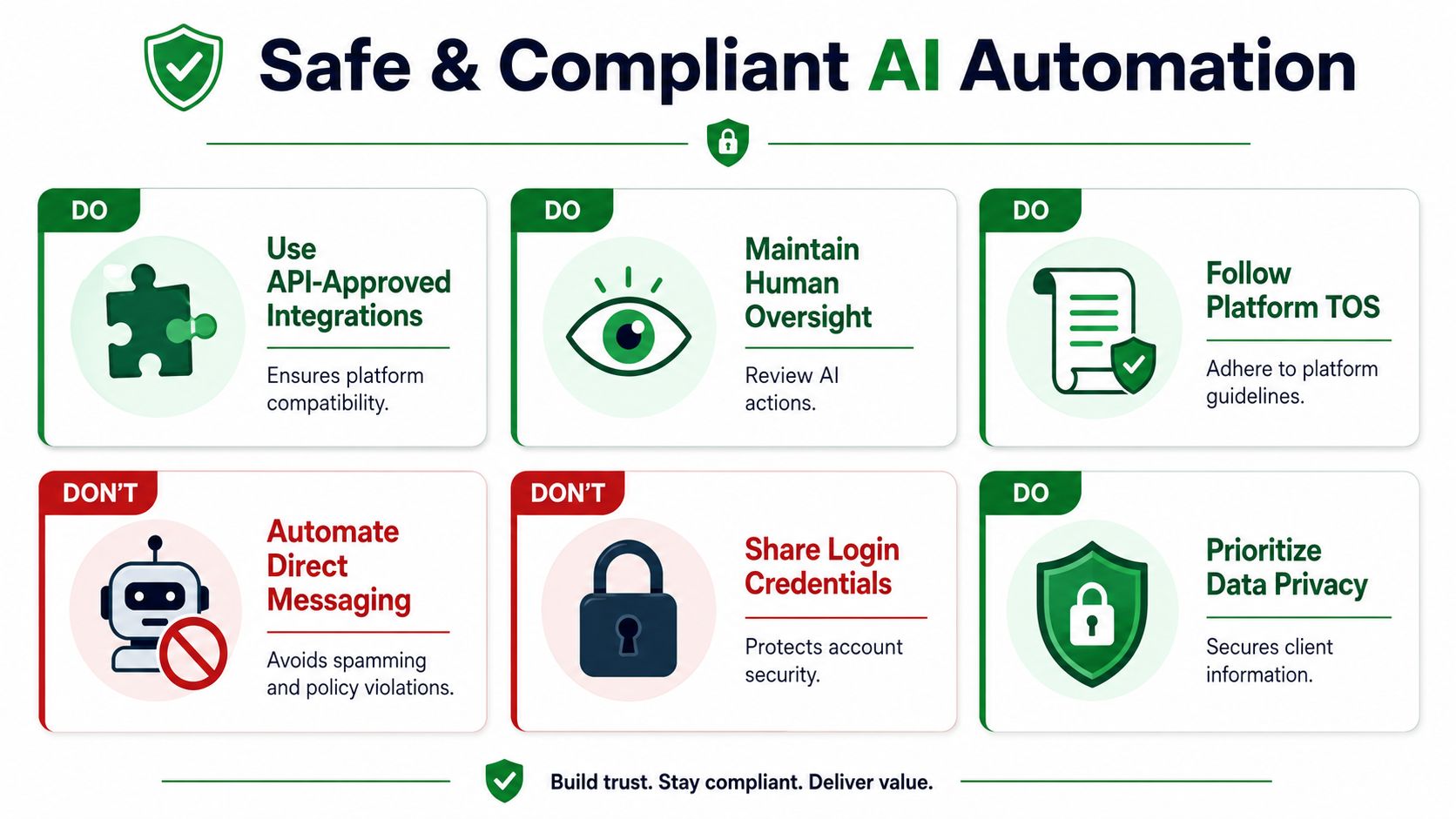
That principle applies directly to freelancers and agencies. Your account isn't just a login. It's your reputation, review history, earnings trail, and future pipeline. You can't treat it like a disposable lead source.
What safe implementation looks like
A safer system usually has a few clear characteristics:
- Human review points: You can approve, reject, or edit important actions.
- Behavior that stays within normal usage patterns: The tool shouldn't create obvious spam-like activity.
- Limited credential exposure: Sensitive access should be handled carefully, with minimal unnecessary storage or sharing.
- Clear process boundaries: The assistant should support outreach, not push you into actions that conflict with platform rules.
Risk usually climbs when users chase volume for its own sake. That's when proposal quality drops, message patterns become repetitive, and account behavior starts looking unnatural.
Non-negotiable: If a vendor treats safety as a bonus feature, move on.
Practical safeguards for agencies
Agencies have an extra layer of complexity because multiple people may touch one pipeline. Without structure, one team member can over-automate while another assumes everything is being reviewed.
A better operating model is simple:
- Assign one owner for marketplace sales policy.
- Define which actions can run automatically and which require approval.
- Keep messaging standards documented.
- Audit proposal quality and client thread quality regularly.
- Review legal and confidentiality expectations before scaling access across the team.
If your agency handles client-sensitive information or shared delivery processes, this overview of Upwork confidentiality agreement considerations is useful context alongside your automation workflow.
The agencies that stay safe are rarely the ones doing the most automation. They're the ones with the clearest constraints.
How to Choose the Right AI Sales Assistant
Most tools look good in a demo. Actual differences show up after a few weeks, when you can tell whether the system understands your business, protects your account, and produces usable output without constant babysitting.
The easiest way to evaluate an AI powered sales assistant is to treat the vendor like a process partner, not a software seller. You're not buying features. You're deciding who gets influence over your pipeline.
Questions worth asking before you commit
Start with fit. Ask how the system learns your preferences.
If the answer is basically "use our templates," that's thin personalization. A better answer includes feedback loops, job-fit learning, proposal refinement over time, and the ability to reflect your service lines accurately.
Then ask how much of the workflow it handles. Some tools are really just discovery tools. Others stop at proposal drafting. The most useful products support the full early funnel, including opportunity identification, messaging support, and follow-up coordination.
Safety questions separate serious tools from risky ones
You should also ask direct operational questions:
- How does the product stay aligned with platform-safe behavior?
- Where does human oversight sit in the workflow?
- What controls exist for agencies with multiple team members?
- How is access handled, and what sensitive information is or isn't retained?
If those answers are vague, assume the risk is being pushed onto you.
Good automation should lower management overhead. If it creates a new layer of anxiety, it's the wrong product.
What strong buyers pay attention to
Experienced buyers usually screen for five things:
Marketplace specificity
Generic sales software adapted to Upwork often misses the practicalities of proposal-based selling. Purpose-built tools tend to handle the workflow with more nuance.Output quality
Ask to see real proposal drafts or realistic examples, not polished marketing copy.Review controls
The ability to approve, edit, or set rules matters more than flashy AI language.Analytics that connect to outcomes
You need visibility into replies, conversations, and booked calls. Activity alone isn't enough.Support quality
If setup, optimization, and workflow design are left entirely to you, adoption will usually lag.
A good assistant should feel like an advantage. Not another moving part your team has to manage manually.
KPIs to Measure Your Automation Success
If you measure success by proposals sent, you'll optimize for noise. Marketplace automation only makes sense when it improves outcomes.
The most useful KPIs track movement through the funnel, not raw activity. Start at the top with proposal reply rate. That's the fastest signal for whether your job targeting and proposal quality are improving. If replies don't improve, sending more volume won't help.
Focus on progression, not output
Next, track lead-to-call booked rate. This tells you whether early conversations are moving toward real sales opportunities. A system that gets replies but fails to create meetings may be writing acceptable proposals and weak follow-ups.
Then look at sales cycle length. For agencies, this is often where workflow improvements become visible. Faster response handling and cleaner qualification usually shorten the distance between first contact and commercial conversation.
The minimum dashboard that matters
Keep the dashboard simple:
- Proposal reply rate
- Call booked rate from replies
- Win rate on qualified opportunities
- Sales cycle length
- Average deal quality by project fit
Activity metrics can hide poor performance. Outcome metrics expose it quickly.
One more thing matters: segment by proposal type. Compare manually written proposals, AI-assisted proposals, and heavily automated proposals. That split tells you where automation is helping and where your team still needs hands-on control.
If the numbers move in the right direction, keep scaling. If they don't, don't blame the market before you audit the workflow.
If you're ready to replace repetitive Upwork prospecting with a safer, more consistent sales system, Earlybird AI is built for that exact workflow. It helps freelancers and agencies find relevant jobs, draft personalized proposals, manage replies, and keep outreach moving while prioritizing account safety and team control.




