
← Back To Blog
10 Best Lead Generation Software for Agencies (2026)

Stop Chasing Leads and Start Closing Deals
You’re great at the work. Design, development, SEO, paid media, content. The problem is that none of that matters if your pipeline goes quiet.
For freelancers and agencies, lead gen usually breaks in the same places. You spend too much time digging for contacts. You send proposals that sit unanswered. You follow up late because client delivery eats the day. Then revenue turns lumpy, and suddenly the business feels reactive again.
That’s why the best lead generation software matters. Good tools don’t just dump more names into a spreadsheet. They remove repetitive work, tighten response time, and help you turn interest into actual conversations. That’s the difference between “busy” and booked.
The bigger issue is fit. Most lead gen tools were built for standard B2B outbound. They assume your world is email sequences, contact databases, and CRM workflows. That works if you sell into traditional companies through cold outreach. It does not fully solve the problem if a big share of your new business comes from freelance marketplaces, especially Upwork, where speed, timing, message quality, and account safety matter more than raw volume.
That gap is real. A lot of software can help you find a prospect. Far fewer tools help you win the lead in the environment where the lead appears.
There’s also a strong reason to take inbound and automation seriously. SEO-driven inbound leads close at a 14.6% rate, compared with 1.7% for outbound leads, according to G2’s lead generation statistics. That doesn’t make outbound useless. It means you need to be smarter about where automation helps, and where channel-specific execution wins.
Here are the 10 tools I’d look at if I were building or tightening a lean agency lead gen stack in 2026.
1. Earlybird AI
Earlybird AI is the most specialized tool on this list, and that’s exactly why it stands out. If your agency or freelance business depends on Upwork, generic B2B prospecting software won’t solve the actual problem. You don’t need more contacts. You need to find the right jobs fast, send customized proposals quickly, respond to buyers without delay, and keep follow-up moving until a call gets booked.
That’s what Earlybird is built to do.
Why it works for Upwork-led agencies
Earlybird acts more like an always-on sales layer than a simple proposal sender. After setup, it learns what jobs fit your offer and starts handling the repetitive work that normally eats your day. It searches, writes customized proposals, replies to incoming messages, follows up, and pushes the conversation toward a booked call.
The strongest practical advantage is speed. For freelancers and agencies competing on Upwork, being early matters. The platform is designed to submit proposals in under 10 minutes and respond to client messages in under 5 minutes. That alone fixes one of the biggest leaks in marketplace lead gen.
It also goes deeper than most automation tools aimed at freelance platforms. Instead of stopping at outreach, it keeps working through the first part of the sales process. That means less context switching for you and fewer warm leads going cold while you’re busy delivering client work.
Practical rule: If your main bottleneck is proposal volume, almost any automation looks good. If your real bottleneck is converting proposal views into booked calls, you need full-cycle workflow support, not just faster sending.
Safety, workflow, and trade-offs
For agency owners, the second reason this tool matters is operational structure. It supports multi-user workflows, analytics, and profile optimization, which makes it more useful for teams than for solo freelancers alone. It also includes a dedicated Success Agent, which matters more than most buyers think. Upwork outreach is not a set-and-forget motion. The offer, profile, job targeting, and message quality all affect results.
Earlybird also leans hard into account safety. It mimics human behavior, uses clean regional IPs, and does not store your password. In a market where platform-specific compliance is a real risk, that’s a meaningful design choice. That gap between standard lead gen playbooks and freelance marketplace rules is one of the biggest blind spots in most software roundups, as noted in this analysis of platform-specific lead generation and compliance risks.
You can also sharpen your positioning before setup by reviewing this guide to AI for sales prospecting.
The downside is straightforward. Pricing isn’t public, so you need a sales conversation to qualify fit. And like any system built on your Upwork profile, results depend on the quality of your positioning. If your profile, niche, and portfolio are weak, automation won’t rescue bad fundamentals.
Still, for agencies trying to win more work on Upwork without hiring more SDR capacity, this is the most purpose-built option in the category.
2. Apollo.io
Apollo.io is what I’d call the practical default for outbound-heavy agencies. It combines prospect data, list building, enrichment, sequencing, and CRM connectivity in one product. That matters when you don’t want five tools stitched together by duct tape and Zapier.
Apollo is strongest when your team needs to move quickly from “who should we target?” to “start outreach today.” You can filter by firmographics and technographics, build lists, enrich records, and launch sequences without leaving the platform.
Where Apollo fits best
This is a strong choice for agencies selling traditional B2B services. Think SEO retainers, dev shops targeting SaaS, paid media agencies going after ecommerce brands, or RevOps consultants selling to funded companies.
The big win is consolidation. You don’t just buy a database. You buy the ability to source, segment, and contact people in one place.
A few practical upsides stand out:
- Unified workflow: Prospecting and engagement sit in the same interface, which reduces handoff friction.
- Budget visibility: Apollo explains its credit system more clearly than many competitors, so teams can plan usage instead of guessing.
- CRM-friendly setup: It works well for shops already operating inside HubSpot or Salesforce.
What to watch before buying
Apollo is still an outbound tool first. If your growth depends on deeper first-party intent data, website visitor identification, or enterprise-level governance, you may hit its ceiling.
Credits also need active management. Agencies with several reps or multiple client campaigns can burn through reveals and enrichment faster than expected if no one owns list hygiene. That’s where teams get surprised. Not because Apollo hid the model, but because usage sprawls.
Apollo works best when one person owns targeting rules. Otherwise reps build overlapping lists, spend credits twice, and blame the tool for sloppy process.
If you want one platform that covers most of the classic outbound stack without moving into enterprise complexity, Apollo is one of the best lead generation software options for small and midsize teams.
3. LinkedIn Sales Navigator
LinkedIn Sales Navigator is not a full lead gen stack. It’s a precision prospecting tool. That distinction matters.
When I see agencies misuse Sales Navigator, they usually expect it to behave like a contact database plus outreach engine. That’s not its real value. Its value is first-party access to LinkedIn’s professional graph, plus alerts that help you catch buying moments and job changes before your competitors do.
Why agencies keep it in the stack
The quality of LinkedIn data is often better than static third-party records because users maintain their own profiles. If you sell services where title, role, and company changes matter, Sales Navigator stays useful long after flashier tools come and go.
It’s especially strong for:
- Niche account mapping: Useful when you need to identify decision-makers across a target account, not just one contact.
- Social selling: Better than pure database tools when your sales motion includes content, mutual connections, and in-platform messaging.
- Timing signals: Alerts on role changes and activity help reps reach out with a relevant reason, not a generic pitch.
For agencies selling higher-trust services, that context is a real advantage. Cold email may open the door. LinkedIn often builds the credibility layer around it.
A practical guide to that workflow is this post on lead generation with LinkedIn.
The limitation nobody should ignore
Sales Navigator rarely stands alone. You’ll usually need a second tool for direct emails or phone numbers if off-platform outreach is part of the plan.
That’s the trade-off. Better context, weaker direct contact coverage.
This also means Sales Navigator is not the best answer for Upwork-led freelancers. The workflow mismatch is obvious. LinkedIn is excellent when you’re building targeted account lists and warming prospects over time. It’s much less helpful when your buyer intent appears inside a freelance marketplace and response speed matters more than social proximity.
If your team already knows how to sell through relationships, relevance, and timing, Sales Navigator earns its place. If you want a one-tool pipeline machine, it won’t be enough by itself.
4. ZoomInfo
A common agency mistake is buying ZoomInfo too early. You land a few solid clients, decide to build a bigger outbound engine, then end up paying for a platform your team only uses for basic contact pulls.
ZoomInfo makes sense when your agency has already outgrown lightweight prospecting tools and needs one system for data, enrichment, intent, and sales workflow management. That usually applies to agencies selling higher-ticket services into mid-market or enterprise accounts, not solo freelancers trying to win quick projects.
Where ZoomInfo earns the cost
The value is breadth and structure. ZoomInfo gives teams a large company and contact database, buyer intent data, org charts, enrichment, and workflow controls in one platform. ZoomInfo also says on its company overview page that it serves more than 35,000 businesses worldwide. That does not prove it is right for your agency, but it does show the platform is built for mature revenue teams, not casual prospecting.
In practice, three things stand out:
- Account coverage: Useful when your agency targets large account lists across several industries and needs more than a handful of contacts per company.
- Intent and enrichment in one place: Helpful for teams that want to prioritize outreach based on research activity instead of building lists blind.
- Admin control: Better fit for agencies with SDRs, account managers, or multiple client campaigns where process consistency matters.
This is the kind of platform that starts to pay off once you have repeatable outbound motion. If one person is prospecting manually for a small service business niche, the return often looks weak.
Where agencies get stuck
Price is only part of the issue. Complexity is the bigger one.
ZoomInfo works best when someone on the team owns list quality, segmentation, enrichment rules, and campaign handoff. Without that discipline, agencies buy a large dataset and still send generic outreach to poorly qualified accounts. If qualification is the weak point, fix that before adding more volume. This guide on how to qualify sales leads is a better place to tighten the process first.
There is also a channel-fit problem for freelancers and Upwork-focused agencies. ZoomInfo is built for standard B2B outbound, ABM, and sales-led pipeline generation. It does not help much with marketplace-specific motions where jobs appear inside Upwork, buyers expect a customized proposal fast, and the main bottleneck is response quality rather than missing contact data.
That trade-off matters. For enterprise outbound, ZoomInfo can replace several point solutions. For lean agencies chasing clients through freelance platforms, it can become expensive overhead.
Choose ZoomInfo if your agency needs scale, segmentation, and operational control. Skip it if your client acquisition still depends on fast manual outreach, founder-led selling, or marketplace pitching.
5. Lusha
Lusha is the simple tool I’d hand to a small agency that needs contact data fast and doesn’t want to babysit a complex system.
That simplicity is its selling point. Open the extension, find a prospect on LinkedIn or a company site, reveal the contact, move on. For founders, solo consultants, and small outbound teams, that’s often enough.
Best use case for Lusha
Lusha works well when your prospecting process is still fairly manual but you want cleaner execution. It’s not trying to be your CRM, engagement platform, and intent engine all at once. It’s helping you get verified emails and phone numbers without a heavy setup.
That makes it useful for:
- Founder-led outreach: You’re targeting a short list of ideal accounts and want direct contact details quickly.
- Lightweight agency prospecting: Good for small teams booking meetings through targeted outbound.
- LinkedIn-centered workflows: The browser extension keeps the process fast.
There’s a practical reason small teams like this category of tool. You can keep your stack lean. Use Lusha for contact discovery, pair it with your email platform, and avoid paying for features you won’t use.
Real trade-offs
The credit model is where buyers need to pay attention. Phone reveals cost more than email reveals, so dialing-heavy teams can chew through usage fast. It’s also shallower than a full sales intelligence platform. If you need richer account context, heavy enrichment, or broader signal layers, Lusha won’t replace bigger systems.
That’s not a flaw. It’s just a narrower job.
I wouldn’t buy Lusha if your team wants one system to run the entire outbound motion. I would buy it if you want speed, ease, and enough data to keep a focused prospecting process moving.
6. Hunter.io
Hunter.io is one of the cleanest tools in this space because it sticks to its lane. Find emails, verify emails, run basic sequences, and support automation through the API.
That focus is why so many agencies keep it around even when they use other prospecting platforms.
Why Hunter stays useful
A lot of lead gen campaigns don’t fail because the offer is bad. They fail because the list is weak. Wrong addresses, guessed addresses, or stale records insidiously wreck deliverability.
Hunter is a good fit when list validation is the priority. Domain search is straightforward. Person-level email finding is fast. Bulk verification helps clean a list before launch.
That’s especially useful for agencies that build prospect lists from several sources and want one final quality-control step before sending.
Good use cases include:
- Pre-send verification: Clean purchased, scraped, or manually built lists before campaigns go live.
- Research-heavy prospecting: Find likely emails when you already know the company and role.
- Internal automations: Teams with technical help can use the API to slot verification into larger workflows.
Where it stops
Hunter is email-first, full stop. There’s no phone-first workflow, and it won’t give you the deeper sales intelligence layer that broader platforms offer.
That’s why I see Hunter as a strong specialist, not a central system. If your core motion is outbound email and your team values clean verification, it’s a good buy. If you need a richer contact database plus sequencing plus intent, look elsewhere.
For small agencies, that trade-off is often fine. A specialist tool with one clear job can outperform a bloated platform you only use halfway.
7. Reply.io
Reply.io is built for agencies that run multichannel outbound and need structure. Email alone rarely carries the whole load anymore. Reply is appealing because it lets teams coordinate email, LinkedIn, calls, SMS, and tasks in one engagement workflow.
That’s useful when you’re running outbound as an actual process, not as a string of disconnected actions.
Where Reply.io shines
Reply fits agencies managing several campaigns, several reps, or several client accounts. You can build cadences, track outcomes, and keep activity organized without jumping across multiple tools for each touchpoint.
The strongest practical benefit is orchestration. Teams can design a contact plan that feels coordinated instead of chaotic.
I’d look at it if you need:
- Multichannel sequences: Better than trying to force every prospect into an email-only motion.
- Agency-grade workflow: Helpful when different team members handle sourcing, outreach, and follow-up.
- Optional AI support: Useful if you want help drafting or handling routine reply flows.
What buyers underestimate
Reply’s flexibility can raise costs quickly once you layer in add-ons and AI features. The more complete your setup becomes, the more important careful scoping gets. That’s true for most sales engagement platforms, but Reply especially rewards buyers who know exactly how they’ll use it.
It also assumes you already have lead sources. Reply is about engagement, not foundational data ownership.
If your agency has outgrown lightweight cold email tools and needs a more disciplined outbound machine, Reply is one of the best lead generation software options in the engagement layer.
8. Instantly
Instantly became popular for a reason. It gets teams live quickly.
If your agency is running cold email at volume, the ability to manage many inboxes, warm them, build campaigns, and work from a built-in lead database is attractive. It shortens setup time and reduces stack sprawl.
Why agencies like it
Instantly is optimized for speed. That matters for lean teams that don’t want a long onboarding cycle or deep system administration.
You can source leads, enrich them, write sequences, connect inboxes, and start testing without a heavy RevOps layer. For many small agencies, that’s the whole appeal.
The platform is a fit for:
- Cold email agencies: Especially teams managing many sender inboxes.
- Founder-led outbound: Fast enough for owners who don’t want enterprise software overhead.
- Campaign testing: Useful when you want to iterate on messaging and volume quickly.
The trade-off
Fast setup can encourage sloppy execution. That’s not an Instantly problem by itself, but it’s common. Agencies connect too many inboxes, push weak messaging, and treat deliverability as an afterthought.
Fast launch is only useful if your list quality and offer are solid. Otherwise you just reach more people with the wrong message.
Another practical caution is plan boundaries. Advanced features often sit on higher tiers, so buyers should check what’s included before designing a workflow around features that may not be available on their plan.
If you want convenience and operational speed in a cold email stack, Instantly is a strong candidate. If you need deep enterprise controls, it probably isn’t.
9. Cognism
Cognism earns its place when an agency outgrows basic list building and starts selling across regions. I usually look at it for teams prospecting in both the US and EMEA, where data quality, mobile coverage, and compliance can affect pipeline fast.
That matters more for agencies than it does for a lot of in-house teams. If you run outbound for clients, bad records do not just waste rep time. They create reporting problems, hurt deliverability, and force uncomfortable conversations when a client asks why reply rates are low in one market and acceptable in another.
Cognism is a practical fit for a few specific cases:
- Agencies running international outbound: Better suited to teams targeting buyers across multiple regions.
- Call-first prospecting motions: Useful if your SDRs or appointment setters depend on mobile numbers.
- Client work in regulated categories: Stronger fit when privacy expectations are higher and list sourcing needs more scrutiny.
One reason buyers keep shortlisting Cognism is coverage outside a US-only motion. Cognism’s own guide to B2B data providers frames the market around data accuracy, compliance, and international reach. Those are exactly the pressure points agencies hit once they start scaling beyond a narrow niche or adding client accounts in Europe.
There is also a freelance and Upwork angle here. Agencies that win clients on Upwork often start with a lean stack, then add structure after they close a few retainers. Cognism is usually not the first purchase in that setup. It becomes relevant when you need more dependable contact data for client delivery, especially if you are moving from founder-led outreach into a repeatable outbound service.
The trade-off is simple. Cognism costs more than lightweight tools, and plenty of freelancers will not need it yet.
If you are sending cold email into one domestic niche, a lower-cost option can do the job. If your agency is selling multi-market prospecting, phone outreach, or compliance-sensitive campaigns, paying more for cleaner data and better coverage is often the cheaper decision in practice.
10. Clearbit by HubSpot
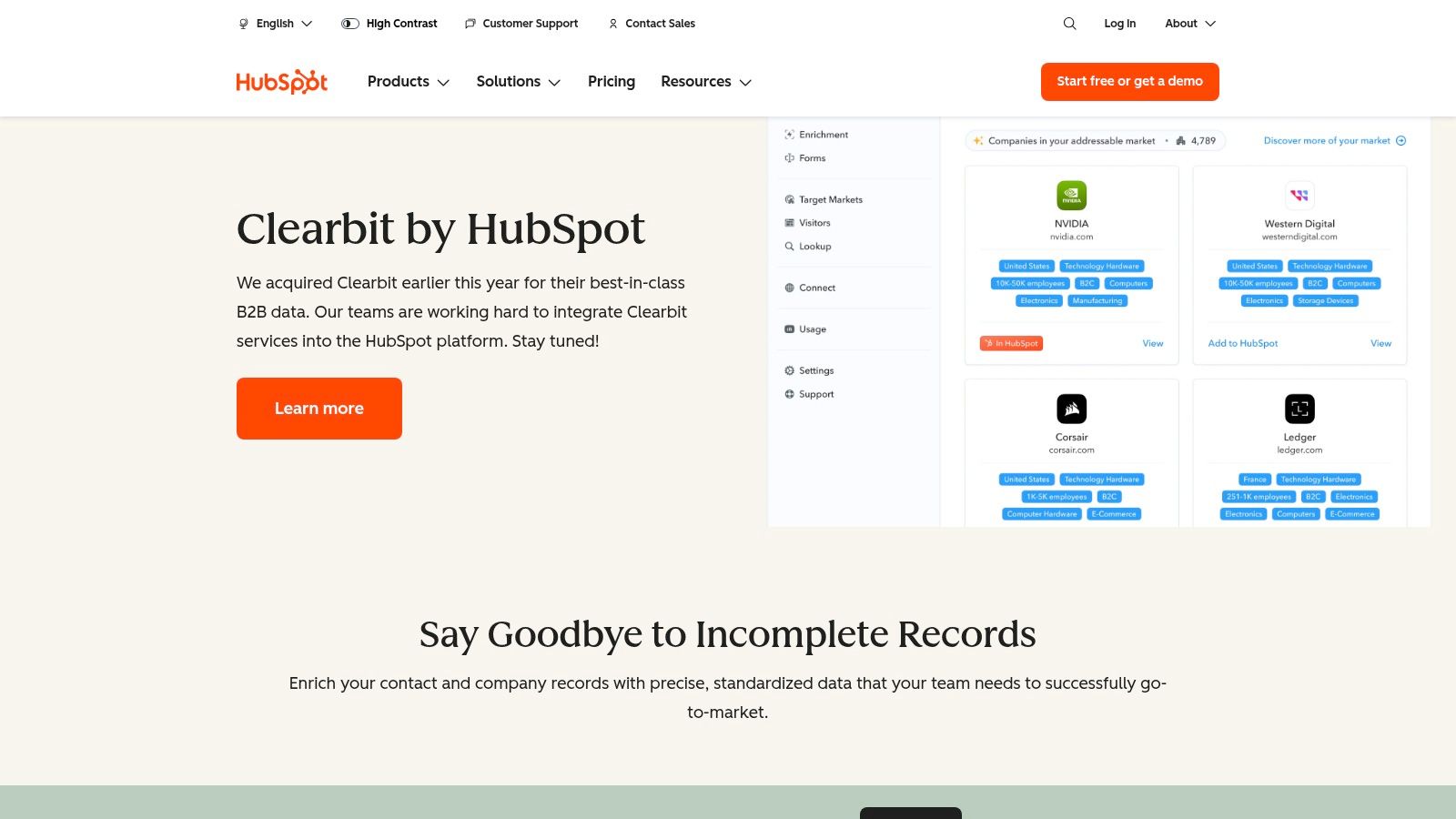
A common agency problem looks like this: traffic is coming in, form fills are inconsistent, and the sales team still cannot tell which companies deserve a fast follow-up. Clearbit by HubSpot helps fix that by adding company data, intent signals, and routing logic inside the same HubSpot setup your team already uses.
For freelancers and small agencies, that matters once you move beyond pure outbound. Upwork can win the first few clients, but many shops eventually want a second channel they control. Clearbit makes more sense at that stage, when you are investing in content, paid traffic, or partner referrals and need better qualification instead of more raw lead volume.
Best fit for agencies already getting inbound demand
Clearbit is strongest when your website already attracts relevant visitors and your pipeline suffers from weak context. Instead of giving your team another database to search, it improves the records and workflows you already have in HubSpot.
A few practical use cases stand out:
- HubSpot-first agencies: Better fit if your CRM, forms, lifecycle stages, and automations already run in HubSpot.
- Lead routing and qualification: Useful for pushing higher-fit companies to sales faster based on firmographic data and on-site behavior.
- Inbound retainer delivery: Strong option for agencies managing content or paid acquisition for clients who want cleaner handoff from marketing to sales.
The trade-off is setup maturity. Clearbit is far less useful if your traffic is low, your forms are messy, or nobody on the team owns follow-up speed and lead scoring.
That is why I would not put it near the top of the list for a solo freelancer trying to win work next week. A tool built for outbound prospecting or marketplace automation will usually produce results faster at that stage. But once an agency has a few retainers, a working HubSpot instance, and enough inbound interest to justify enrichment, Clearbit can tighten conversion without adding another disconnected tool.
HubSpot reports that companies responding to leads within five minutes are much more likely to connect with them, as noted in HubSpot's research on lead response time. That is the real value here. Clearbit helps small teams identify the visitors worth fast attention and route them properly, which is often more profitable than chasing a bigger top of funnel.
How to Choose the Right Tool for Your Agency
A freelancer checks Upwork at 8:10 a.m. and sees a project that fits perfectly. By 8:40, ten proposals are already in. An agency owner pulls a list from a prospecting database, launches a cold email sequence, and books two calls that week. Both are doing lead gen. They need very different tools.
Choosing the best lead generation software starts with client acquisition channel, team size, and speed requirements. Feature lists matter far less than fit. Agencies often buy too much software because the demo looks polished, then end up forcing a workflow that never matched how they win business in the first place.
For standard B2B outbound, the buying logic is usually straightforward. You need contact data, a way to verify or enrich it, and an outreach layer that your team can run without constant babysitting. Apollo.io, Lusha, ZoomInfo, and Cognism cover the data side at different price and accuracy levels. Reply.io and Instantly handle sequencing and inbox operations. LinkedIn Sales Navigator improves targeting, especially when your offer depends on role changes, hiring activity, or account research. Hunter.io earns its place when bad emails and bounce risk are slowing campaigns down.
Small agencies should stay disciplined here. A simpler stack is often better because fewer handoffs mean fewer errors, lower software spend, and less time training junior team members across overlapping tools.
Automation helps, but only when it removes real work. Good systems route leads faster, keep follow-up consistent, and reduce the manual tasks that eat account managers alive. AI scoring can help too, especially for larger outbound programs, but I would not buy on AI claims alone. For a five-person agency, clear process usually beats fancy scoring that nobody trusts enough to use.
The buying criteria shift if your pipeline comes from Upwork.
Upwork is a marketplace workflow, not a database workflow. You are not building a list, enriching records, and sending a seven-step sequence. You are spotting the right jobs early, qualifying them fast, submitting a proposal before the post gets crowded, replying quickly, and keeping the conversation warm until it turns into a call. That requires timing, message relevance, and account safety more than raw contact volume.
That is why Earlybird AI belongs in a different category from the rest of this list. It is built for freelancers and agencies that win clients inside Upwork, where the job is not “find more contacts” but “respond faster to the right opportunities without turning proposal work into a full-time admin task.” If Upwork drives a meaningful share of revenue, specialized automation will usually outperform a generic B2B prospecting tool.
There is also a practical budget angle. According to HubSpot’s 2024 State of Marketing, marketers still rank lead generation among their top priorities, which tracks with what small agencies already feel in day-to-day operations: demand generation matters, but headcount is limited. The teams that do well are usually the ones that buy software to remove a specific bottleneck, not the ones assembling the biggest stack. See HubSpot’s State of Marketing.
So choose based on the constraint you need to fix.
If outbound is the growth engine, buy the cleanest stack that can source contacts, verify data, and run campaigns reliably. If inbound drives pipeline, prioritize enrichment, routing, and handoff into your CRM. If Upwork is a serious acquisition channel, use software built for marketplace speed and follow-up instead of forcing a cold outbound tool into a job-platform process it was never designed to support.
If Upwork is a serious client acquisition channel for your business, Earlybird AI is worth a close look. It’s built for freelancers and agencies that want consistent outreach, faster response times, stronger follow-up, and less manual work across the whole Upwork sales process. Book a demo, pressure-test the fit for your niche, and see whether a specialized system can replace the hours you’re currently spending chasing leads instead of closing them.




