
← Back To Blog
Lead generation with linkedin: Master LinkedIn to win more clients
Effective lead generation with LinkedIn comes down to a simple, powerful truth: you have to meet your ideal clients where they're already thinking about business. LinkedIn is the world's biggest professional network, which makes it an absolute must-have for any agency or freelancer trying to connect with decision-makers and build a reliable sales pipeline.
Why LinkedIn Is an Agency Goldmine
For most agencies and freelancers, marketing can feel like shouting into a void. You throw money at ads or blast content across social media, just hoping the right person stumbles upon it. LinkedIn completely flips that script. It offers surgical precision, turning client acquisition from a guessing game into a repeatable strategy.
The real magic of the platform isn't just its massive user base—now over a billion professionals. It's the context. People aren't on LinkedIn to scroll through vacation photos; they're there to network, learn, and find solutions to their business problems. That professional mindset makes them far more receptive to a conversation about their challenges, making your outreach feel helpful, not annoying.
Direct Access to Decision-Makers
One of the biggest headaches in B2B sales is getting past the gatekeepers. LinkedIn pretty much blows that barrier away, giving you a direct line to the exact people who can actually hire you. Seriously, think about the targeting you can do. You can find:
- C-suite executives at tech companies with 50-200 employees.
- VPs of Marketing in the e-commerce space.
- Founders of recently funded startups who are desperate to scale.
This is what sets LinkedIn apart. No other platform lets you zero in on prospects with this level of detail—job title, industry, company size, you name it. It means every connection request you send lands in front of someone with real authority.
A lead from LinkedIn is just built differently. They come to the table with professional context, a clear understanding of their business needs, and are often already looking for a solution. That makes them far more qualified and ready for a real conversation from day one.
The Power of Qualified, Warmer Leads
A lead from a Facebook ad might be casually curious, but a lead from LinkedIn is usually qualified. The data doesn't lie: LinkedIn is reportedly 277% more effective for B2B lead generation than other major social platforms. The reason is simple: the connections are built on professional relevance.
When you engage with a prospect’s content, or they land on a profile that’s perfectly optimized to solve their exact problem, you’ve already started building trust. They can see your expertise, check out your recommendations, and get a feel for what you do in seconds. This built-in pre-qualification means that by the time you actually start a conversation, the lead is already warm. This shortens the sales cycle and boosts your conversion rates like nothing else.
Your Profile Is Your 24/7 Salesperson
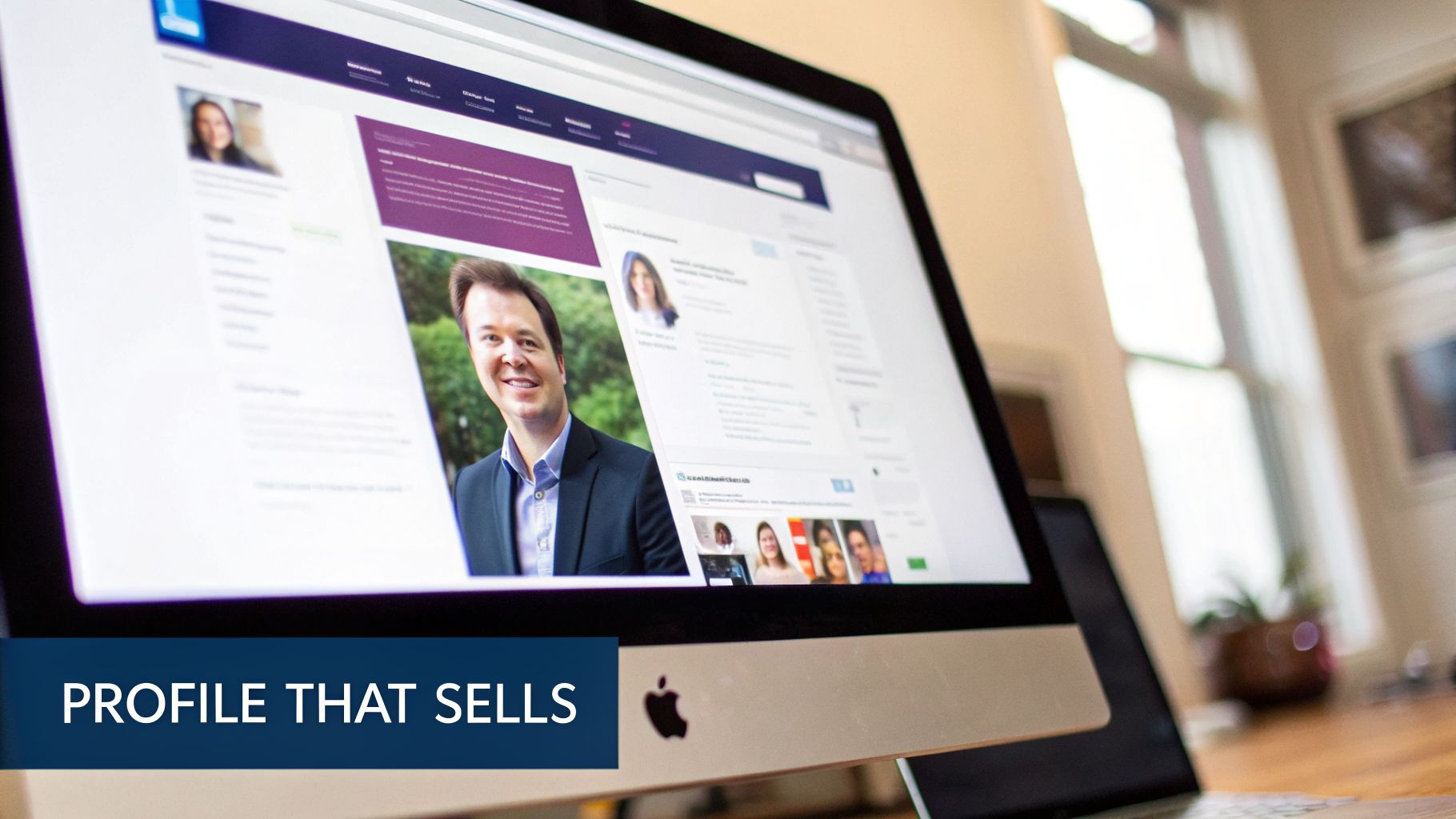
Before you even think about sending a connection request, let's get one thing straight about lead generation with LinkedIn: your profile isn't a resume. It's your always-on, digital sales pitch. A great profile does the heavy lifting, warming up prospects and building trust before you've even said hello.
Most profiles I see are just a boring list of past jobs. They’re static. A profile built for lead generation is dynamic. It needs to speak directly to the headaches and goals of your ideal client, making you the obvious person to solve their problems. Every single element, from your banner photo down to your 'About' section, should lead a visitor to one simple thought: "I should probably talk to this person."
Nail the Headline: It's Your Digital Billboard
Your headline is the most important piece of real estate on your entire profile. It follows you everywhere—search results, connection requests, the comments you leave. A generic title like "Marketing Director" or "Freelance Writer" is a huge missed opportunity.
Think of your headline as a billboard that has to stop your ideal client mid-scroll. The trick is to shift from telling people what you are to showing them what you do for them. Frame it around the tangible result you deliver.
- Instead of: "Founder at XYZ Agency"
- Try: "I Help B2B SaaS Founders Book 5+ Qualified Demos a Week with LinkedIn Outreach"
See the difference? The second one instantly qualifies you and promises a specific, desirable outcome. It directly answers the only question a prospect cares about: "What's in it for me?"
Rewrite Your 'About' Section to Tell a Story
This is where you stop being a collection of job titles and become a relatable human expert. Please, don't open with a dry summary of your services. Hook them in by talking about their biggest problem right away.
For instance, if you're a marketing agency owner, you could kick things off with something like this:
"Most tech startups I talk to are stuck in a 'feast or famine' cycle with their leads. They throw money at ads that don't convert and can't seem to get a meeting with the right decision-makers. That's the exact problem I solve."
That intro immediately builds a connection because it shows you get it. From there, you can structure the rest of the summary to guide them through a mini-story.
- Acknowledge Their Pain: Start by describing the problem you know they're facing.
- Position Your Solution: Briefly explain your approach without giving away all your secrets.
- Build Credibility: Drop in some results, mention the types of clients you help, or share a key achievement.
- Give a Clear Call-to-Action: Tell them exactly what to do next. "Send me a message to talk about your growth strategy" or "Check out my featured case study below" works perfectly.
This simple formula turns a bland bio into a compelling narrative that makes prospects want to reach out.
Use the Featured Section as Your Portfolio
The 'Featured' section is where you prove you’re not all talk. This is your chance to back up every claim you just made with cold, hard evidence. For successful lead generation with LinkedIn, you need to provide tangible proof that you can deliver.
Think of this section as a highlight reel of your greatest hits. Here’s what you should be featuring:
- Case Studies: Show off a client's success story. Make sure it has clear metrics and a tangible outcome. A PDF or a link to a blog post is perfect.
- Testimonials: A short video clip or even a slick graphic with a glowing quote from a happy client is instant social proof.
- Lead Magnets: Offer a genuinely useful freebie—like a checklist, a guide, or a template—to demonstrate your expertise and capture interest.
By using this section strategically, you give prospects the proof they need to trust you. It shows them you don't just talk about getting results; you actually deliver them.
How to Find and Connect with Your Ideal Clients
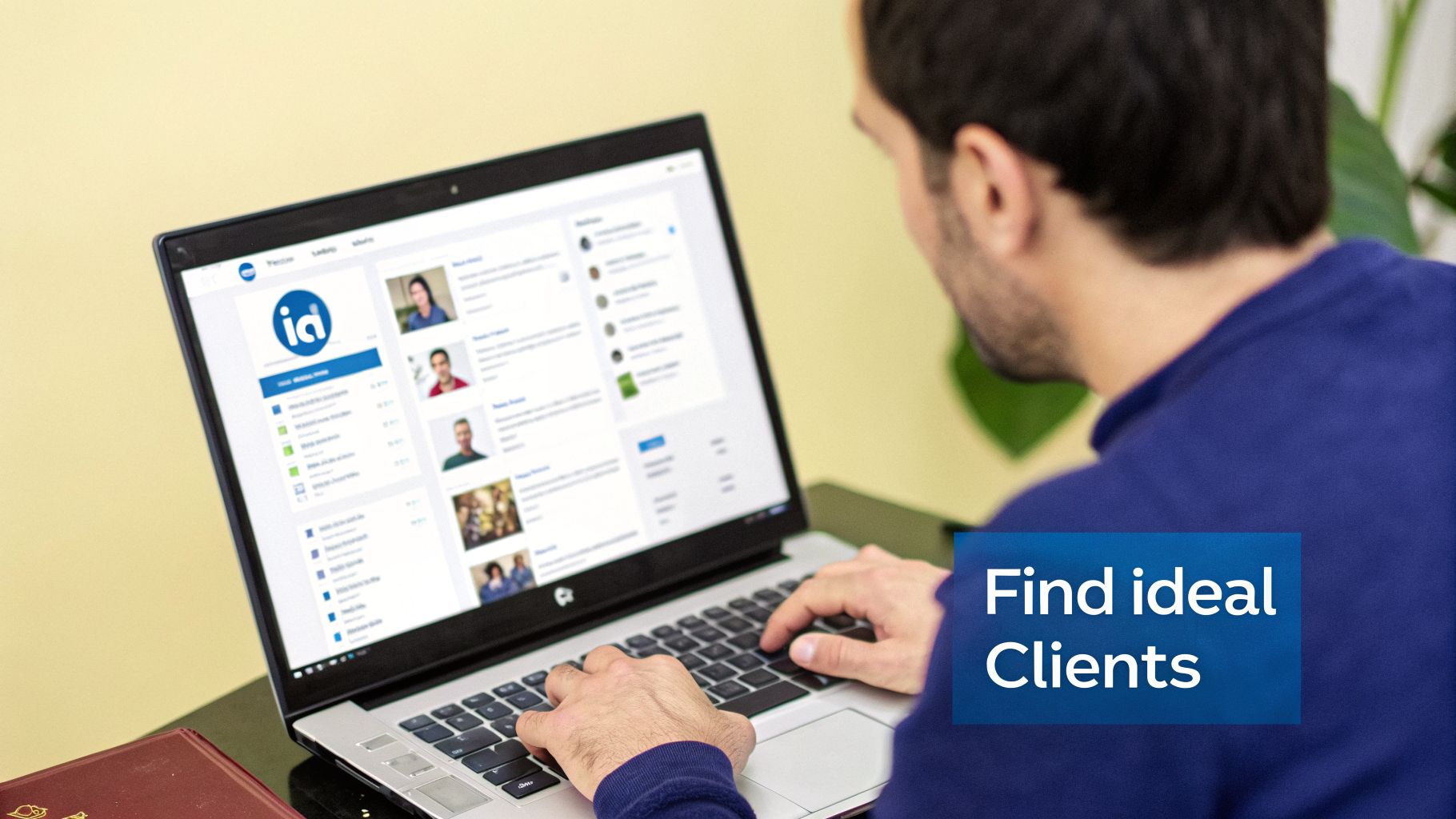
Alright, so your profile is looking sharp. But a billboard in the desert doesn't do much good, right? Now we get to the fun part: proactively finding and engaging the right people. This is where most freelancers and agencies barely scratch the surface, treating LinkedIn's search bar like a glorified phone book.
The real power is in using its advanced tools to build hyper-targeted lists of prospects who are a perfect fit for what you sell. If you're serious about growing your agency, LinkedIn Sales Navigator is a non-negotiable. It turns the platform from a social network into a finely tuned client-finding machine. The filters are so precise it almost feels like cheating.
Mastering Sales Navigator for Hyper-Targeted Searches
Forget basic searches for "Marketing Director." With Sales Navigator, you can stack filters to zero in on your exact Ideal Client Profile (ICP). You can pinpoint people based on company size, industry, geography, recent job changes, and even specific keywords they've used in their profile.
This is where you need to get friendly with Boolean search logic. It’s just a fancy way of using simple commands like AND, OR, and NOT to tell LinkedIn exactly who you're looking for.
"Founder" AND "SaaS"will pull up profiles that have both of those keywords."Marketing Director" OR "Head of Marketing"broadens your net to catch people with either title."CEO" NOT "Assistant"is a lifesaver for filtering out noise, like an "Assistant to the CEO."
Let's say you're a web design agency that loves working with recently funded tech startups. You could build a search for "Founder" OR "CEO" in the "Computer Software" industry, at companies with 11-50 employees that have had a "senior leadership change in the last 3 months." This level of precision is impossible with the free version of LinkedIn and is the foundation of any solid outreach campaign.
The goal isn't to find everyone; it's to find the right one hundred. A small, highly-qualified list built with precision will always outperform a massive, generic list.
Once you’ve dialed in a search that gives you great results, don't just run it once. Hit that "Save Search" button. This feature is your own personal scouting robot. It’ll send you alerts when new people who fit your exact criteria join LinkedIn or update their profile. It’s like having a lead gen assistant working for you 24/7.
Crafting Connection Requests That Actually Get Accepted
You've built your perfect list. Now comes the moment of truth: the connection request. I’d say 80% of people get this wrong. They send the default, robotic "I'd like to connect with you on LinkedIn," which is the digital equivalent of a limp handshake. It gets ignored almost every time.
Your connection request has one job: to be so relevant and personalized that the other person can't help but accept. The trick is to make it about them, not you. A great request shows you’ve done at least 30 seconds of homework.
Here’s a simple framework I've seen work time and time again:
- Find a Common Thread: Did you go to the same school? Are you in the same LinkedIn Group? Did they just post a killer article? Start there.
- Give a Genuine Compliment: People love being noticed. A specific, sincere compliment goes a long way.
- State Your Intent (Without the Sales Pitch): Briefly and honestly explain why you want to connect.
Here are a couple of real-world examples to show you what this looks like in practice.
- Example 1 (Referencing Their Content): "Hi Sarah, I just read your article on scaling remote teams and loved your point about asynchronous communication. It's something we're focused on heavily at my agency. Would love to connect and follow your work."
- Why it works: It’s specific and proves you actually read her stuff. The reason for connecting is professional curiosity, not a sales pitch in disguise.
- Why it works: This shows you’re paying attention. It’s timely, relevant, and positions you as a peer who is genuinely interested in their world.
The psychology here is simple. You’re starting a conversation between two humans, not kicking off a transaction. When you lead with personalization and genuine interest, you dramatically increase your acceptance rate. That’s the first critical step to turning a stranger into your next client.
Crafting Messaging Sequences That Convert
Once they accept your connection request, the real work begins. This is where so many freelancers and agencies stumble. They either pounce with a hard sales pitch right out of the gate or let a promising new connection wither on the vine. The secret is to stop thinking about a single message and start thinking about a conversation—a thoughtful, multi-step exchange.
A killer messaging sequence is all about building a relationship and giving value before you ever ask for anything. You're not trying to trick someone into a sales call. You're positioning yourself as a helpful expert, so when the time is right, they actually want to talk to you. It feels human, it’s respectful, and it’s way more effective than the copy-paste spam that floods everyone’s DMs.
The Give-First Framework
The entire foundation of a sequence that doesn't feel like spam is the "give-first" principle. Instead of leading with what you do, you lead with something that genuinely helps them. This could be a link to a great article, a quick tip based on something they posted, or an insight into a problem you know their industry is wrestling with.
Think of it like making deposits in a "relationship bank" before you ever try to make a withdrawal. This simple mindset shift changes everything. You go from being a seller to being an advisor.
Here are a few simple ways to provide value without sounding salesy:
- Share Great Content: Find an insightful article or a surprising industry study that speaks directly to a problem they're likely facing.
- Offer a Quick Insight: If they post about a project, jump into their DMs with a brief, helpful comment. "Saw your post on X, have you considered Y? It could save some time."
- Provide a Micro-Resource: Create a simple checklist or a one-page guide that solves a tiny, specific problem. Offer it up with zero strings attached.
This initial act of generosity sets a completely different tone and makes it far more likely they’ll read and respond to your next message.
Structuring a Multi-Touchpoint Sequence
A good sequence is patient. It’s a paced conversation. Blasting someone with four messages in four days is just annoying. Spacing them out over a couple of weeks feels natural and gives them room to breathe and engage.
Here’s a sample framework you can steal and adapt.
Touch 1: The Welcome & Value Add (Day 1)
This is your first message after they connect. Keep it short, friendly, and make it about them.
Example: "Thanks for connecting, [Name]. I saw your recent post about [Topic] and thought you might find this article on [Related Subject] interesting. Hope your week is off to a great start!"
It’s simple, it asks for nothing, and it gives them something useful. That's the perfect, low-pressure way to get the ball rolling.
Touch 2: The Follow-Up & Gentle Probe (Day 4-5)
Wait a few days, then send a gentle follow-up to get the conversation going again. The key is to reference their world—their work, their company—to show you're actually paying attention.
Example: "Hi [Name], I noticed your team at [Company Name] just launched [New Initiative]. It looks impressive! I'm curious, how are you currently handling [Challenge related to your service] with that new project?"
You're starting with a compliment and then asking a smart, open-ended question that invites a real answer, not just a "yes" or "no."
The single biggest mistake people make in LinkedIn messages is making it all about themselves. Flip the script. Focus on the prospect's world—their company's wins, their recent posts, their industry's headaches. When they feel seen and understood, they are infinitely more likely to engage.
Touch 3: The Soft Pitch & Offer (Day 10-12)
If they've responded positively, now you can start to bridge the conversation toward your solution. Frame your offer as the answer to the very challenge you've been discussing.
Example: "That makes sense. Many of the [Their Job Title] I work with face similar hurdles with [Challenge]. We actually developed a framework that helps them [Achieve Specific Outcome]. If you're open to it, I'd be happy to walk you through it on a quick 15-minute call next week."
This is a clear, low-commitment offer. You’re not asking for an hour-long demo; you’re offering a short, value-packed chat. The principles here are similar to what works in email, and you can find more strategies in our guide on structuring effective lead generation emails.
Reading the Signals
Knowing when to pop the question and ask for a call is more art than science. It's all about reading the conversational cues.
If their replies are short and non-committal, they aren't ready. But if they start asking you questions, share details about their challenges, or actively engage with your insights? Those are massive buying signals.
Ultimately, you want the transition from a LinkedIn DM to a booked meeting to feel like the most obvious, logical next step. When you lead with value, listen intently, and pace your conversation like a real human, you’ll find that people are often happy to take the call—because you’ve already proven you’re there to help, not just to sell.
Using Content to Build Authority and Attract Leads
While outbound messaging is a fantastic engine for growth, the real endgame is having ideal clients come to you. That’s where a smart content and engagement strategy comes into play. It transforms your LinkedIn profile from a simple sales page into a go-to resource, positioning you as an authority in your field.
When you consistently share valuable insights, you’re not just posting into the void. You’re educating your entire network and warming up potential clients at scale. So, when the time comes that they need help, you’re the first person they think of. It’s a long game, but one that builds rock-solid trust and brings in high-quality inbound leads.
Content Formats That Actually Work on LinkedIn
You can forget the slick, corporate-style videos or overly designed graphics. The content that truly connects on LinkedIn right now is often the most straightforward. The algorithm favors authenticity and real human interaction, which is great news for agency owners and freelancers who don't have a massive production budget.
Here are a few formats that consistently get results:
- Text-Only Posts: Don’t underestimate the power of pure text. A post sharing a personal story, a hard-earned lesson, or even a controversial take on your industry can be incredibly effective. They feel genuine, are easy to read, and often spark fantastic conversations in the comments.
- Carousels (PDFs): These are perfect for breaking down complex topics into simple, visual steps. You can easily repurpose a blog post or a client case study into a slide deck, delivering huge value in a format people can quickly flip through.
- Polls: A well-designed poll can drive a ton of engagement while giving you a direct line into your audience’s biggest challenges. Ask a strategic question related to the problems you solve, and you’ll get a real-time pulse on the market.
This all circles back to the core purpose of your communication, whether it’s an outbound message or a reply to someone engaging with your content: provide value first, build trust, and then book the meeting.
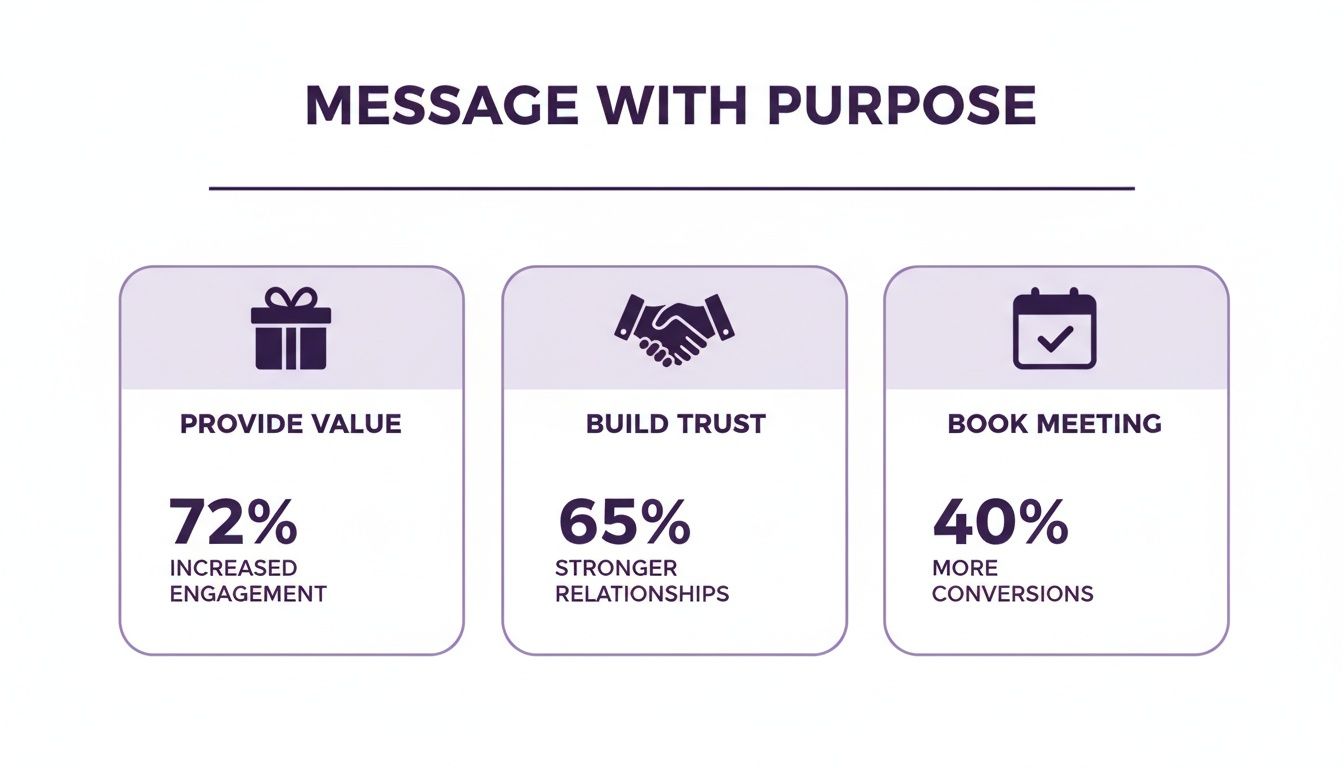
This simple flow is a crucial reminder that earning a meeting is the final step, and it only happens after you've established credibility and offered genuine help.
The Overlooked Power of Strategic Engagement
Creating your own content is one piece of the puzzle. But what if I told you that commenting on other people's posts could be an even bigger needle-mover? Your ideal clients are already on LinkedIn, talking about their wins and their struggles. Jumping into those conversations is one of the most effective ways to get on their radar.
I’m not talking about leaving a generic "Great post!" and moving on. The goal is to add real substance to the discussion. When you leave a thoughtful, insightful comment on a prospect's post, you’re not just talking to them—you're showcasing your expertise to their entire network. It meets them where they are and can often be more impactful than anything you publish on your own feed.
Your content plan shouldn't just be a publishing schedule. Think of it as a 50/50 split: half your time creating original content, the other half strategically engaging with posts from your ideal clients and industry peers.
The data overwhelmingly supports this focus. Consider that 80% of all B2B leads from social media come from LinkedIn, making it a whopping 277% more effective than other platforms. For agencies and freelancers, this is an undeniable signal to use content to attract clients where they are already doing business. It’s no surprise that 96-97% of B2B content marketers use the platform for their organic efforts.
By blending original content with smart engagement, you build a powerful system for inbound leads. Your profile becomes a magnet for your target audience, drawing them in with your expertise and warming them up for a conversation long before you ever send a connection request. This approach perfectly complements your outbound work, ensuring you always have a healthy pipeline. To power your growth, check out our guide on the best software for a digital marketing agency.
Measuring What Matters to Optimize Your Strategy
Running a successful LinkedIn lead generation campaign isn't something you can just set up and walk away from. The best strategies are alive—they breathe, they adapt, and they're constantly being sharpened by real-world data. But to get it right, you have to track the key performance indicators (KPIs) that actually move the needle, not just the ones that make you feel productive.
It's easy to get distracted by vanity metrics like profile views and follower counts. They look nice on a report, but they don't pay the bills. Your focus needs to be laser-sharp on the numbers that show you the true health of your sales pipeline. This means going deeper than surface-level stats to uncover the real story of how your outreach is performing.
The KPIs That Directly Impact Growth
To transform your LinkedIn outreach from a shot in the dark into a predictable system, you need to track your progress. Honestly, a simple spreadsheet is often all you need to get started.
Keep your eye on these three core KPIs:
- Connection Acceptance Rate: This is the first and most important hurdle. If your acceptance rate is dipping below 20-30%, it's a huge red flag. Something is off with either your targeting or your connection message, and it needs to be fixed fast.
- Message Reply Rate: They accepted your request—now what? This metric tells you how many prospects are actually engaging with your messages. A healthy reply rate is a clear sign that your messaging is hitting the mark and building genuine rapport.
- Qualified Appointments Booked: This is the one that really counts. At the end of the day, how many of these conversations are turning into actual sales calls with people who are a great fit for your services?
Tracking these core metrics is the difference between hoping for clients and building a predictable lead generation engine. The data will tell you exactly where the friction is in your process, so you can fix the right problem.
How to A/B Test for Continuous Improvement
Once you’ve got a baseline for your metrics, the real fun begins—optimization. A/B testing is a straightforward but incredibly powerful way to figure out what actually works. The whole idea is to change just one thing at a time and see how it affects your results.
I always recommend starting with the highest-impact elements first. For instance, you could test two different connection request messages for a week.
- Version A: Try a message that mentions a shared connection or a group you're both in.
- Version B: Go with a message that references a recent post they shared or a company announcement.
After sending 50-100 requests for each version, check your connection acceptance rates. Whichever one performed better becomes your new go-to message. Then, you pick a new variable to test, like your profile headline or the first follow-up message. This constant cycle of testing and measuring is how you systematically improve your results over time.
This data-driven approach is a core part of a bigger picture. You can learn more about how it all fits together by exploring what sales automation is and how it helps you scale these proven strategies.
A Few Common Questions I Hear About LinkedIn Lead Generation
When agencies and freelancers start diving into LinkedIn for leads, the same few questions always seem to pop up. Let's clear the air on some of the most common ones so you can build your strategy on solid ground.
How Many Connection Requests Can I Actually Send?
This is the big one. LinkedIn officially keeps the exact number under wraps, but from my experience and what I see in the industry, you're looking at a soft limit of around 100-200 connection requests per week.
But here's the thing: that number can fluctuate. It really depends on the health of your account and, most importantly, your acceptance rate. If your requests are getting accepted, LinkedIn sees you as a valuable member. If they're being ignored or marked as spam, you'll see that weekly limit shrink fast.
Key Takeaway: Stop worrying about the maximum number. Instead, obsess over the quality of each request. A handful of highly personalized, accepted requests will always beat a hundred generic ones that get ignored.
Is Sales Navigator Really Worth the Money?
Short answer: yes, absolutely. If you're serious about using LinkedIn to grow your business, Sales Navigator isn't just a nice-to-have; it's a must-have.
Think of it this way: the free version of LinkedIn is like fishing with a single line in a massive ocean. Sales Navigator gives you a full sonar system and a deep-sea trawler. Its advanced search filters let you build incredibly targeted lists of prospects, and you won't hit the commercial search limit that quickly cripples any serious outreach on a free account. The ROI from the time you save and the quality of leads you find almost always pays for the subscription many times over.
What’s the #1 Mistake People Make With Outreach?
Without a doubt, the biggest mistake is sending generic, copy-paste templates that feel completely robotic. We've all received them—the ones that start with "Hi [First Name], I saw your profile..." and immediately pitch a service. They get deleted on sight.
Another huge blunder is being way too pushy with follow-ups. Sending three messages in three days doesn't make you look persistent; it makes you look desperate and spammy, which is a quick way to get your account restricted. Great outreach feels like a natural, human conversation, not an automated sequence.
Ready to stop manually searching for Upwork leads and start winning more projects? Earlybird AI acts as your always-on sales team, automatically finding ideal jobs, crafting personalized proposals in minutes, and managing client conversations to book you more meetings. Learn how Earlybird can grow your agency.




