
← Back To Blog
Master how to automate repetitive tasks: Quick wins to boost productivity

To automate a repetitive task, you first have to find it. The goal is to pinpoint those high-frequency, low-value activities cluttering your workflow, map out every single step, and then use no-code tools or specialized platforms to build a digital process that runs on its own. At its heart, this is about letting software handle the grind so you can focus on the strategic work that actually grows your business.
The Hidden Costs of Repetitive Manual Work

Before we jump into the "how-to," it's worth understanding why this is so crucial. The true expense of manual work isn’t just the hours you lose; it’s a hidden tax on your business's potential, your team's morale, and your bottom line. These recurring activities create a drag on productivity that compounds over time, slowly pulling you down.
Picture a freelance designer or a small agency on Upwork. A typical day might involve manually sifting through new project listings, copying and pasting proposal templates, and trying to stay on top of a flood of client messages. Every minute spent on these chores is a minute you're not designing, strategizing for a client, or closing a high-value deal.
The Morale and Error Drain
Let’s be honest: constant, mindless work is a recipe for burnout. When skilled professionals get stuck doing tasks a machine could handle, it just wears them down. This isn't just about feeling bored; it has real, measurable consequences.
The impact of disengagement is staggering. With global employee engagement sitting at just 21%, the lost productivity costs the worldwide economy trillions. When your team is checked out, innovation grinds to a halt and momentum dies.
And where there's repetition, human error is never far behind. A single misplaced decimal on an invoice, a forgotten follow-up email, or a miscopied client detail can cause chaos. Think lost revenue, damaged relationships, and hours wasted on damage control. These small mistakes, almost always driven by fatigue and monotony, carry a surprisingly heavy financial weight.
The Snowball Effect of Wasted Time
This administrative burden isn't just a minor annoyance; it's a massive resource sink. Just look at HR teams, who can spend nearly 57% of their time on administrative tasks like payroll and onboarding. As detailed in the full research on HR automation findings, that’s almost a full workday each week lost to redundant processes.
For freelancers and agencies, the same logic applies to daily activities like:
- Manual Bidding: Spending hours every day searching for relevant jobs and writing proposals from scratch.
- Administrative Chores: Juggling invoices, tracking project statuses in spreadsheets, and manually updating client records.
- Client Follow-ups: Trying to remember to send check-in emails or reminders for overdue payments.
Each of these tasks represents a significant opportunity cost. The time you pour into them is time stolen from activities that actually generate revenue and grow your business.
Ultimately, learning to automate these tasks isn't a luxury—it’s an essential strategy for reclaiming your most valuable resource: your time. It’s the key to scaling your operations, sharpening your team's focus, and gaining a real competitive edge.
Finding Your Best Automation Opportunities
Let’s be honest, just because you can automate something doesn't mean you should. It's easy to get caught up in the excitement of new tools and end up chasing complicated projects that don't actually save you much time. The real magic happens when you get strategic and target the tasks that will give you the biggest, fastest return on your effort.
Think of this first step as becoming a detective in your own workday. Your mission is to uncover the repetitive, rule-based, and—let's face it—boring tasks. These are your golden tickets to automation.
Performing a Practical Task Audit
Don't overthink this. A task audit can be incredibly simple. Just grab a notebook, open a spreadsheet, or use a notes app on your phone. For one full week, jot down every single thing you do. The goal is to catch all those tiny, recurring activities that usually fly under the radar.
As you log each task, ask yourself a few direct questions:
- How often does this happen? Is it a daily grind, a weekly chore, or a monthly headache?
- How long does it really take? Be honest. Even five minutes adds up quickly over a month.
- Is it based on clear rules? Does the task follow a predictable "if this happens, then I do that" logic?
- Does it need my brain or just my hands? Copy-pasting data is repetition. Brainstorming a new client strategy is creativity.
At the end of the week, you'll have a surprisingly detailed map of where your time truly goes. You might be shocked to see how much of your day is eaten up by small admin duties that, together, create a massive time-suck. It’s not uncommon for businesses to find that routine data entry alone consumes thousands of hours every year.
Prioritizing by Frequency and Impact
Now you have a list of potential targets. The next step is figuring out where to start. Automating a task you do once a year isn't going to move the needle. But automating something you do 10 times a day? That’s a game-changer.
To sort this out, score each task from 1 to 5 on two simple factors:
- Frequency: How often do you do it? (1 = Rarely, 5 = Multiple times per day)
- Impact: How much value would automating it bring? (1 = Minor convenience, 5 = Frees up significant time for high-value work)
Now, just multiply those two scores. The tasks with the highest totals are your top priorities. These are the automations that will deliver the most immediate and noticeable results.
A task with a high frequency score (5) and a high impact score (5) gets a total of 25. This is your bullseye. A low-frequency (1), low-impact (1) task scores just a 1—push it to the bottom of the list.
This quick scoring system transforms a vague idea into an actionable roadmap. It’s the same principle behind powerful sales automation, which turns repetitive outreach into a consistent lead-generation machine. If you're curious, you can learn more about what is sales automation and how it benefits your business.
For example, a freelance content creator might realize that manually posting to five different social platforms every single day is their biggest time drain. That’s a high-frequency, high-impact task. Automating it with a scheduling tool could free up hours each week for what they do best: creating great content.
Or, an agency owner might discover their biggest bottleneck is manually sifting through Upwork to find qualified leads. Automating the initial lead qualification instantly becomes their top priority, letting them focus their energy on writing winning proposals for already-vetted projects.
Choosing Your Automation Tools and Mapping Workflows
So, you've identified which tasks are eating up your time and are ripe for automation. Fantastic. Now comes the part where we turn those ideas into a real, working system. This is where you shift from the "what" to the "how"—mapping your process and picking the right tech for the job.
Resist the urge to jump straight into researching tools. I've seen it happen time and time again: someone gets excited about a flashy new platform, signs up, and then tries to force their process into it. It’s like buying a tool before you know what you’re building. It almost always ends in wasted time and frustration.
First, Draw a Map
Before you even think about software, you need a crystal-clear picture of your workflow. Grab a whiteboard, a notebook, or a free diagram tool online and map out the task from start to finish.
The goal is to document every single action, decision, and handoff. For example, if you're automating client onboarding, your map might look something like this:
- New client email arrives in inbox.
- Contract template is pulled.
- Client details are added to the contract.
- Contract is sent via DocuSign.
- What happens if they sign? -> A new project is created in Asana.
- What happens if they don't sign in 3 days? -> A follow-up email is triggered.
This visual map is your blueprint. It forces you to think through every tiny step, uncovering hidden dependencies or potential snags you’d otherwise miss. This process—auditing your tasks, prioritizing the biggest time-sinks, and then targeting them with a clear plan—is the foundation for any successful automation project.
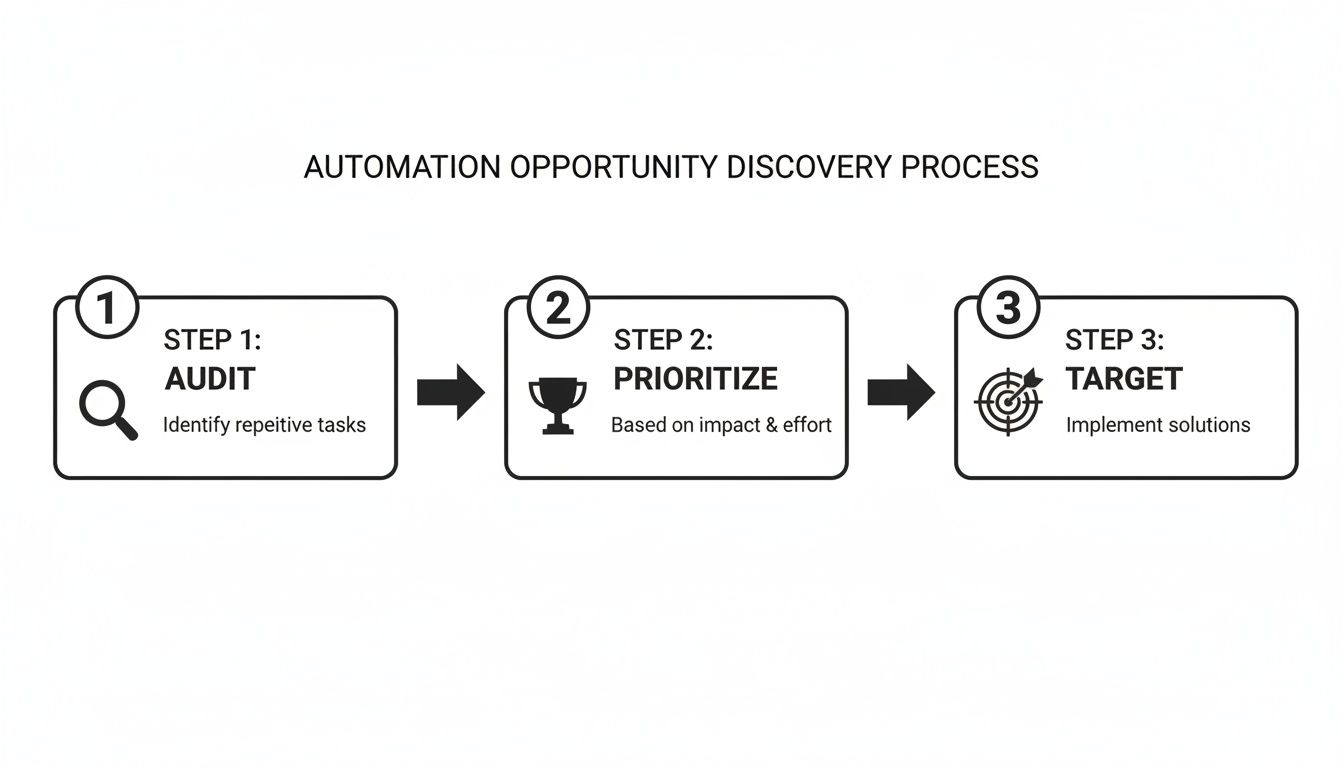
As you can see, a solid strategy comes first. When you solve the right problems in the right order, you get the biggest impact.
Navigating the Jungle of Automation Tools
With your workflow map in hand, you’re ready to find the right tool. The market is crowded, but most options fall into a few main categories. Knowing these helps narrow the search significantly.
No-Code Connectors: Think of tools like Zapier or Make. These are the digital duct tape of the internet, perfect for linking apps that don’t natively talk to each other. They work on a simple "if this, then that" logic, making them great for straightforward, linear tasks like saving email attachments to Google Drive.
Built-in CRM Automation: Modern CRMs are powerhouses. They often have robust automation features built right in, ideal for streamlining sales and marketing workflows. You can use them to automatically send follow-up sequences, score leads, or create new deals when a prospect takes a specific action.
Specialized Solutions: These are the experts. They’re tools designed to do one specific thing exceptionally well. For a complex, high-value problem, a specialized tool almost always delivers a deeper and more reliable solution than a general-purpose one.
How to Make the Right Choice
Choosing your tool is a balancing act between power, price, and practicality. A generic no-code platform might seem like a bargain, but it can quickly become a time-sink if you're trying to jury-rig a solution for a complex problem.
Let’s take a real-world example: finding and bidding on projects on Upwork. You could try to piece together a clunky automation using a generic tool to scrape for jobs and send a canned proposal. But this approach is fragile, breaks easily when Upwork changes something, and lacks the personal touch needed to actually win projects.
A specialized solution like Earlybird AI, on the other hand, is built from the ground up for this exact workflow. It manages everything—from intelligently searching for the best projects to generating personalized proposals and even handling automated follow-ups—all inside one cohesive platform. This laser focus delivers a far greater return by not just saving you time but by actively helping you earn more money.
As you evaluate your options, ask yourself these questions:
- Purpose-Built vs. Generalist: Does this tool solve my exact problem, or will I have to bend it to my will?
- Key Integrations: Does it connect smoothly with the other software I depend on daily?
- Setup Time: Can I get this up and running in an afternoon, or is it a multi-week project?
- True ROI: Is the cost justified by the time I'll save and the potential revenue it could generate?
Digital marketing agencies, for instance, often need a smart mix of these tools. You can see how different platforms stack up in our guide on the best software for a digital marketing agency. The key is to match the tool to the task's importance. For your most critical, revenue-driving processes, always bet on the most effective solution you can find.
Implementing Automation Without Risking Your Accounts
You’ve mapped out your workflow and picked the perfect tool. Now for the nerve-wracking part: actually turning it on. This is where most people hesitate, and for good reason. Handing over the keys to your business-critical accounts, especially on platforms like Upwork, can feel like a huge leap of faith.
But it doesn't have to be. With a smart, phased approach, you can learn how to automate repetitive tasks safely and see real results. The secret is to think like a scientist, not a gambler. Don't just flip a switch and hope for the best.
Start Small with a Pilot Project
Your first move should always be a small-scale pilot project. Think of it as your safety net—a controlled test in a low-stakes environment. This is your chance to iron out any kinks in your workflow and make sure the tool behaves exactly as you expect before you go all-in.
For an agency, this could mean running the automation on just one team member's account. Or maybe you target a very specific type of project for a single week.
The goal here is simple: observation. During this test run, you need to be asking a few key questions:
- Is the tool pulling the right data?
- Are the automated actions happening just like I mapped them out?
- Are there any weird errors or bottlenecks popping up?
- Does the final output actually meet our quality standards?
Treat this phase as a crucial learning opportunity. The insights you gather here are gold for fine-tuning your settings and building confidence in your new system.
Prioritizing Account Safety and Compliance
When you start automating tasks on third-party platforms, security isn't just a nice-to-have feature—it's everything. This is especially true for marketplaces like Upwork, where the integrity of your account is your livelihood. Choosing a tool that cuts corners or uses shady tactics is a fast track to getting your account suspended.
This is where you'll see a big difference between generic tools and specialized ones. A well-designed automation platform built specifically for a certain ecosystem will always put safety first. When you're evaluating a tool, look for clear commitments to security measures.
These are the absolute non-negotiables for safe automation:
- Mimics Human Behavior: The tool must operate at a human-like pace and pattern. Anything that looks like aggressive, bot-like activity is a massive red flag for platform moderators.
- Uses Clean Regional IPs: Your activity should always come from a consistent and reputable IP address in your region.
- Doesn't Store Passwords: A secure tool will use approved authentication methods, like cookies or tokens. It should never ask for or store your account password. Period.
Sales automation can be a powerful engine for growth, but implementation is everything. While 61% of companies see ROI within six months, a staggering 70% of some automation efforts fail before they even launch, often due to poor planning. Thoughtful implementation that respects platform rules is the key to avoiding these common pitfalls, as you can see by exploring more business process automation statistics.
A Real-World Example with Upwork Automation
Let's walk through how this looks in practice. Imagine you're setting up an automation tool like Earlybird AI to help with your Upwork bidding. A safe, smart implementation would follow these steps.
First, you connect your account securely—the right tool won’t ask for or store your password. Then, you kick off the pilot phase by "training" the AI. You’ll spend a little time giving feedback on job listings, a thumbs-up for good fits and a thumbs-down for bad ones. This is how the system learns your exact preferences.
Next, you turn on the automation but keep a close eye on it. Review the proposals it drafts to make sure they match your brand voice and expertise. A quality tool will use your profile information and past proposals to generate highly personalized, relevant bids—not just generic spam.
By starting small and verifying each step, you confirm the automation is not just working, but working safely. This careful process transforms a potentially risky decision into a confident stride toward better efficiency. For those looking to master this specific workflow, our comprehensive guide offers deeper insights on successful Upwork proposal automation.
How to Monitor and Scale Your Automation Efforts

Getting your first automation up and running is a major win, but don't pop the champagne just yet. Your work isn't finished—it’s just getting started. The best in the business treat automation not as a set-it-and-forget-it tool, but as a dynamic system that needs ongoing attention to really shine.
Think of it like a new team member. You wouldn't hire someone, give them a task, and then never check in again, would you? The same goes for your automation. It needs goals, feedback, and regular tune-ups to keep performing at its peak. This is how a simple time-saving script evolves into a core driver of your business's growth.
What to Track for Real Results
You can't improve what you don't measure. So, the first thing you need to do is define your Key Performance Indicators (KPIs). These shouldn't be arbitrary; they need to tie directly back to the problem you originally set out to solve with automation.
While your specific KPIs will depend on the task, most will fall into a few key categories that give you a clear view of your automation's health and impact:
- Time Saved: This is the big one—the most direct measure of your ROI. Calculate the hours your team gets back each week and put a dollar value on it. For example, if an automation saves 10 hours a week for someone earning $50/hour, that's $2,000 a month you've just reclaimed.
- Error Rate Reduction: Let's be honest, repetitive manual work is where mistakes happen. Track the number of errors, like typos in data entry or missed client follow-ups, from before and after you automated the task. A nosedive in that error rate is a huge, tangible win.
- Lead Response Time: In sales and client acquisition, speed is everything. For any outreach automation, you should be measuring the time it takes from a new lead appearing to your system sending that first touchpoint. Shaving minutes—or even seconds—off that time almost always leads to better conversion rates.
Focusing on hard numbers like these takes you from a vague "this feels more efficient" to a data-backed case for how automation is directly improving your bottom line.
Using Analytics to Sharpen Your Strategy
Good data tells you what happened. Great analytics show you what to do next. Many automation platforms, like Earlybird AI, come with built-in analytics dashboards that hand you these insights on a silver platter.
Imagine you're automating your proposals on Upwork. A quick look at your analytics might reveal that proposals for "Webflow development" projects get a 15% reply rate, while your proposals for "general web design" are only getting a 4% reply.
This kind of granular feedback is pure gold. It allows you to double down on what works—focusing your automated (and manual) efforts on the most lucrative niches—and stop wasting energy on what doesn't.
This cycle of analyzing performance and tweaking your strategy is the heart of what experts call hyperautomation. And it’s not just a buzzword. One projection shows that by 2026, a staggering 90% of large enterprises will view hyperautomation as a strategic priority, with some financial firms already seeing a 30-300% ROI in the first year.
For freelancers and agencies, this trend underscores the massive opportunity available when you use real-time feedback to constantly improve. You can dig deeper into these business automation trends for 2026 to see where things are headed.
Scaling Automation Across Your Team
Once you’ve nailed an automation and proven its value on a smaller scale, it’s time to think bigger. Scaling isn't just about handing the tool to the rest of your team; it's about fostering a culture where automation is seen as a helpful assistant, not a threat.
Kick things off by documenting the workflow and sharing the impressive results you've been tracking. Show your team the numbers—the hours saved, the errors eliminated. Concrete proof of success is the best way to get people excited and on board.
From there, it’s all about clear training and consistency. Make sure everyone knows how to use the automation and, more importantly, why you're using it. When your whole team adopts a successful automated process, the collective impact on your productivity can be massive, freeing up your top talent to focus on the high-value, strategic work that really moves the needle.
Common Questions About Workflow Automation
Diving into automation can feel a bit daunting. It’s totally normal to wonder about the cost, the security risks, or even if you have the right skills to pull it off. Let's walk through some of the most common questions freelancers and agencies have when they're figuring out how to automate repetitive tasks. We'll tackle them with straightforward answers to help you get started with confidence.
Will Automation Replace My Job or My Team's Jobs?
This is probably the biggest worry, but it comes from a misunderstanding of what good automation actually does. The real point isn't replacement; it's augmentation. It’s about freeing up smart, creative people from the soul-crushing drudgery that slows them down.
Think about the most tedious parts of your day—manually digging for projects, copying and pasting data, or sending the same follow-up email for the tenth time. These are the tasks automation was born for. When you offload that work to a machine, you and your team get that time back for the things humans are great at: strategic thinking, building client relationships, and creative problem-solving. A recent survey even found that 70% of employees are eager to hand off as much work as possible to AI just to lighten their load.
For example, automating the initial project search on Upwork doesn’t replace the person bidding. It supercharges them. Instead of wasting hours sifting through irrelevant jobs, they can pour their energy into writing killer proposals for perfectly matched, pre-vetted leads. The result is a more strategic, productive, and frankly, a much happier team.
Is It Safe to Connect Automation Tools to My Business Accounts Like Upwork?
Your business accounts are your lifeline, so this is a crucial question. The honest answer is: it depends entirely on the tool you choose. Giving a sketchy or poorly built tool access to your accounts is absolutely risky. On the other hand, a high-quality platform designed specifically for an ecosystem like Upwork will make account safety its top priority.
When you're looking at a tool, hunt for its commitment to safety. Here are the absolute non-negotiables:
- Human-like behavior: The tool must act like a real person to avoid triggering platform flags. No robotic, machine-gun-style actions.
- Clean, regional IPs: All activity should come from a consistent, secure IP address that matches your general location.
- No password storage: A secure tool will connect using approved methods like tokens or cookies. It should never, ever ask for or store your account password.
A specialized tool like Earlybird AI is a great example. It was built from the ground up to work safely within Upwork's environment by sticking to these core principles. The bottom line: always do your homework on a tool's security protocols before you connect it to anything.
How Much Technical Skill Do I Need to Start Automating Tasks?
Not nearly as much as you think. The days when you needed to be a developer to automate anything are long gone. Many of the best tools today are "no-code" or "low-code," using intuitive visual builders where you can create workflows with simple drag-and-drop actions.
It gets even easier if you're using a specialized tool. Platforms designed for a single purpose, like automating your Upwork outreach, do most of the heavy lifting for you. The setup is often as simple as connecting your account and giving it some initial feedback—like using a thumbs-up or thumbs-down to teach the AI what kind of projects you're looking for.
You don’t need to know how to code to get started. You just need a clear understanding of the task you want to automate and the willingness to learn a new tool. The technology is designed to be user-friendly.
What Kind of ROI Can I Realistically Expect From Automation?
The return on your investment shows up in a few powerful ways, and it’s about a lot more than just saving a few minutes.
First off, there's the direct time savings. Getting hours back every single week has a real dollar value. Many businesses save thousands per year simply by cutting out repetitive work. In fact, 84% of employees who use AI tools say they wouldn't want to go back, with many saving over 30 minutes a day.
Second, you'll see a big increase in output. A sales team can suddenly handle a much larger volume of leads. A project manager can oversee more projects without getting buried. This extra capacity opens the door to more revenue.
Third—and this is arguably the most important one for freelancers and agencies—is the direct impact on revenue. By automating things like lead generation, proposal writing, and follow-ups, you close the gaps in your sales cycle and boost your conversion rates. Many Earlybird AI members report seeing double-digit reply rates and pay for their entire subscription with just one new client they won through the platform. That's a clear, immediate ROI.
Ready to stop the grind and start scaling your business? Earlybird AI acts as your always-on sales team for Upwork, finding your ideal projects, crafting personalized proposals, and engaging leads so you can focus on winning clients. See how you can get more replies and close more deals at https://myearlybird.ai.




