
← Back To Blog
How to Generate More Clients: Guide for Agencies

Most advice on how to generate more clients is backward. It tells you to post more, pitch more, network more, and trust that volume will fix a weak pipeline.
It won't.
On freelance platforms like Upwork, client generation usually breaks for one of three reasons. You're chasing the wrong buyers, your profile doesn't convert interest into trust, or you're arriving late to jobs that get filled fast. That last point gets ignored far too often. Plenty of freelancers obsess over perfect proposal wording while faster competitors get seen first, shortlisted first, and hired first.
The system that works is more practical than glamorous. Define the right client. Build a profile that makes that client feel understood. Respond quickly. Write proposals that diagnose the problem instead of reciting your résumé. Then turn the whole thing into a repeatable workflow you can measure.
Define Your Ideal Client Before You Search
The fastest way to waste a month is to say yes to “anyone who needs help.”
Agencies and freelancers usually make this mistake when pipeline pressure kicks in. They broaden their positioning, take on mismatched work, and send proposals to anything remotely relevant. Activity goes up. Results usually don't. If you want to learn how to generate more clients, start by narrowing the field so your outreach has a real target.
Build an ICP that goes beyond industry labels
An Ideal Client Profile, or ICP, is not just “SaaS founder” or “ecommerce brand.” That's too broad to guide outreach. A useful ICP tells you what the buyer is trying to achieve, what's blocking them, what they already tried, and how they describe the problem in their own words.
A simple framework works well:
- Business context
What kind of company are they? Small agency, funded startup, local service business, content brand, B2B software company? - Trigger moment
What makes them hire now? Missed deadlines, poor conversion, lack of internal bandwidth, launch pressure, broken handoff between teams? - Pain they'll pay to remove
Are they losing sales, wasting team time, shipping slow, or struggling with quality control? - Buying language
Do they ask for “more booked calls,” “cleaner handoff to dev,” “higher-quality leads,” or “stronger positioning”? Their words should shape your profile and proposals. - Deal breakers
What kinds of clients drain margin or create scope chaos? Add these to your ICP too.
If you want a solid primer on how teams identify high-intent leads with AI, that resource is useful because it frames ICP work around buying signals, not just demographics.
Define fit by outcomes, not by services
Clients don't buy “web design” or “copywriting” in the abstract. They buy an outcome tied to revenue, speed, clarity, or risk reduction.
That changes how you define your niche. “We build landing pages” is a service. “We help funded SaaS teams launch conversion-focused product pages without slowing down internal design” is positioning. One gets lumped in with everyone else. The other sounds like a specialist.
Practical rule: If your ICP could describe half the buyers on a platform, it's not specific enough.
A good ICP also helps you choose where to spend your effort. Some buyers want the cheapest hands. Others want fast, competent execution with minimal management. Some need strategic thinking. Some need production support. When you know which one you serve, your messaging gets sharper and your calls get easier.
Write the profile you'll actually use
Keep it short enough that your team can reference it while bidding. One page is enough if it includes:
- Best-fit client type with business model and team size
- Primary pain they actively mention in job posts
- Urgent trigger that creates buying intent
- Core offer you're selling to them
- Proof points from relevant work, portfolio samples, or testimonials
- Red flags that signal poor fit
If you need a practical way to sharpen those segments before outreach, this guide on target market segmentation for sales teams is a useful operational reference.
Optimize Your Profile to Attract High-Value Work
Your profile is not a brochure. It's a filter.
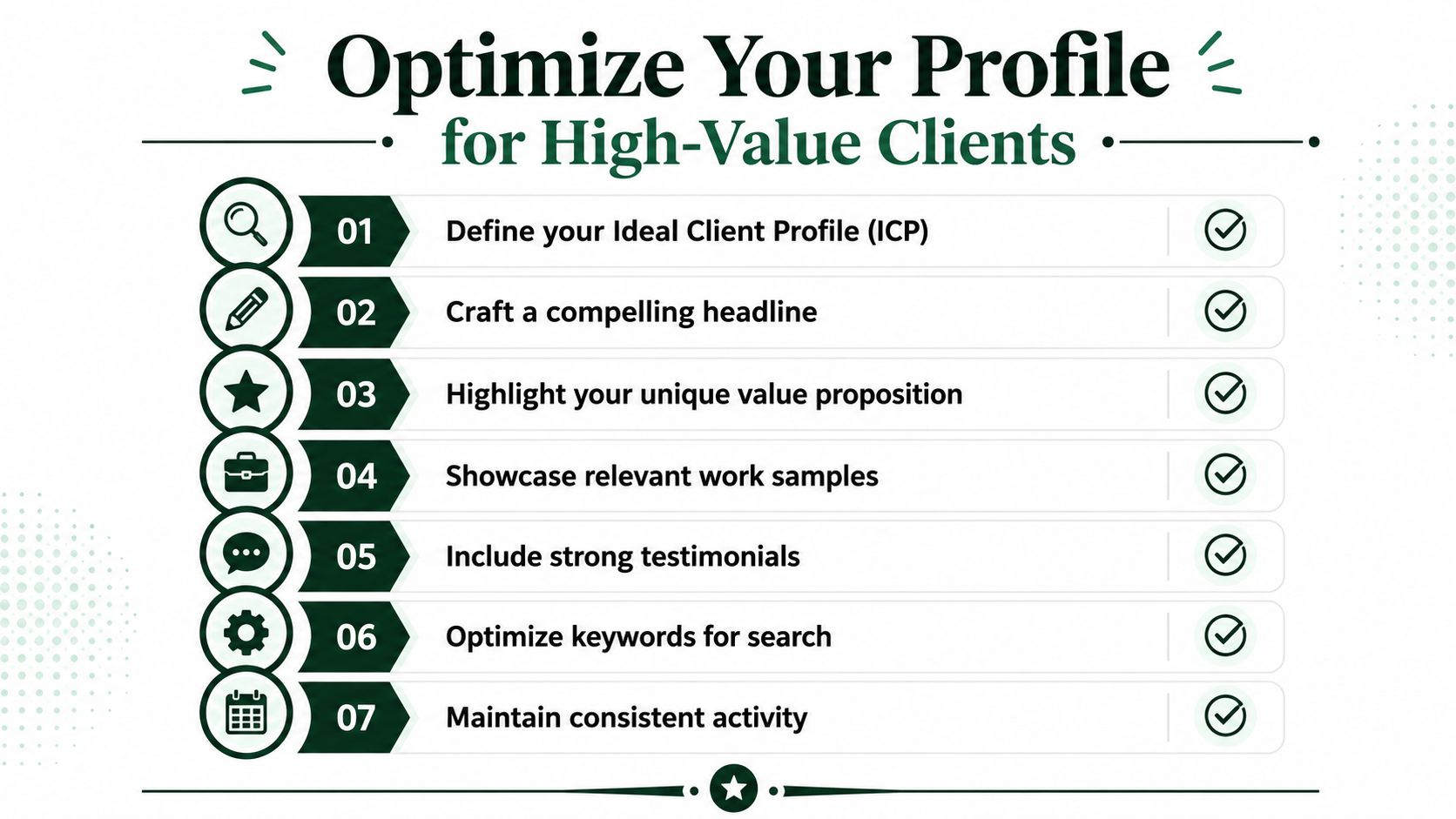
Weak profiles try to sound impressive to everyone. Strong profiles make the right client feel recognized in a few seconds. On Upwork, that matters twice. Buyers judge you, and the platform also decides how visible you are. Maintaining a 90%+ response rate to client messages within 24 hours, daily login activity, and a thoroughly completed profile are critical behaviors for boosting visibility. The same analysis notes that top-performing teams achieve a 12.86% reply rate, compared with a 7.45% platform mean.
Fix the parts buyers see first
Most buyers scan in the same order. Headline, first lines of summary, relevant work samples, then reviews. If the top of the profile is vague, they never reach the bottom.
Start with the headline. Don't write “Full-Service Digital Agency” or “Expert Freelancer.” Those say almost nothing. Write the role plus the result plus the audience. For example, “B2B SaaS copywriter for product pages and conversion-focused launch campaigns” is much easier to trust.
Then rewrite the summary around the client's situation:
- Lead with the problem you solve
- Name the kind of client you work with
- Show your process in plain language
- Point to relevant proof, not every capability you've ever had
- End with the next step you want the buyer to take
Curate proof, don't dump everything
A crowded portfolio often performs worse than a selective one. Clients are looking for pattern match, not volume. If you want healthcare SaaS projects, show healthcare SaaS work or the closest equivalent. If you want retained growth work, don't lead with one-off logo projects from years ago.
Use portfolio pieces that explain the assignment, your thinking, and the business problem. Final visuals alone rarely do enough. Even a short description helps the buyer connect your work to their own situation.
Here's a simple profile cleanup checklist:
- Headline clarity matters more than cleverness
- Specialization beats broad capability lists
- Portfolio relevance beats portfolio size
- Reviews should reinforce the kind of work you want more of
- Profile completeness affects both trust and search visibility
Buyers don't need to see everything you can do. They need to see why you're the safe choice for the exact job they need done now.
Keep the profile active
A neglected profile gets treated like a neglected storefront. Even if your positioning is solid, low activity sends the wrong signal to both buyers and the platform. Log in daily. Respond quickly. Keep your portfolio current. Add employment history, tests, certifications, and recent work where relevant.
This is one of the least glamorous parts of client generation. It's also one of the most effective. A strong profile turns more views into replies, and more replies into real conversations.
Win Clients with Speed and Precision
The most underrated client acquisition advantage on Upwork is speed.
Not sloppy speed. Not template spam. Precise speed. The kind that gets you into the first wave of serious bidders with a proposal that already sounds informed. That combination is what I'd call velocity-based inbound positioning. You're not waiting around to be discovered, and you're not competing in a pile of stale applications sent hours later.

A useful visual on that workflow is below.
Why speed changes the game
A lot of freelancers still act like every proposal gets equal consideration. That's not how buyers behave on busy platforms. This analysis of bidding velocity on Upwork found that 80% of clients hire from the first 3 to 5 bidders, and proposals submitted within 10 minutes of posting get 2.5x higher reply rates than those sent after 30 minutes.
That changes the entire operating model.
If your process requires manually checking the feed a few times a day, reading each post from scratch, and writing every proposal from a blank page, you'll miss the timing window over and over. You may still win occasionally, but you'll be competing after the buyer has already formed a shortlist.
The first useful proposal has an advantage that the fifteenth better-written proposal often can't recover.
Precision keeps speed from turning into junk
Fast outreach only works when your targeting is tight. This is why the ICP work matters so much. If you already know your client type, their common pain points, and the language they use, you don't need to reinvent your thinking each time a good-fit job appears.
A practical rapid-response workflow looks like this:
- Monitor only matched jobs that fit your niche and deal size
- Pre-build proposal angles for recurring pain points
- Prepare proof snippets tied to specific outcomes or project types
- Use qualification rules so poor-fit jobs never distract your team
- Reply to inbound messages fast once a client engages
What doesn't work
Slow perfectionism doesn't work. Broad alerts don't work. Generic templates sent quickly don't work either.
The point isn't to blast the market. It's to arrive early with enough relevance that the buyer thinks, “This person gets it.” That's a very different move from high-volume, low-context bidding.
Teams that understand this start treating timing as a competitive moat. They don't just improve copy. They engineer faster response windows, better filtering, and cleaner handoffs once a reply comes in. That's where client generation stops being random and starts becoming operational.
Write Proposals That Command a Reply
Most proposals fail in the first two lines.
They open with a generic greeting, a biography nobody asked for, and a list of services the client can already see on the profile. That format feels safe to the sender, but it creates work for the buyer. The buyer has to figure out whether you understand the job. If they have to do that work, they usually move on.
Open with diagnosis, not credentials
A proposal should feel like the beginning of a solution. The best opening lines usually do one of three things:
- identify the core problem behind the brief
- reflect the buyer's language back to them
- show that you noticed a hidden constraint or trade-off
For example, if a client posts a request for a redesign, don't start with “I'm a senior designer with X years of experience.” Start with the likely issue. Maybe they don't need a redesign at all. Maybe they need a clearer conversion path, a stronger message hierarchy, or tighter collaboration between design and dev.
That shift matters because buyers aren't hiring a résumé. They're hiring judgment.
Use structure that respects the buyer's attention
A concise structure works better than a long persuasive essay. I like this sequence:
- Observation
Show you understood the job. - Interpretation
Explain what you think is really happening. - Relevant proof
Point to one example or one type of similar work. - Next step
Suggest a call, audit, or short scoped phase.
That's enough for most Upwork proposals. If the client wants more detail, they'll ask.

The visual above includes proposal stats, but treat those figures as design copy, not operating guidance. What matters in practice is targeting quality, timing, and message relevance.
Working rule: If the first paragraph could be pasted into ten other proposals, it's not ready to send.
Price with intent, not fear
Pricing on Upwork is less linear than most freelancers assume. After examining 200,000+ outbound proposals and found a 7.45% platform-mean reply rate for agencies. It also found that under-fished markets reach 11% to 14% reply rates, while saturated categories such as Web Development, Mobile Apps, and AI/ML fall to 5% to 7%. On pricing, bids submitted at under 50% of the posted budget yield a 20.6% reply rate, while bids at 200% to 500% of the budget still achieve 16.4%.
That data tells you two things.
First, pricing isn't just about being cheap. Buyers will still reply to premium bids when the fit is strong. Second, niche selection matters more than is commonly acknowledged. A mediocre strategy in a crowded category gets punished faster than a focused strategy in a less saturated market.
Use price as positioning:
- Lower bids can help when the scope is uncertain and you want the conversation
- Higher bids make sense when you're reframing the project and selling judgment
- Fixed-scope starter offers reduce buyer risk and make premium work easier to justify
For help tightening your workflow around research and drafting, these AI tools for proposal writing are worth reviewing. The important part is how you use the tool. It should speed up relevance, not automate blandness.
Build Your Automated Client Acquisition Workflow
If you rely on motivation, your pipeline will swing wildly. If you rely on a workflow, it gets steadier.
Manual outreach breaks down in the same places every time. Someone forgets to check new jobs. Good opportunities sit too long before anyone responds. Follow-up gets skipped because delivery work takes over. Then the team says lead flow is unpredictable when the underlying issue is process failure.
Build the system around the clock, not around your mood
A workable client acquisition workflow for Upwork has five moving parts:
- Job intake
New postings get filtered by niche, budget fit, service fit, and red flags. - Prioritization
Strongest-fit jobs move to the top immediately. - Proposal assembly
Reusable building blocks handle recurring scenarios, but each proposal still reflects the buyer's language. - Fast submission and message handling
Replies need to be quick once the client engages. - Follow-up and handoff
Discovery calls, notes, and next actions should be tracked without relying on memory.

Where automation helps and where it hurts
Automation is useful when the task is repetitive, time-sensitive, and rules-driven. It becomes dangerous when it replaces judgment. That's the line.
For example, automating job discovery, filtering, and first-draft assembly makes sense. Automating every message without guardrails doesn't. You still need a human point of view behind the system. If you're new to the broader concept, this explanation of what is content automation is a helpful way to think about where automation fits and where it doesn't.
A few practical boundaries keep quality high:
- Automate detection, not positioning
- Automate drafting, not final reasoning
- Automate reminders and follow-up, not relationship building
- Automate routing, so the right teammate handles the right opportunity
One realistic stack for small agencies
A small agency can run this with a mix of platform alerts, a CRM or spreadsheet, canned but editable proof snippets, and an automation layer for speed. One example is Earlybird AI, which connects to Upwork workflows, learns project preferences from feedback, and automates job search, proposal drafting, and client replies. Used properly, a tool like that handles repetitive response work while the team focuses on qualification, sales calls, and closing.
The point isn't to remove the human touch. It's to move your people upstream, away from busywork and toward conversations that can win the account.
If your best salesperson is still spending chunks of the day copying links, rewriting the same intro, and checking the feed manually, the workflow is doing low-value work at high cost.
Measure and Scale Your Client Generation Engine
Once the workflow is running, stop judging it by gut feel.
A healthy pipeline isn't “we've been busy” or “we sent a lot of proposals.” It's a chain of measurable steps. If one step is weak, you don't need more hustle. You need a diagnosis.
Track the few metrics that reveal bottlenecks
For most freelancers and agencies, these are enough:
- Proposal send rate shows whether your system is producing enough qualified activity
- Reply rate shows whether targeting, timing, and messaging are working
- Interview rate shows whether your proposals create enough curiosity to start a conversation
- Win rate shows whether your calls, scoping, and pricing hold up once a client engages
Watch these by niche, offer type, and bidder if you have a team. Averages can hide a lot. One service line may be carrying the whole pipeline while another wastes effort.
Use the data to refine, not just report
The point of tracking isn't to build a dashboard nobody acts on. It's to find the friction.
If reply rate is weak, revisit client fit and proposal angle. If interviews happen but deals don't close, the problem may sit in pricing, scoping, or sales calls. If one niche consistently converts better, shift attention there instead of spreading your team thin across every category that looks vaguely relevant.
For a broader perspective on sustainable outreach systems, Cloud Present's guide to B2B leads is a useful complement because it frames lead generation as an operating system, not a one-time campaign.
A reliable client engine has a feedback loop. Your best jobs sharpen the ICP. Your best proposals become reusable patterns. Your losses teach you where the message broke or where fit was never there in the first place. That's how you get out of feast-or-famine mode. You stop chasing random work and start improving a machine that brings the right opportunities to you more consistently.
If you want a practical way to turn Upwork outreach into a repeatable system, Earlybird AI helps agencies and freelancers automate job discovery, proposal drafting, fast replies, and follow-up so more of the pipeline runs on process instead of manual effort.




