
← Back To Blog
Sales Navigator Core: Features, Limits, and Real Value
You sign up for Sales Navigator Core, open it for the first time, and immediately hit the question: is this a better prospecting system, or just a paid LinkedIn tab with fancier filters? That reaction is normal. Most buyers don't need more hype, they need a clear answer on what Core does, where it falls short, and whether it can earn its keep for a solo seller or a small team.
Core works best when you treat it like a disciplined sales workflow, not a place to browse profiles. LinkedIn built it around measurable activity, saved searches, alerts, and account-based targeting, which means the value shows up only when the tool is part of a repeatable motion. If you want a candid read on the product, the right lens is simple, features, reporting, search logic, and ROI.
What Most Buyers Get Wrong About Sales Navigator Core
Sales Navigator Core is not a casual browsing tab. It is a paid single-seat system built around measurable sales activity, and that means buyers need to judge it by workflow discipline, not by how quickly it returns a few names in search.
The first mistake is treating it like a better search bar. A freelancer logs in, runs a few searches, saves a handful of leads, and decides the tool is either brilliant or useless based on the first hour. That is the wrong test. Core has a quota, a reporting model, and a clear workflow bias, so the essential question is whether you will use it as a prospecting system.
The second mistake is buying it for occasional browsing. If all you want is to look up people before sending a one-off message, Core is too much tool for too little motion. It starts to earn its place when you run regular outbound, build structured account lists, and time outreach around profile activity.
What Core really is
LinkedIn documents Core around measurable sales activity and uses metrics like searches performed, profile views, leads saved, accounts saved, and InMails accepted to measure use (LinkedIn help on usage metrics). That tells you what kind of product this is. It is built to show what reps did, not to serve as a casual discovery tool.
Practical rule: If you cannot describe your weekly search-and-follow-up motion before you buy, Core will probably sit unused.
The buyer profile is usually obvious once you say it plainly. Solo sellers, agency owners, and small teams with steady prospecting volume can make Core work. People who only check LinkedIn when a deal goes cold usually cannot.
Defining Sales Navigator Core and What It Includes
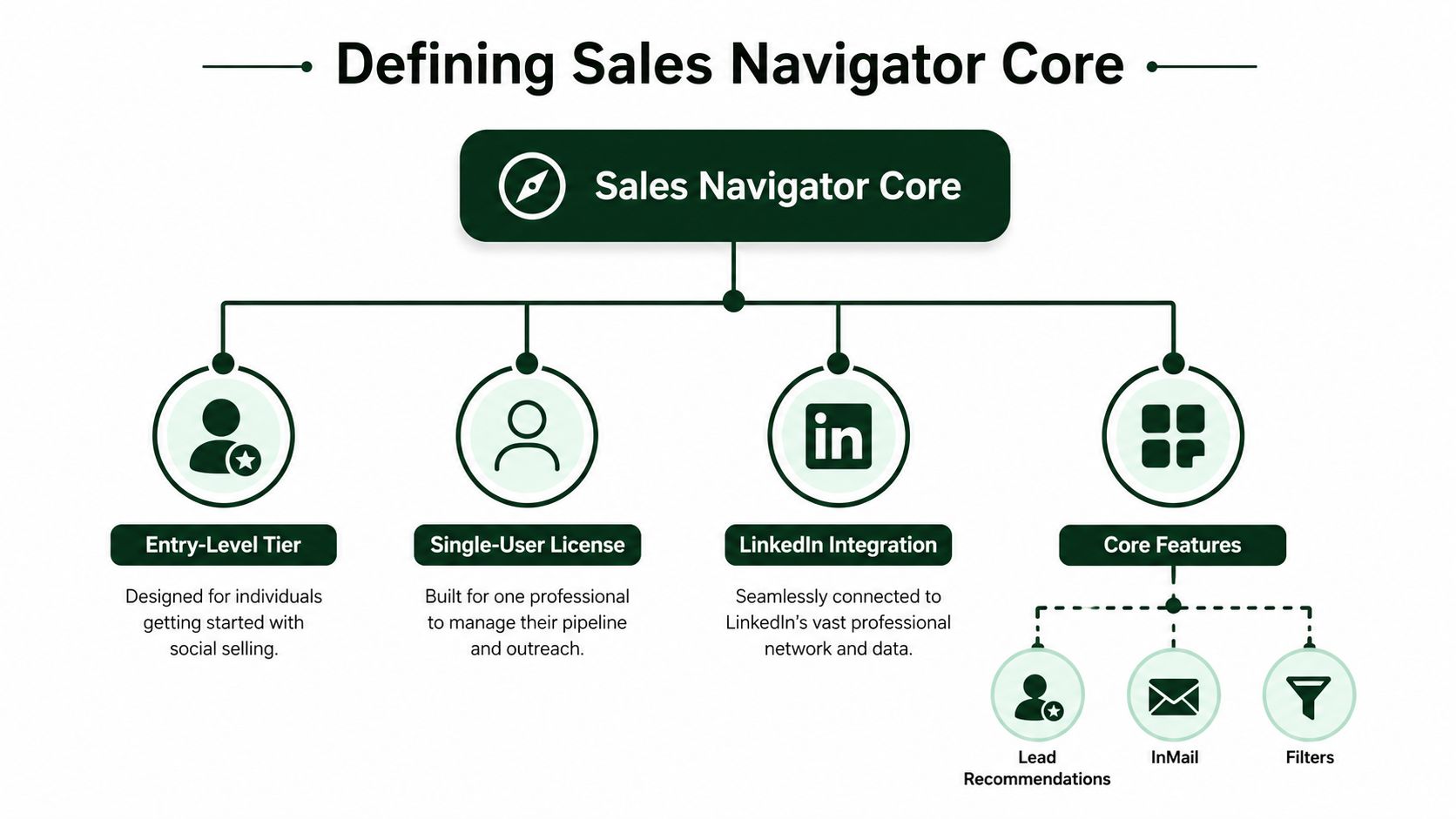
Sales Navigator Core is LinkedIn's single-user sales subscription. It's built for individual sellers rather than team-wide sales operations, and that matters because the feature set is optimized for personal prospecting discipline, not shared reporting or enterprise automation.
Here's the basic shape of the product. Core includes advanced search filters, saved leads and accounts, custom lists, alerts, relationship mapping, and 50 InMail messages per month, with a cap of 10,000 saved leads and accounts (LinkedIn help on Core features). LinkedIn's plan comparison also says Core is designed for individual sellers and includes 50+ advanced search filters (LinkedIn plan comparison).
How the search layer works in practice
Core's filters let you narrow by region, industry, function, and seniority level, which is the mechanics that matter most day to day. You're not just hunting for names, you're shaping a target set that fits a market, an ICP, and a buying committee. LinkedIn also highlights real-time alerts for events like a lead changing jobs or viewing a profile, which helps sellers time outreach when relevance is highest (LinkedIn Sales Navigator overview).
That's the key mental model. Use Core to build a target universe, save the right people and accounts, and let alerts surface timing signals. If you only use it to search titles, you're wasting most of the subscription.
The Activity Metrics That Make Core a Reporting Tool
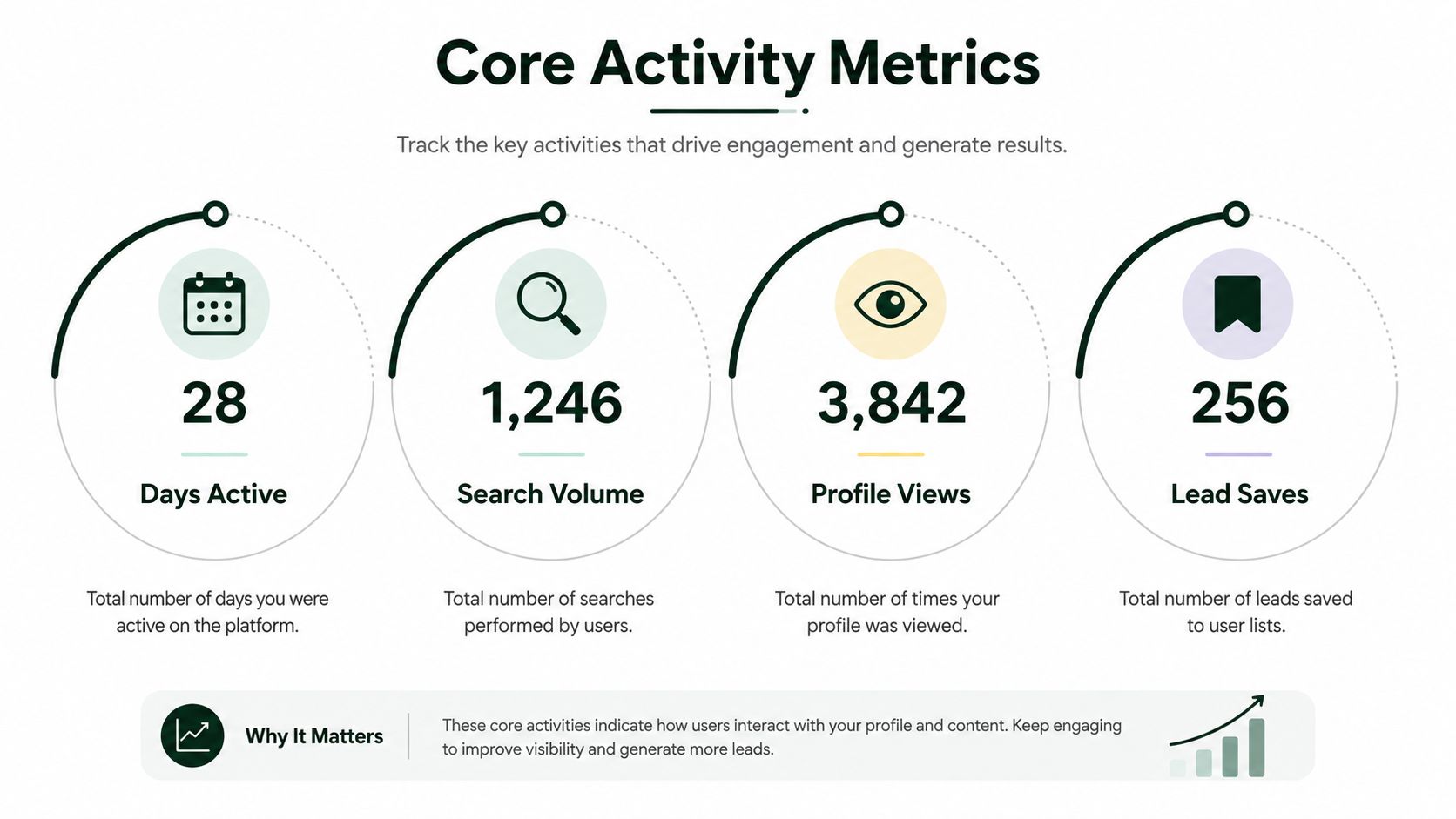
Many buyers miss the reporting side of Core because the interface looks like prospecting software. LinkedIn tracks days active, searches performed, profile views, leads saved, accounts saved, lists created, InMails sent, and InMails accepted, and it treats an accepted InMail as a positive response received within 30 days of sending.
That changes how you should evaluate the tool. Your weekly scorecard should measure qualified account activity, saved leads, and accepted InMails. If those numbers are flat, Core is just a database subscription with messaging attached. The product is telling you to manage process, not guesswork.
The milestones matter more than the filter list
LinkedIn's usage guidance also sets activity milestones such as 25 or more accounts saved within two years for a Book of Business, 40 or more account-prioritization activities for Focus on top accounts, and 25 or more decision makers connected, messaged, or saved as leads for Find the right buyers. Those thresholds make the point clear. Core is built for repeatable account-based selling motions, not one-off searches.
The practical takeaway is blunt. If your activity never shows up in saved leads, saved accounts, and accepted InMails, you are not using Core the way it is designed to work. You are renting access to LinkedIn's database and leaving the reporting value on the table.
How Core Compares to Advanced and Advanced Plus
Core, Advanced, and Advanced Plus share more than many buyers assume. LinkedIn's plan comparison shows that all three include Advanced Search, InMail, Saved Leads and Accounts, Custom Lists, and Lead and Account Pages with Account Maps (LinkedIn plan comparison). Core is not a stripped-down product that leaves you without the basics. It gives you the prospecting stack buyers usually want first.
The gap sits above the search layer. ROI Reporting and CRM writeback belong in the higher tiers, so Core gives you the tools to find targets, save them, and reach out, but not the broader reporting and system-of-record support that sales leaders usually want once the team starts scaling. That is the line that matters.
Core also fits a very specific operating style. If one seller owns prospecting end to end, Core is enough to build lists, track leads, and send InMails without extra administration. That makes sense for freelancers, solo closers, and small teams that do not need shared governance or heavy CRM sync. For a practical look at how teams set up that motion, see this LinkedIn lead generation workflow.
Who should stay on Core
Stay on Core if the prospecting process is simple and the same person owns the search, the outreach, and the follow-up. Core fits individual sellers who want to identify targets, keep a clean watchlist, and message prospects without asking operations to manage another tool. It also works for small teams that care more about execution than centralized reporting.
That is the right call when the sales motion is still manual. You get enough structure to stay organized, but you do not pay for features that sit unused in a small team.
Who should upgrade
Upgrade when sales management needs to see how LinkedIn activity connects to revenue, or when the team needs direct CRM writeback to avoid manual handoffs. Once shared lists, team rules, and pipeline reporting become part of the process, Core stops being the full answer. At that point, the higher tiers buy operational control, not just another search filter.
If you need help cleaning and qualifying records outside LinkedIn, lead enrichment API features can fill the gaps. That matters more as your team moves from individual prospecting to coordinated account work.
The mistake is treating upgrades like a search-power decision. It is usually an operations decision.
Why Account First Search Logic Beats Title First Prospecting
Most Core users start with job titles, and that's where they box themselves in. They search for a role, narrow too hard, and miss the people who influence the deal. Account-first targeting works better because company-level context tells you where the buying pressure sits before you obsess over the exact title.
A practitioner post claims that moving to account-based targeting can raise lead quality from 60% to 85–95%, which lines up with what many small teams feel in practice, even if they don't track it formally (practitioner discussion on account-based targeting). The point isn't that every account-first search will produce perfect leads. The point is that company filters usually do more work than title filters alone.
Build the search around the company first
Use Core to identify companies by size, growth stage, revenue band, or tech stack, then layer in decision-maker titles after that. That keeps you from over-narrowing on a single function and missing adjacent roles in the buying committee. It also makes your outreach more resilient when the org chart is messy, which it usually is.
If you need a broader workflow for enriching and qualifying target records outside LinkedIn, lead enrichment API features can help fill gaps before you ever message a prospect. For a deeper example of LinkedIn-based targeting structure, see this guide on B2B lead generation on LinkedIn.
The blunt advice is this. Title-first prospecting is easy, but it usually underperforms. Account-first search logic takes more thought and gives you a better shot at the right committee.
Building a Daily Workflow With Saved Searches and Alerts
Core becomes useful when you stop treating search results like a one-time list and start treating them like a monitored queue. Save the search, let the alerts work, and only step in when a signal says the prospect is worth contacting now. That's where the product earns its fee.
LinkedIn's own materials emphasize saved searches, spotlight-style signals, and real-time updates for job changes and profile activity (LinkedIn Sales Navigator blog). That means you're not guessing when to reach out. You're waiting for a reason to act.
A simple operating rhythm
Start your day by reviewing saved search alerts and checking for new leads that match your account-first criteria. Midday, scan spotlight signals and decide which accounts have fresh momentum. By the end of the day, update your CRM or spreadsheet so you don't re-key the same prospect data tomorrow.
The fastest outreach is usually the one tied to a fresh trigger, not the biggest list.
A job change alert is the clearest example. If a target moves roles, respond the same business day with a short, relevant message that references the new context. That message usually lands better than a generic pitch because the timing makes it feel informed, not automated.
If your team needs to automate the handoff between research, follow-up, and task management, AI for sales prospecting is worth a look. One option in that space is Earlybird AI, which automates job discovery, proposal writing, message replies, and follow-up workflows for sellers who work on Upwork.
ROI Math for Solo Sellers and Small Teams
Core only makes sense when it earns back its seat. For freelancers and small teams, the published pricing discussion puts Sales Navigator pricing discussion at $79.99/month billed annually (LinkedIn Sales Navigator pricing discussion). If your process is light, that cost sits there. If you use it every day to find the right accounts, trigger timely outreach, and keep your pipeline moving, it can pay for itself.
LinkedIn's own ROI materials point to 61% of total revenue influenced by Sales Navigator in the companies reviewed, based on an aggregated look at 600+ CRM-synced companies with at least 6 months on contract and more than a 30% opportunity match rate (Sales Navigator ROI metrics). The same line of research is often cited for 34% higher win rates and stronger pipeline impact. Treat those numbers as proof that Core can matter inside a real sales motion, not as a promise for every seat.
The payback question is operational, not theoretical
A seat that sits idle is waste. A seat used inside a tight routine is different. If you log in once a week, Core becomes a manual research tool with a high price tag. If you work it daily, keep your account lists narrow, and act on alerts quickly, one closed deal can cover the annual cost without much drama.
The test is whether your team turns activity into revenue. That means using account-first search logic, keeping searches focused on the right companies, and only reaching out when a signal justifies the message. Title-first prospecting looks busy. It burns time on people who may never matter to the account.
For teams that want a cleaner way to connect prospecting effort to business results, improve marketing ROI is a useful reference point. If you're comparing systems that reduce manual work, best sales automation tools is a practical companion read, and it helps frame where automation saves time versus where Core still depends on disciplined human follow-up.
Who Should Buy Core and How to Use It Well
Buy Core if you're an individual seller or a small team with consistent outbound volume, and skip it if you want a casual search tool. It fits sellers who can protect a daily prospecting block and who understand that the subscription works only when activity is disciplined. Teams that use it sporadically will not get much back.
A solid first 30 days looks like this. Pick one ideal customer profile, build one account-first saved search, set up two alerts that matter, and commit to a 20-minute daily review block. If you want to tighten the operational side of that routine, sales revenue ops use cases is a practical way to think about calendar discipline, handoffs, and follow-through.
Bottom line: Core pays for itself when it becomes part of a repeatable workflow, not when it sits open in a browser tab.
If your team can sustain that rhythm, Core is a defensible buy. If not, wait until your prospecting process is tighter.
Earlybird AI helps sellers build a more disciplined outreach engine by automating job discovery, personalized responses, and follow-up workflows. If you want a system that turns prospecting into a repeatable process, visit Earlybird AI and see how it fits your workflow.




